I believe that friends who have started yy voice know that when registering an account, you need to set a nickname, and of course the nickname will also be modified. Below, the editor will share with you the operation process of changing the nickname using yy voice. Interested users can take a look together.
1. First open yy voice, and then log in to your account;
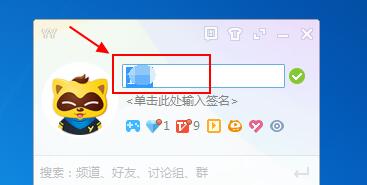
2. After logging in, click our nickname directly on the yy voice interface, and then modify it, as shown in the picture:
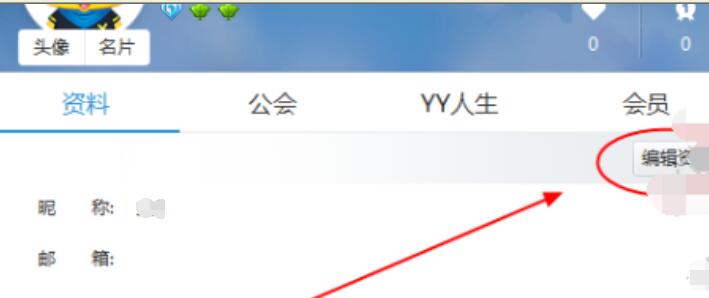
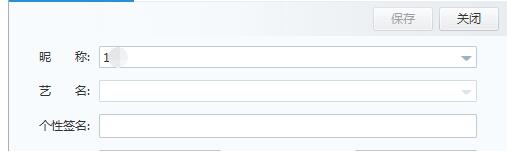
3. You can also click on the avatar to open "Personal Information", and click "Edit Information" here to modify the nickname of yy Voice;
4. Another thing I want to tell you is that duplicate names are allowed in yy voice. That is to say, you can call me "Xiao Ming" and I can also call you "Xiao Ming". However, the system will add a code after Xiao Ming by default to distinguish the two of us. Of course, this code cannot be seen.
Come and learn the operation process of changing your nickname with yy voice today. I believe you will be able to use it in the future.