How to rename files in Eclipse-How to rename files in Eclipse
Time: 2022-05-27Source: Huajun Software TutorialAuthor: Huluwa
Many people don’t know how to rename files in Eclipse? The article brought to you today is about the method of renaming files in Eclipse. If you still don’t know, let’s learn it with the editor.
Step 1: First open eclipse on your computer, as shown in the picture.

Step 2: Then click to open the project under Project Explorer, as shown in the picture.
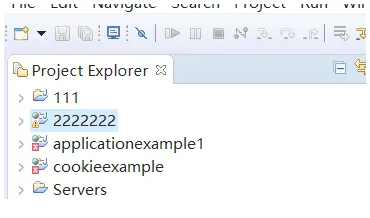
Step 3: Then click on the file you want to rename, as shown in the picture.

Step 4: Next, click the Rename option, as shown in the figure.

Step 5: Finally, re-enter the file name and save it.

The above is the entire content of how to rename files in Eclipse brought to you by the editor. I hope it can help you.
Popular recommendations
-
EasyConnect for Mac
Version: v7.6.7.4 official versionSize: 20.7MB
The official version is a Mac computer for enterprises. The latest version of EasyConnect for Mac can help users use the company's internal network outside the office...
-
FinalShell for mac
Version: 4.6.3Size: 103.53MB
The official version of FinalShellformac is a remote connection management software. Users can use this FinalShellfor
mac software remote connection...
-
NetEase UU online game accelerator
Version: 2.8.13Size: 18.8 MB
The latest version of NetEase UU online game accelerator is an online game accelerator launched by NetEase that supports Mac system platform. The official version of NetEase UU online game accelerator supports a variety of...
-
Microsoft Remote Desktop for Mac
Version: 11.2.4Size: 116.61 MB
The latest version of MicrosoftRemoteDesktopforMac is a remote control software developed by Microsoft. In MicrosoftRemoteDesktopfor...
-
360 cloud disk synchronization version MAC
Version: 3.0.5Size: 8.78 MB
The latest version of 360 cloud disk synchronization version MAC is a cloud disk service software on the Mac platform. 360 cloud disk synchronization version MAC provides rich file storage and...