How to write binary in Eclipse-How to write binary in Eclipse
Time: 2022-05-27Source: Huajun Software TutorialAuthor: Huluwa
Recently, some friends have consulted the editor about how to write binary in Eclipse. The following is a method of writing binary in Eclipse. Friends who need it can come and learn more.
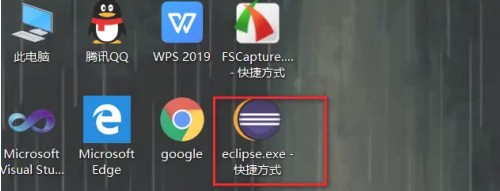
The first step: Open the eclipse software on your computer and configure the jdk.
The second step: Then create a new Javaproject.
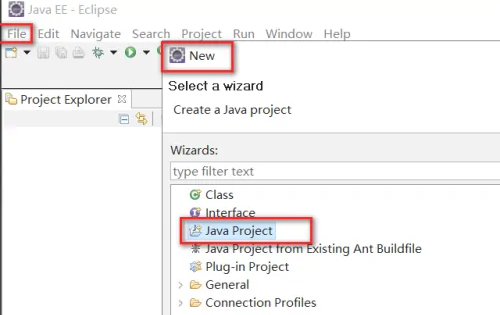
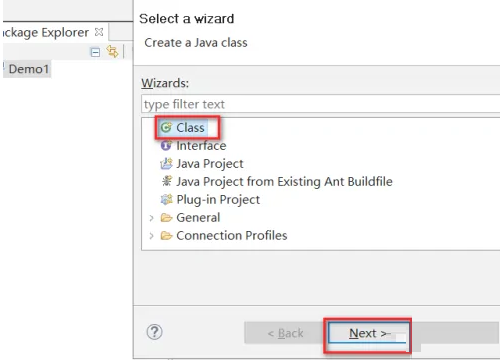
The third step: Create a new class file, seduce the main option, and automatically call the main method.
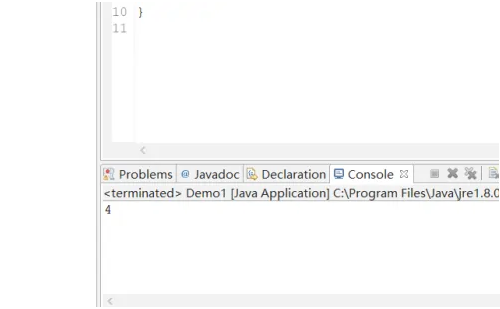
Step 4: Enter the code System.out.println(0b100);
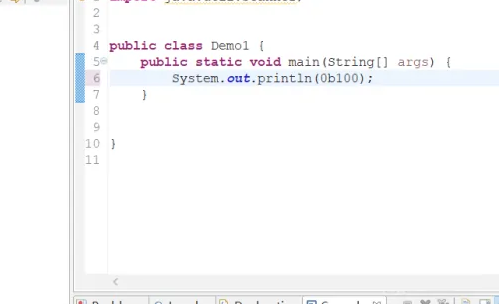
Step 5: 4 will appear on the console, and the binary representation is preceded by 0b (b can be uppercase or lowercase).
The above is the entire content of how to write binary in Eclipse brought to you by the editor. I hope it can help you.
Popular recommendations
-
Microsoft Remote Desktop for Mac
Version: 11.2.4Size: 116.61 MB
The latest version of MicrosoftRemoteDesktopforMac is a remote control software developed by Microsoft. In MicrosoftRemoteDesktopfor...
-
360 cloud disk synchronization version MAC
Version: 3.0.5Size: 8.78 MB
The latest version of 360 cloud disk synchronization version MAC is a cloud disk service software on the Mac platform. 360 cloud disk synchronization version MAC provides rich file storage and...
-
360 Cloud Disk For Mac
Version: 3.0.5Size: 5.62 MB
The official version of 360 Cloud Disk ForMac is a network disk tool created by 360 Company for users. 360 cloud diskFor
The latest version of Mac can safely store personal files...
-
LeBo screen casting
Version: 6.3.52Size: 191M
The latest version of LeBo Screencast is a multi-screen interactive software for mobile devices to connect to large-screen terminals. The latest version of Lebo Screen Mirroring 2025 is a product of LeTV that also supports iO...
-
Google Chrome For Mac
Version: Official versionSize: 223.11MB
The latest version is a browser tool designed for Mac systems. The Mac version can support multi-tab browsing, and each tab page can be in an independent sandbox...