Many friends say that they still don’t know how to set up continuous replication in autocad2009? Then the editor will share with you how to set up continuous replication in autocad2009. Friends who are not sure yet come and take a look.
1. Enter the copy command and select the object:
After selecting the object, press Enter to confirm (can be set to confirm with the right mouse button)
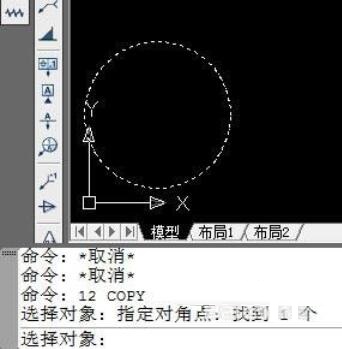
2. The interface after confirming the object, the default setting is: single copy mode.
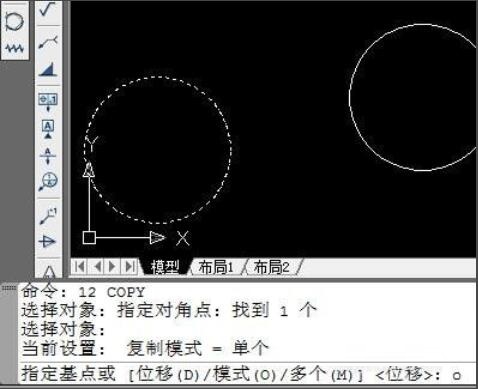
Key point: The command line prompts you to enter the base point---after it appears,
不要点鼠标左键,根据命令提示,键盘输入:O,回车
Note: The input is O (English O), not zero
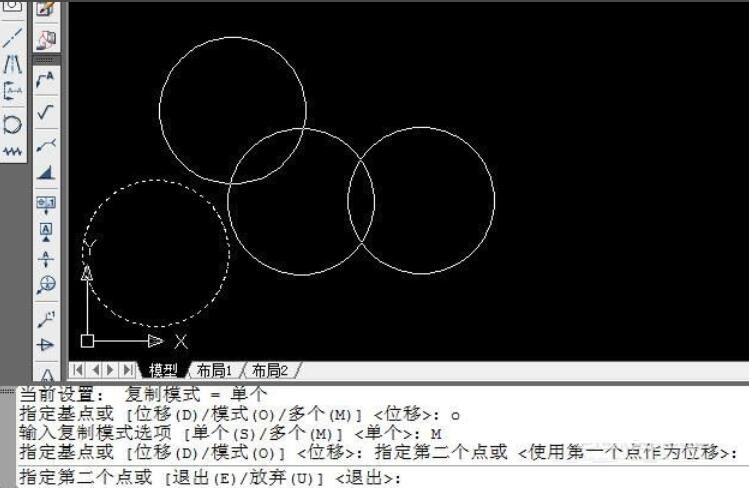
3. Appears at the command prompt: after entering the copy mode option
Keyboard input: M
Enter

4. The setting is completed.
At this point, you can click the left mouse button at the desired location to copy continuously.
The above is the method shared by the editor to set up continuous replication in autocad2009. I hope it can help everyone.