
Hot search terms: 360 Security Guard Office365 360 browser WPS Office iQiyi Huawei Cloud Market Tencent Cloud Store
Hot search terms: 360 Security Guard Office365 360 browser WPS Office iQiyi Huawei Cloud Market Tencent Cloud Store

network acceleration Storage size: 88.3MB Time: 2022-04-13
Software introduction: Thor Accelerator is an online game accelerator that is compatible with multiple platforms, supports cross-servers, and pursues extremely stable acceleration services. Thor relies on his stability...
The first step is to start the software on the computer, then log in to your account, and then select the game to be repaired on the main interface or the game interface.
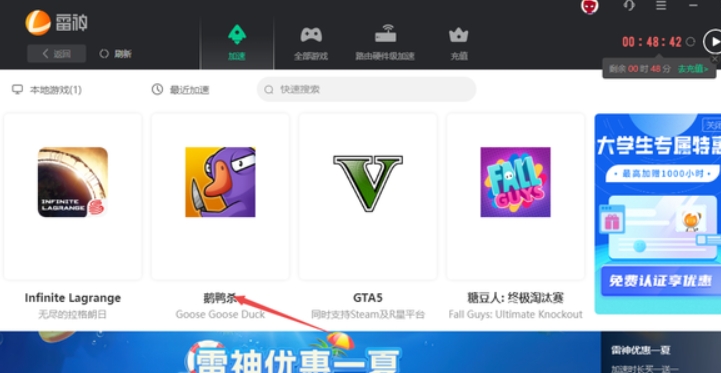
The second step is to enter the game interface. In the interface on the right, you can see the [Network Repair] function, click on it.

The third step is to enter the network repair interface and click the [Repair Now] button.

Step 4: Finally, wait for the network repair to be completed.
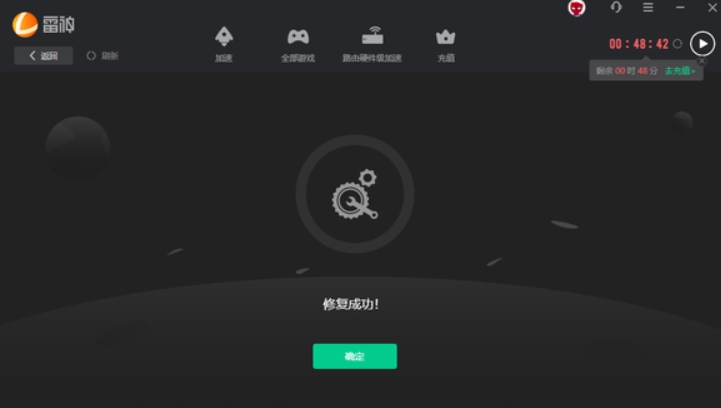
The above is the introduction that the editor summarized for you about the method of repairing the network with Thor Accelerator. I hope it can be helpful to everyone.

 How to add background music in python-How to add background music in python
 How to configure environment variables in python - How to configure environment variables in python
 How to run python - How to run python
 How to create a project in python - How to create a project in python
 How to make a blue sky background with scratch-How to make a blue sky background with scratch
 Steam
Steam
 Tencent Video
 WPS Office
 iQiyi
iQiyi
 Sohu video player
 Lightning simulator
 MuMu emulator
 Eggman Party
 WPS Office 2023
 What to do if there is no sound after reinstalling the computer system - Driver Wizard Tutorial
 How to switch accounts in WPS Office 2019-How to switch accounts in WPS Office 2019
 How to clear the cache of Google Chrome - How to clear the cache of Google Chrome
 How to fire bullets in scratch-How to fire bullets in scratch
