
Hot search terms: 360 Security Guard Office365 360 browser WPS Office iQiyi Huawei Cloud Market Tencent Cloud Store
Hot search terms: 360 Security Guard Office365 360 browser WPS Office iQiyi Huawei Cloud Market Tencent Cloud Store
system tools Storage size: 220.07 MB Time: 2022-12-23
Software introduction: app is a free mobile translation software. Baidu translation app is the mobile software of T1 lineup among the current mobile translation applications. Baidu...
Baidu Translate APP is a mobile translation software with comprehensive functions, easy operation and rich resources. It has high practical value for learners, workers and travelers. Its powerful functions and good user experience have won the favor of a large number of users. Whether studying, working or traveling abroad, it has become an indispensable translation tool for users. At the same time, Baidu Translate also continuously updates and optimizes its functions to meet the growing needs of users. Next, let the editor of Huajun explain to you how Baidu Translate translates in real time and how Baidu Translate translates in real time!
first step
First, make sure that the Baidu Translate APP is installed on your phone and is the latest version.
Step 2
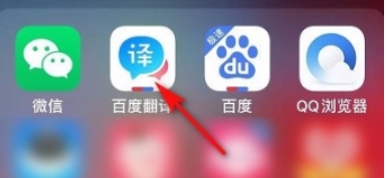
Click the Baidu Translation APP icon to enter the main interface of the software. On the main interface, you'll see various translation features and options.

Step 3
On the main interface of the software, look for a button that usually appears as three small dots. Clicking this button will take you to a page with more functions.

Step 4
On more pages, swipe up or browse the page until you find the "Human Translation" option. Although "human translation" is mentioned here, in fact, in some versions of Baidu Translation APP, the real-time voice translation function is also classified or included in this section. After clicking the "Human Translation" option, you will enter a new page. In this new page, continue to look for the "Real-time Speech Translation" option. Click it to enter the real-time voice translation function.

Step 5
After completing the above steps, a window or interface for connecting to voice translation will usually pop up on the interface. In this interface, you will see a "Connect" button or similar prompt. Click the "Connect" button, and your phone will start listening to surrounding voice input and translate what you hear into the target language of your choice in real time.
The above is how the editor of Huajun compiled for you how to translate in real time and the method of real-time translation in Baidu Translate. I hope it can help you!

 How to change Toutiao password? -How to change password in Toutiao
 How to set the font for Toutiao today? -How to set font in Toutiao
 How to register for Toutiao? -How to register for Toutiao
 How does Toutiao publish news? -How to publish news in Toutiao today
 movie paradise
 Quark Browser
 little red book
 Chinese University MOOC computer version
 Xiaoetong
 Traffic control 12123
 Minecraft Bedrock Edition
 KMPlayer
 watermelon video
 How to use Fliggy’s student discount? List of student certification methods on Fliggy
 How to find the help center for Panzhi Sales - How to find the help center for Panzhi Sales
 How to change ID card with taptap-How to change ID card with taptap
 How to add friends on steam mobile version - How to add friends on steam mobile version
 How to Chineseize ourplay with one click - How to Chineseize ourplay with one click
