
Hot search terms: 360 Security Guard Office365 360 browser WPS Office iQiyi Huawei Cloud Market Tencent Cloud Store
Hot search terms: 360 Security Guard Office365 360 browser WPS Office iQiyi Huawei Cloud Market Tencent Cloud Store

system tools Storage size: 220.07 MB Time: 2022-12-23
Software introduction: app is a free mobile translation software. Baidu translation app is the mobile software of T1 lineup among the current mobile translation applications. Baidu...
Baidu Translate is a powerful and widely used free mobile translation software. It enjoys a high reputation in the field of translation and is considered one of the T1-level mobile translation applications. This software is not only suitable for personal study and work needs, but also an indispensable translation tool when traveling abroad. Next, let the editor of Huajun explain to you how to open the floating window in Baidu Translation and how to open the floating window in Baidu Translation!

first step
First, make sure you have Baidu Translate APP installed on your device
Step 2
After opening the Baidu Translation APP, enter the personal page. Usually, the personal page can be entered by clicking "Me" or a similar user center icon in the lower right corner of the APP.

Step 3
On your personal page, find and click the settings icon in the upper right corner (usually a gear-shaped icon). This will take you to the settings menu.

Step 4
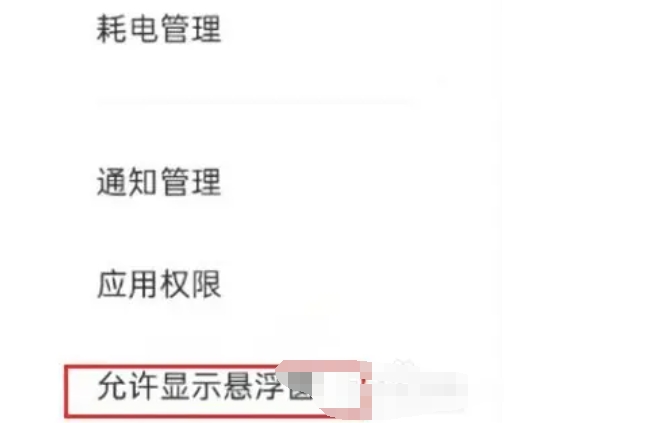
In the settings menu, you need to find the option related to floating windows. Different versions of Baidu Translation APP may have slightly different layouts in the settings menu, but usually you can find the "floating window" option under "Settings", "System Permissions and Privacy Management" or similar categories.
Step 5
Find the floating window option directly: If there is a "floating window" option directly in the settings menu, you only need to switch it to the "on" state.
Through system permission management: If the floating window option is not directly displayed in the settings menu, you may need to enter "System Permissions and Privacy Management" or a similar page, then find Baidu Translation APP in "Authorization Permission Management" or "Application Permissions" and enable its "floating window" permission.
Step 6
When you turn on the floating window function for the first time, the system may pop up a permission request dialog box. Please make sure you click "Allow" or "OK" to authorize Baidu Translation APP to use the floating window.
The above is how to open the floating window in Baidu Translation and the method of opening the floating window in Baidu Translation compiled by Huajun editor for you. I hope it can help you!

 How to send a private message to Toutiao today? -How to send private messages to Toutiao today
 How to change Toutiao password? -How to change password in Toutiao
 How to set the font for Toutiao today? -How to set font in Toutiao
 movie paradise
 Quark Browser
 little red book
 Chinese University MOOC computer version
 Xiaoetong
 Traffic control 12123
 Minecraft Bedrock Edition
 KMPlayer
 watermelon video
 How to use Fliggy’s student discount? List of student certification methods on Fliggy
 How to find the help center for Panzhi Sales - How to find the help center for Panzhi Sales
 How to change ID card with taptap-How to change ID card with taptap
 How to add friends on steam mobile version - How to add friends on steam mobile version
 How to Chineseize ourplay with one click - How to Chineseize ourplay with one click

