
Hot search terms: 360 Security Guard Office365 360 browser WPS Office iQiyi Huawei Cloud Market Tencent Cloud Store
Hot search terms: 360 Security Guard Office365 360 browser WPS Office iQiyi Huawei Cloud Market Tencent Cloud Store
Document business Storage: 172.9 MB Time: 2022-01-11
Software introduction: Graphite Document Android version is a document editing APP that subverts the traditional office model. The mobile version of Graphite Document has flexible and diverse deployment methods...
Friends, do you know how to collect documents in Graphite Document? Today, the editor is happy to explain to you the tutorial on collecting documents in Graphite Document. If you are interested, you can come and learn more.

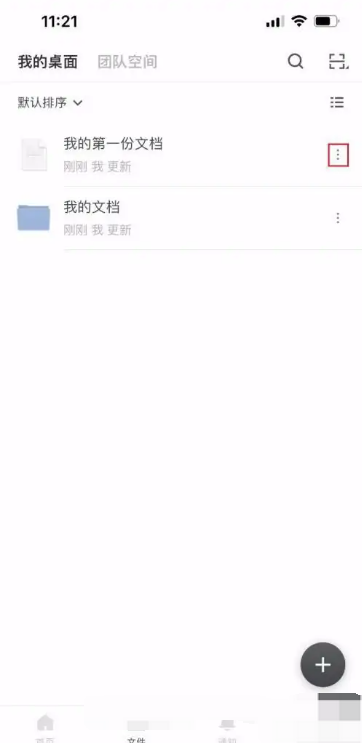
1.First enter the main interface of the graphite document and click the more icon on the right side of the document
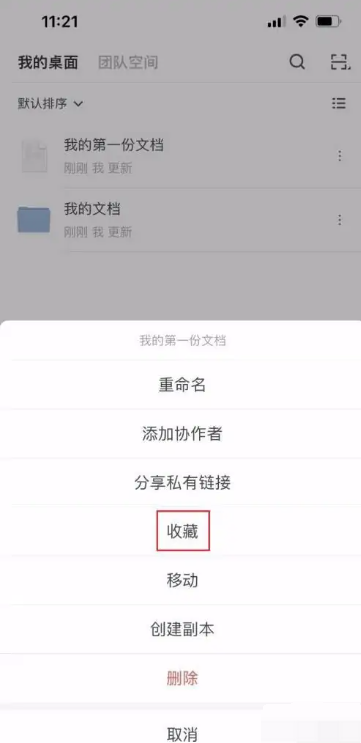
2.In the menu that pops up below, click the favorites icon
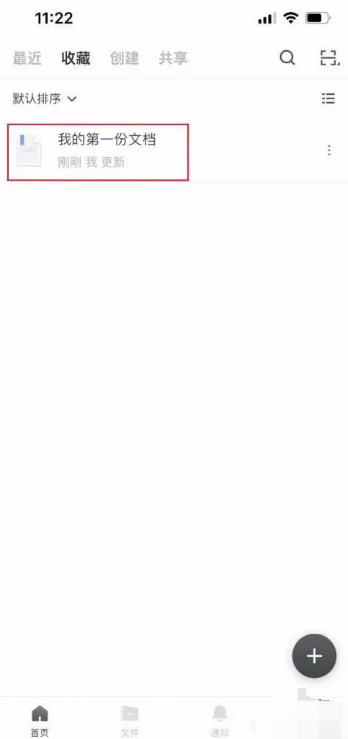
3.After the document collection is completed, click the Collection tab above
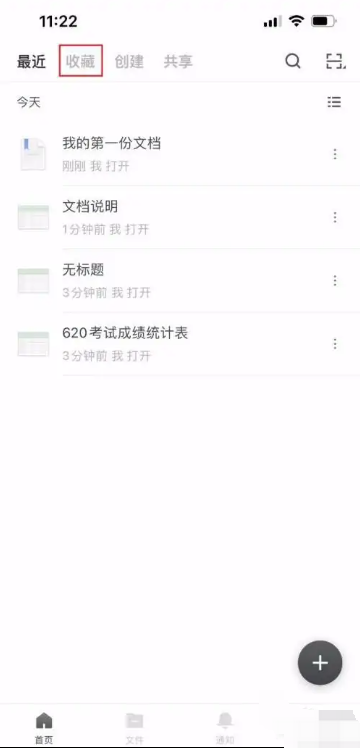
4.After entering the collection interface, you can see the document you just collected, indicating that the document has been collected successfully. You can quickly find it directly in the collection next time.
Thank you for reading this article about the specific steps for collecting graphite documents. I hope this article can help you! Please pay attention to Huajun Software Park for more exciting tutorials.

 How to draw a lottery in 360 Software Butler - How to draw a lottery in 360 Software Butler
 How to collect software in 360 Software Manager - How to collect software in 360 Software Manager
 Microsoft Edge browser
 Steam
Steam
 Tencent Video
 WPS Office
 iQiyi
iQiyi
 Sohu video player
 Lightning simulator
 MuMu emulator
 Eggman Party
 What to do if there is no sound after reinstalling the computer system - Driver Wizard Tutorial
 How to switch accounts in WPS Office 2019-How to switch accounts in WPS Office 2019
 How to clear the cache of Google Chrome - How to clear the cache of Google Chrome
 How to fire bullets in scratch-How to fire bullets in scratch


