
Hot search terms: 360 Security Guard Office365 360 browser WPS Office iQiyi Huawei Cloud Market Tencent Cloud Store
Hot search terms: 360 Security Guard Office365 360 browser WPS Office iQiyi Huawei Cloud Market Tencent Cloud Store

Text editing Storage size: 2.67MB Time: 2022-11-04
Software introduction: EditPlus is a software developed by South Korea’s Sangil A small but powerful text editor produced by Kim, it can fully replace Notepad...
Now many friends have used the software EditPlus. During the process of using EditPlus, if you want to convert the document encoding, how should you do it? The editor will explain how to convert the document encoding with EditPlus as follows.
First, open the EditPlus main page on your computer
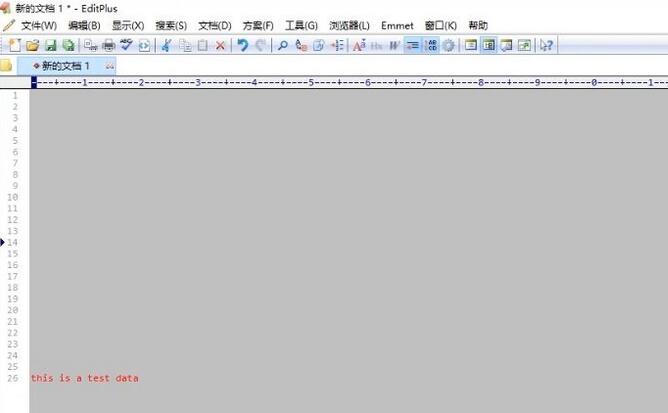
Then, click Document on the upper menu bar
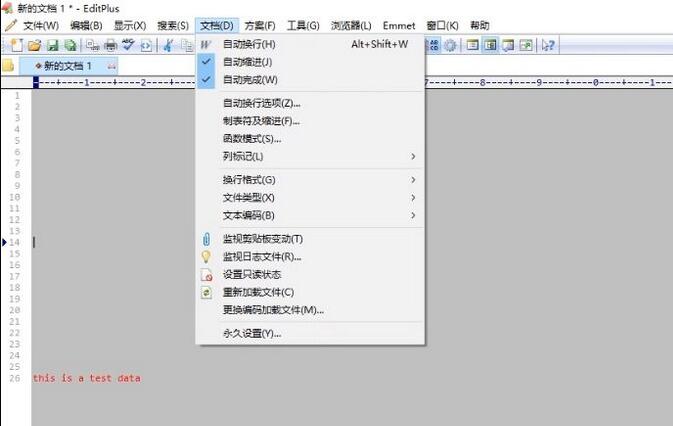
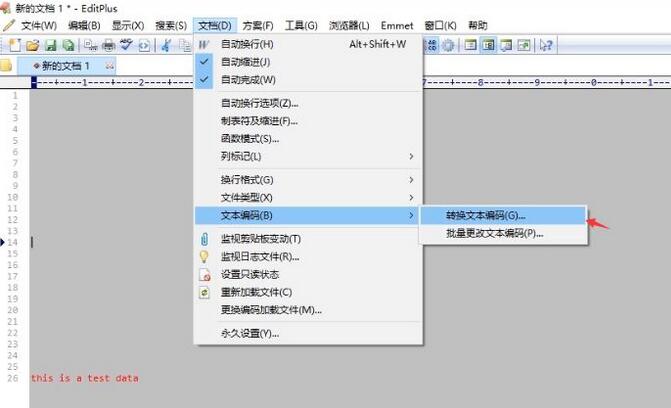
Next, select Convert Text Encoding
Then, select the corresponding code
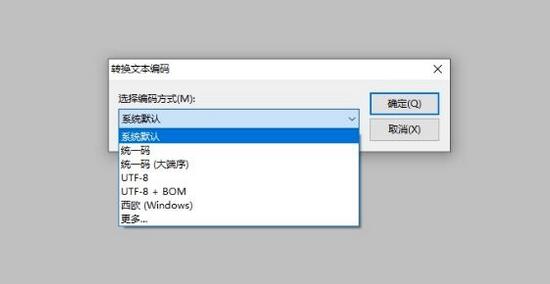
Finally, click OK to save
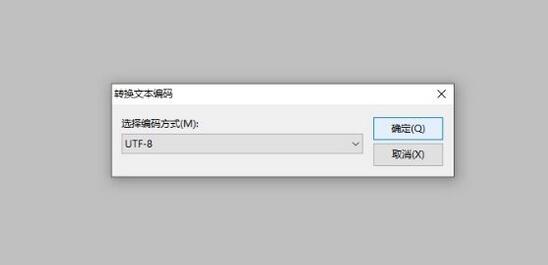
The above is the EditPlus conversion document encoding method shared with friends. Friends in need can take a look at this article.

 How to draw a lottery in 360 Software Butler - How to draw a lottery in 360 Software Butler
 How to collect software in 360 Software Manager - How to collect software in 360 Software Manager
 Microsoft Edge browser
 Steam
Steam
 Tencent Video
 WPS Office
 iQiyi
iQiyi
 Sohu video player
 Lightning simulator
 MuMu emulator
 Eggman Party
 What to do if there is no sound after reinstalling the computer system - Driver Wizard Tutorial
 How to switch accounts in WPS Office 2019-How to switch accounts in WPS Office 2019
 How to clear the cache of Google Chrome - How to clear the cache of Google Chrome
 How to fire bullets in scratch-How to fire bullets in scratch


