
Hot search terms: 360 Security Guard Office365 360 browser WPS Office iQiyi Huawei Cloud Market Tencent Cloud Store
Hot search terms: 360 Security Guard Office365 360 browser WPS Office iQiyi Huawei Cloud Market Tencent Cloud Store

video conversion Storage size: 52.7MB Time: 2021-12-10
Software introduction: Hairun Universal Video Format Converter is a powerful and user-friendly universal video conversion tool. You can use it on almost all popular...
Dear friends who have just started using the Universal Video Format Converter, if you don’t know how to use it yet, come and learn how to use the Universal Video Format Converter. I hope it can help you.
1. Enter the main interface of Universal Video Format Converter, click the Add button in the lower left corner of the interface, add the video format files to be converted to the software, and then proceed to the next step.
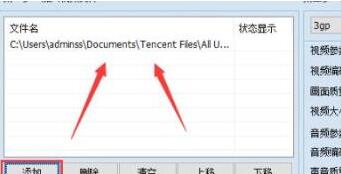
2. After adding the video file, set the file output format. Click the drop-down option on the side of the cleansing oil to find the format you want to convert, and select the format according to the prompts on the main interface. There are also setting options for video parameters and audio parameters below. After the settings are completed, proceed to the next step.
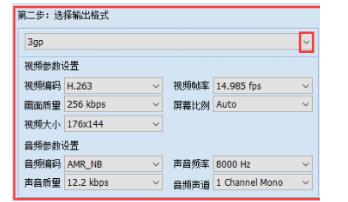
3. After the output format setting is completed, proceed to the third step, set the output directory, click the Set Output Directory option in the lower left corner, select the appropriate location, and then proceed to the next step.
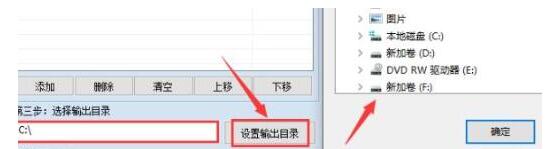
4. After the output directory is successfully set, you can proceed to the last step. Click the Convert Now option in the lower right corner of the interface to start the video format conversion. Just wait patiently for the conversion to complete. Tip, if you are not a registered user, you can only convert the first two minutes, so you need to register first if you want to convert a long video.
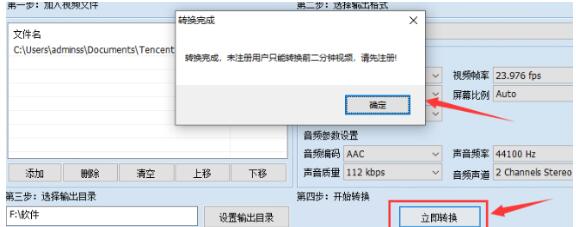
Above, I have shared with you how to use the universal video format converter. Friends in need should hurry up and read this article.

 How to draw a lottery in 360 Software Butler - How to draw a lottery in 360 Software Butler
 How to collect software in 360 Software Manager - How to collect software in 360 Software Manager
 Microsoft Edge browser
 Steam
Steam
 Tencent Video
 WPS Office
 iQiyi
iQiyi
 Sohu video player
 Lightning simulator
 MuMu emulator
 Eggman Party
 What to do if there is no sound after reinstalling the computer system - Driver Wizard Tutorial
 How to switch accounts in WPS Office 2019-How to switch accounts in WPS Office 2019
 How to clear the cache of Google Chrome - How to clear the cache of Google Chrome
 How to fire bullets in scratch-How to fire bullets in scratch


