
Hot search terms: 360 Security Guard Office365 360 browser WPS Office iQiyi Huawei Cloud Market Tencent Cloud Store
Hot search terms: 360 Security Guard Office365 360 browser WPS Office iQiyi Huawei Cloud Market Tencent Cloud Store

video editing Storage size: 896.33 MB Time: 2019-04-22
Software introduction: iClip is a powerful, easy-to-use, all-in-one free video editing software in China. iClip features simple and easy operation, cinematic Hollywood...
It is very convenient to process videos through iClip. So during the use process, if you want to change the audio track of the video, how do you do it specifically? The following article will share how to change the audio track of a video with iClip. Let’s learn together.
First open the love editing software
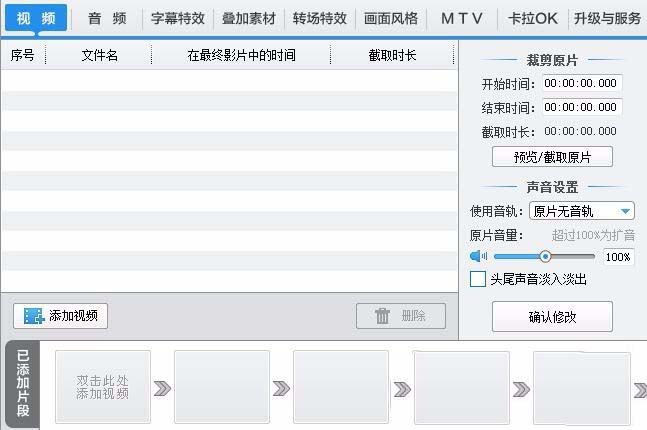
Then click the Add Video button to import the video
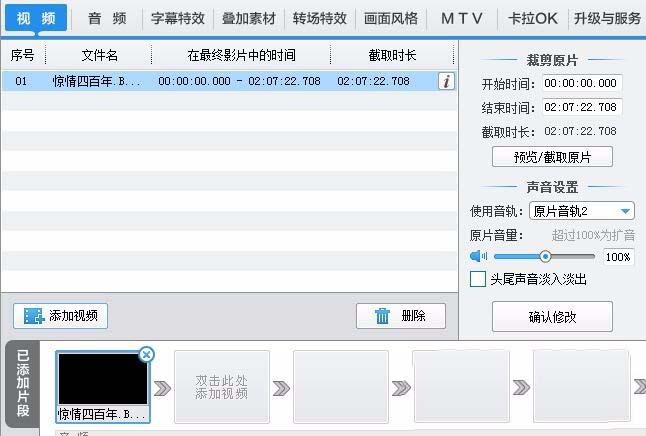
Click to expand the drop-down menu for using audio tracks
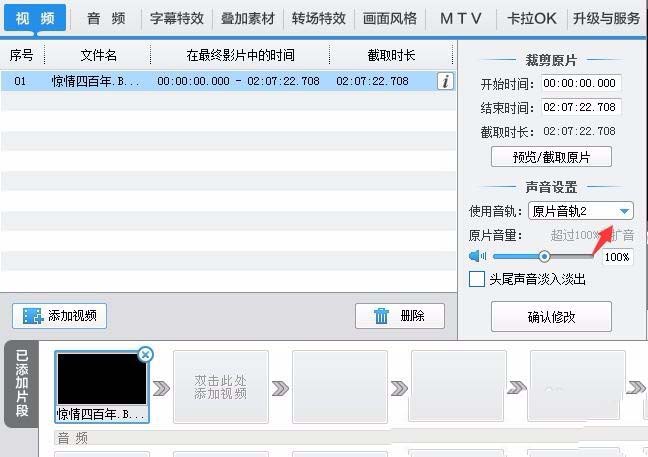
Click again to select the track
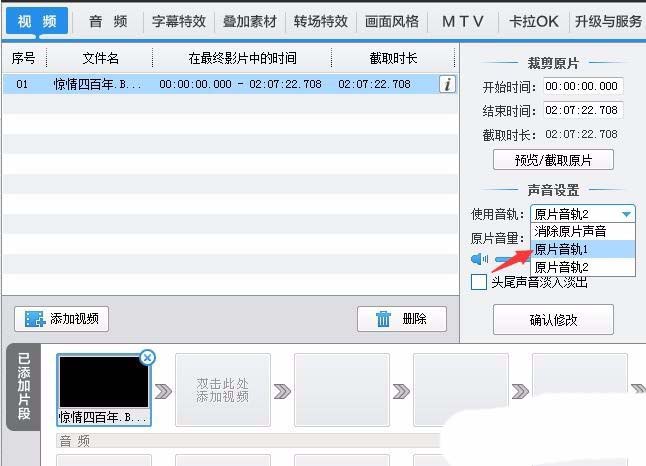
Click the Confirm Modification button
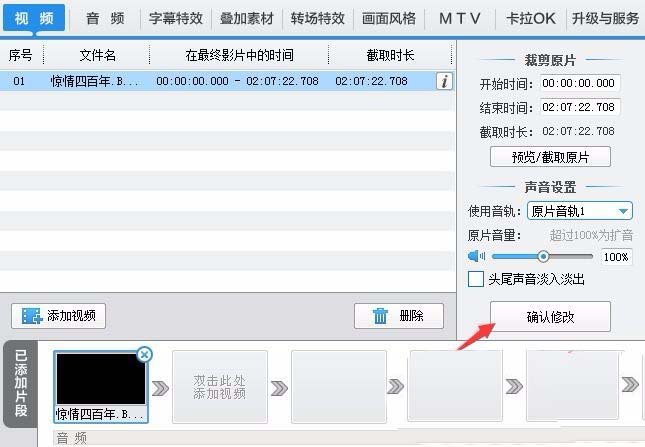
After the final video starts playing, you can hear the switched audio track.
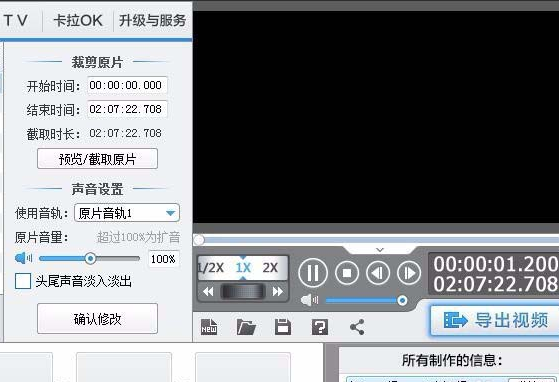
Friends who don’t know the simple operation method of changing the audio track of a video through editing, don’t miss this article brought by the editor.

 How to add background music in python-How to add background music in python
 How to configure environment variables in python - How to configure environment variables in python
 How to run python - How to run python
 How to create a project in python - How to create a project in python
 How to make a blue sky background with scratch-How to make a blue sky background with scratch
 Steam
Steam
 Tencent Video
 WPS Office
 iQiyi
iQiyi
 Sohu video player
 Lightning simulator
 MuMu emulator
 Eggman Party
 WPS Office 2023
 What to do if there is no sound after reinstalling the computer system - Driver Wizard Tutorial
 How to switch accounts in WPS Office 2019-How to switch accounts in WPS Office 2019
 How to clear the cache of Google Chrome - How to clear the cache of Google Chrome
 How to fire bullets in scratch-How to fire bullets in scratch
