Hot search terms: 360 Security Guard Office365 360 browser WPS Office iQiyi Huawei Cloud Market Tencent Cloud Store
Hot search terms: 360 Security Guard Office365 360 browser WPS Office iQiyi Huawei Cloud Market Tencent Cloud Store

System assistance Storage size: 19.7MB Time: 2022-07-11
Software introduction: Video Pioneer Player is a video playback software based on P2P cloud 3D technology. It has P2P high-definition on-demand function and can be played and decoded while playing. ...
It seems that everyone currently prefers the audio and video Pioneer playback software. Here is a brief introduction on how to download it on iPad and how to use it.
Download Video Pioneer on iPad
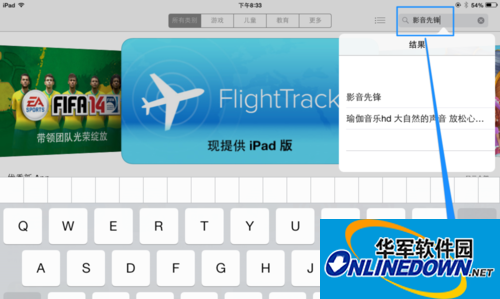
1. First open the App Store on the iPad, then directly enter the keyword "AV Pioneer" in the search box in the upper right corner, and click the Search button on the keyboard, as shown in the figure.
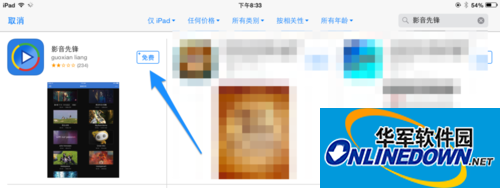
2. After searching, you will see the Video Pioneer application in the list, click the Free Install button, as shown in the picture
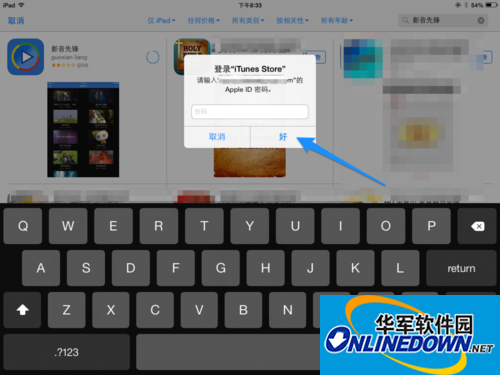
3. Then the system will prompt us to enter the password of the Apple ID account. After entering, click the OK button, as shown in the figure.
Note: If you don’t have an Apple ID, you can refer to this article’s experience in applying for an account directly on iPad: http://jingyan.baidu.com/article/e9fb46e19131157520f76643.html
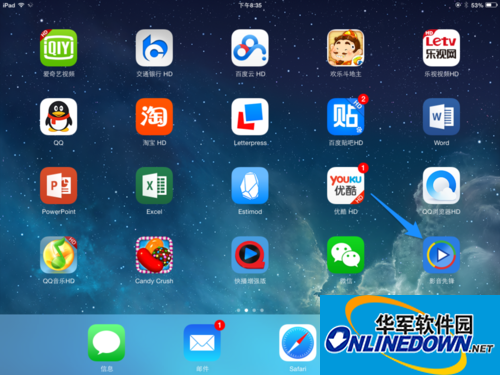
4. After the download is completed, click to open the Video Pioneer application on the home screen.
Send video wirelessly to AV Pioneer
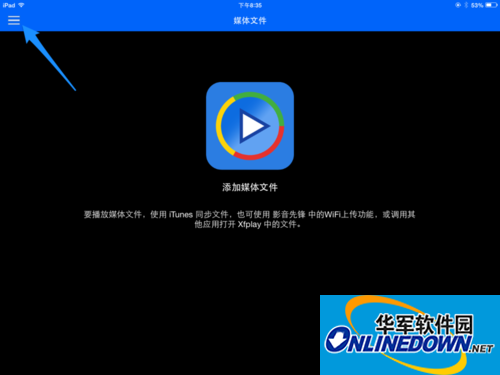
1. After opening Video Pioneer on iPad, click the Options button icon in the upper left corner, as shown in the figure
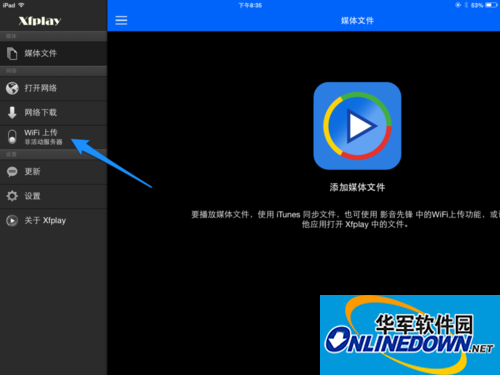
2. Then click the WI-FI upload option in the option list, as shown in the figure
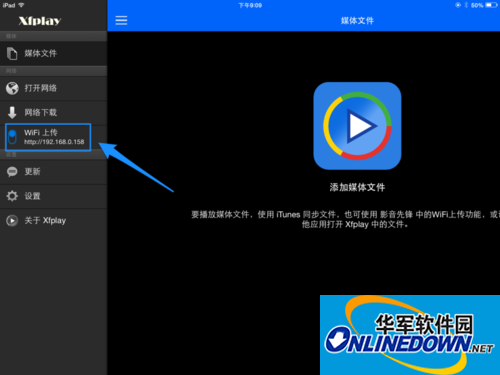
3. After turning on WI-FI to upload, an IP address will be automatically generated for us to access on the computer, as shown in the figure.
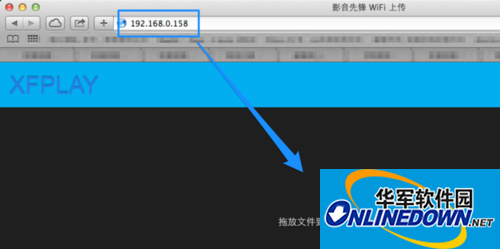
4. Then we enter the IP address seen on the iPad in the address in the browser on the computer. After opening the wireless transmission page, we are prompted to drag and drop files directly into the window, as shown in the figure.
Note: The computer and iPad must be on the same network, such as your own wireless network.
5. I can drag and drop a video file here to the wireless transmission page, as shown in the picture.
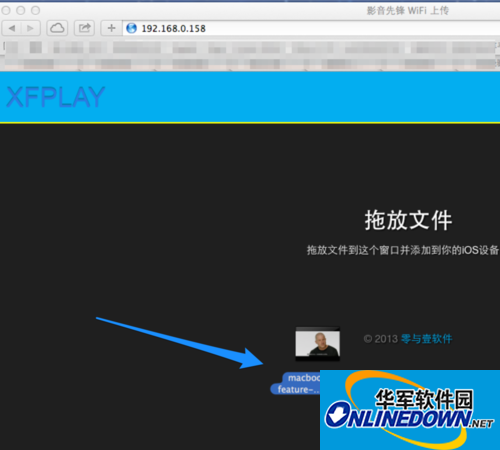
6. When the video file is dragged and dropped onto the page, it will be automatically uploaded to the iPad, as shown in the figure.
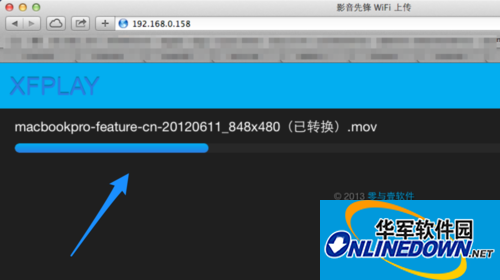
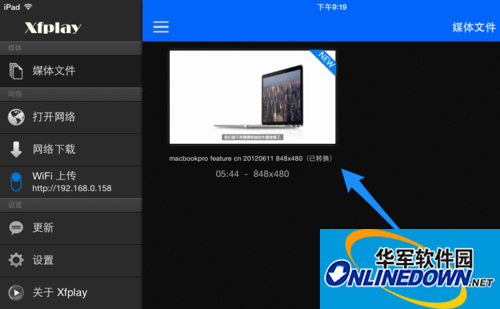
7. After the transfer is completed, you can see the video files transferred from the computer on the iPad and click to play.
8. When playing a video, if you want to adjust the playback options, please click the Settings button in the lower left corner, as shown in the figure.
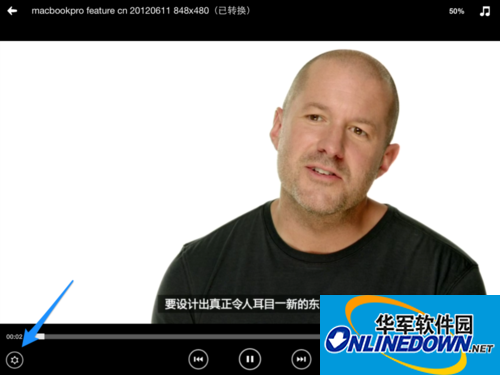
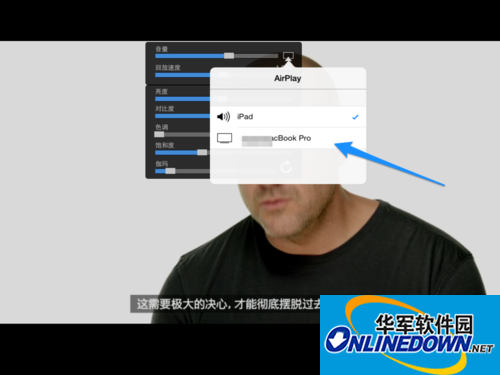
9. You can then adjust the volume, brightness, contrast, etc. in the setting options. In addition, if you want to put it on other AirPlay devices, please click the icon pointed to in the picture, as shown in the picture.

10. Then AirPlay devices on the same wireless network can be automatically discovered and videos can be cast there.


 How to change the password of Taobao app-How to change the password of Taobao app
 How to scan QR code on Taobao app-How to scan QR code on Taobao app
 How to set Taobao nickname on Taobao app - How to set Taobao nickname on Taobao app
 How to pay with WeChat on Taobao - How to pay with WeChat on Taobao
 Super star learning pass
 WeChat iPad version
 Red Alert 2: Glory of the Republic
 TV home
 easyconnect
 Apple Store
 AVPlayer
 Sogou input method
 101 Education PPT