





 You may like




Highlights of Tiantu Map
More intelligent recommendation algorithm: The latest version of Tiantu adopts a more advanced recommendation algorithm, which can recommend travel plans to users that better meet their needs based on their travel habits and current traffic information.
Enhanced interactive experience: The new version of Tiantu has been fully optimized in terms of interface design and interactive experience, making users more smooth and comfortable during use. At the same time, it also adds convenient functions such as voice navigation and gesture operations to further enhance the user experience.
Rich travel services: In addition to basic navigation and query functions, the latest version of Tiantu also adds more practical travel services, such as taxi services, shared bicycle access, hotel reservations, etc., providing users with more comprehensive travel solutions.
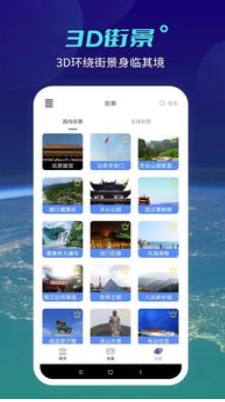
Features of Tiantu
Intelligent positioning: Even in environments with weak GPS signals, Tiantu can achieve continuous navigation through a variety of positioning technologies (such as base station positioning, Wi-Fi positioning, etc.) to ensure that users can always accurately find their location.
Personalized settings: Tiantu supports users to personalize settings according to personal preferences, such as adjusting map display modes (satellite images, street views, etc.), setting frequently used addresses, etc., to make users' travel more convenient and comfortable.
Offline map: In order to save users' traffic and improve usage efficiency, Tiandi also provides an offline map download function. Users can download map data of the desired area when there is a network, and then navigate and query without a network.
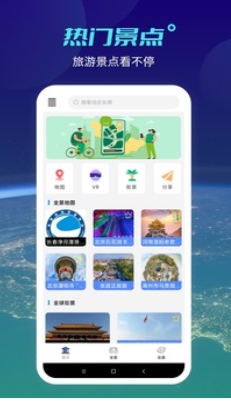
Sky map function
Intelligent route planning: Based on the user's travel needs (such as starting point, destination, travel time, etc.), Tiantu can quickly plan the optimal travel route, including driving, bus, subway, walking and other transportation modes. At the same time, it also supports multiple transportation mode combinations, providing users with more flexible and diverse travel options.
Real-time bus and subway information: For users who rely on public transportation, Tiandi provides real-time bus and subway arrival information, so that users do not need to wait blindly at the platform. In addition, it can also display practical information such as bus and subway operating hours and fares to help users better arrange travel plans.
Real-time updates of traffic conditions: Tiandi’s traffic information is updated very quickly and can respond to road congestion in seconds and recommend better driving routes in real time. This is undoubtedly a huge convenience for users traveling during peak hours.
Location query and surrounding services: Users can easily query the location information of the destination through Tiantu, and learn about surrounding shops, restaurants, attractions and other service facilities. This function not only facilitates users’ travel, but also improves their travel experience.
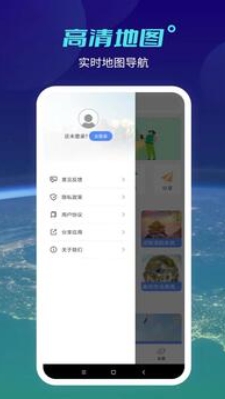
Frequently Asked Questions about Tiantu
How to obtain and use Token?
Answer:
Token is the Tiantu app’s access authorization method for its service interface. Users need to first register as a Tiantu user and activate their account.
After activation, users can apply for Token through the official website of Tiantu or the relevant pages in the app. When applying, you need to provide information such as user name, password, client IP address or application domain name.
The generated Token is time-sensitive and users need to use it within the validity period. When accessing Tiantu services, add Token to the request URL to obtain authorized access.
Sky map update log:
1. Sweep the bug out and carry it out to the end
2. The most stable version ever
Huajun editor recommends:
The editor of Huajun Software Park recommends that you download Tiantu. The editor has personally tested it and you can use it with confidence. In addition, Huajun Software Park provides you withDumpling cloud game,TFun games,Voting Brushing Expert,Unbounded community,Youyoubao merchant versionIt’s also a pretty good software, you might as well download it and give it a try if you need it! The editor is waiting for you in wind and rain!



























Your comment needs to be reviewed before it can be displayed