
Hot search terms: 360 Security Guard Office365 360 browser WPS Office iQiyi Huawei Cloud Market Tencent Cloud Store
Hot search terms: 360 Security Guard Office365 360 browser WPS Office iQiyi Huawei Cloud Market Tencent Cloud Store

web browsing Storage size: 104.13 MB Time: 2016-09-19
Software introduction: 115 Browser PC version is a free green browser. Its software is small, takes up little resources, and starts very quickly, allowing us to quickly and smoothly...
115 Browser is a very easy-to-use browser tool, so how to repair 115 Browser? How to fix 115 browser? Let the editor give you the answer below!

How to repair 115 browser?
1. Open the 115 browser and click the "Menu" button in the upper right corner.
2. Select the "Settings" option in the drop-down menu to enter the setting interface.
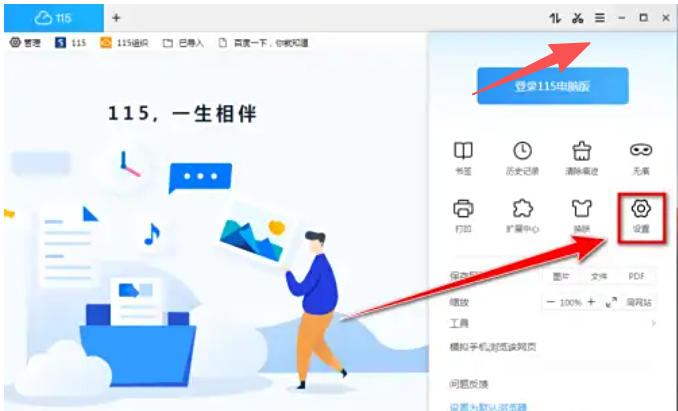
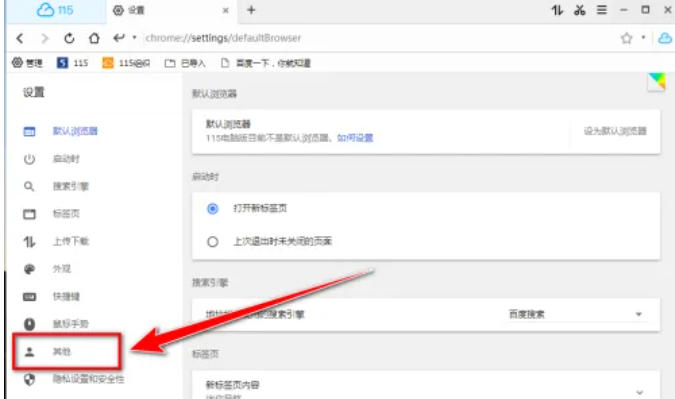
3. In the settings interface, find and click the "Others" option on the left.
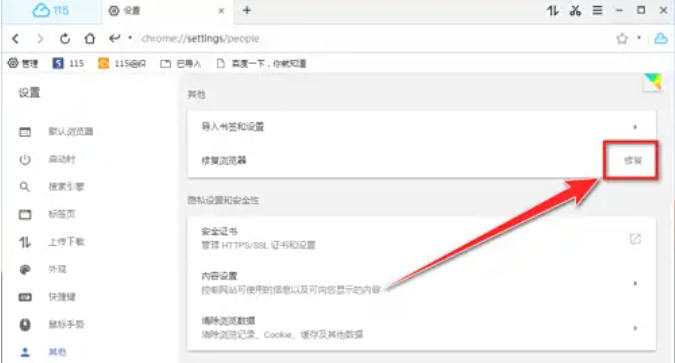
4. Under the "Other" option, click the "Repair" button to enter the repair tool window.
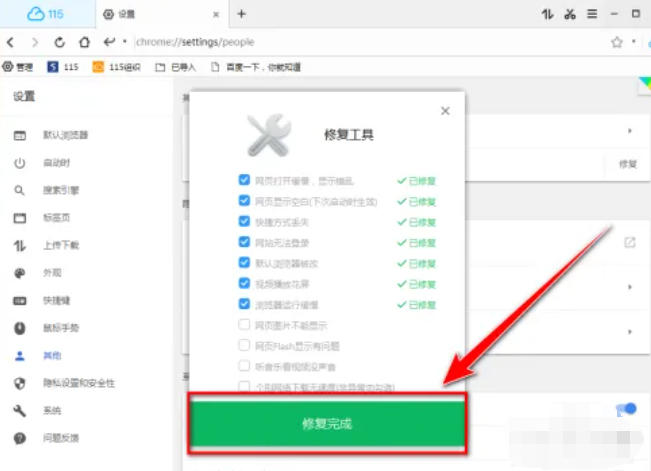
5. Check the items that are consistent with the browser failure (such as slow opening, blurry screen, webpage freeze, etc.), and then click the "Repair Now" button.
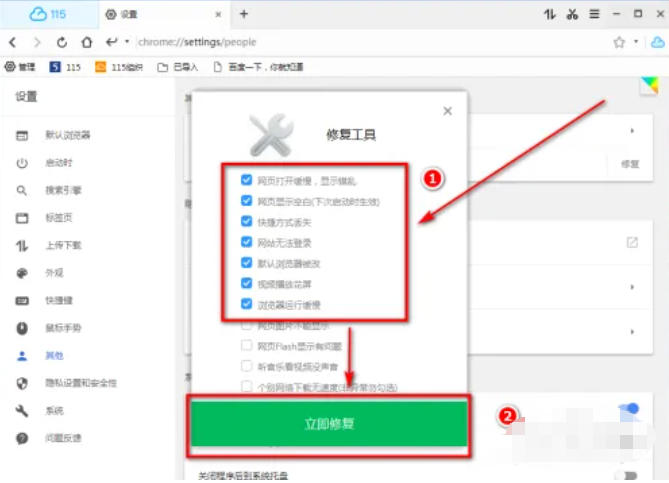
6. Wait for the repair to be completed. When "Repaired" is displayed on the right side of all faulty items, click the "Repair Complete" button.
The above is what the editor of Huajun compiled for you. How to repair the 115 browser? 115 browser repair method, I hope it can help you.

 How to add background music in python-How to add background music in python
 How to configure environment variables in python - How to configure environment variables in python
 How to run python - How to run python
 How to create a project in python - How to create a project in python
 How to make a blue sky background with scratch-How to make a blue sky background with scratch
 Steam
Steam
 Tencent Video
 WPS Office
 iQiyi
iQiyi
 Sohu video player
 Lightning simulator
 MuMu emulator
 Eggman Party
 WPS Office 2023
 What to do if there is no sound after reinstalling the computer system - Driver Wizard Tutorial
 How to switch accounts in WPS Office 2019-How to switch accounts in WPS Office 2019
 How to clear the cache of Google Chrome - How to clear the cache of Google Chrome
 How to fire bullets in scratch-How to fire bullets in scratch
