
Hot search terms: 360 Security Guard Office365 360 browser WPS Office iQiyi Huawei Cloud Market Tencent Cloud Store
Hot search terms: 360 Security Guard Office365 360 browser WPS Office iQiyi Huawei Cloud Market Tencent Cloud Store

web browsing Storage size: 10.29MB Time: 2022-12-29
Software introduction: Translated into English is Google Chrome, which is a very professional browser Google Chrome search engine owned by Google, 360...
Chrome is a software whose interface design is based on minimalism. The toolbar only retains the address bar, search bar and core function buttons, so users can get started quickly. Its "Omnibox" (a combined address and search column) supports intelligent completion and instant search suggestions. Users can directly access history, bookmarks or search results without switching pages, greatly improving operational efficiency. Next, let the editor of Huajun explain to you how to set up a clone in Google Chrome and how to set up a clone in Google Chrome!
first step
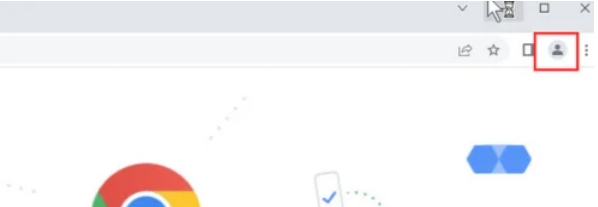
Click the avatar box (or default user icon) in the upper right corner of the browser. If you are not logged in to your account, it may appear as "Add" or "Browse as Guest."
Step 2
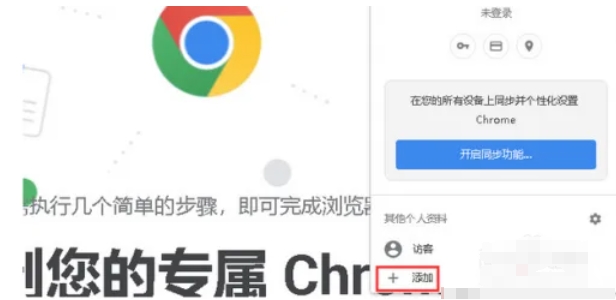
In the drop-down menu, click Add (or Add New User). A new window pops up, prompting you to create a new user.
Step 3
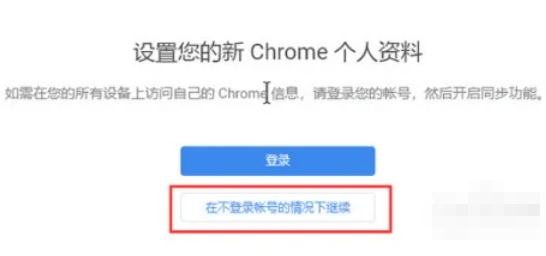
If you want to create a profile without signing in to your Google account, click "Continue without signing in." This step is for when you need a completely independent browsing environment.
Step 4
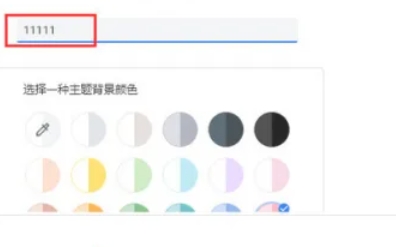
Set name: Enter a name for the new profile (such as "Work", "Study", "Test", etc.).
Select icon/color: Some versions allow you to select avatar icon or theme color for easy differentiation.
Click Done or Add.
Step 5
After successful addition, multiple user icons will be displayed in the avatar box in the upper right corner.
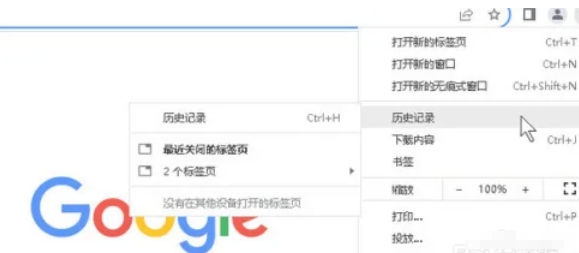
Step 6
Click the corresponding icon to switch to different configuration files.
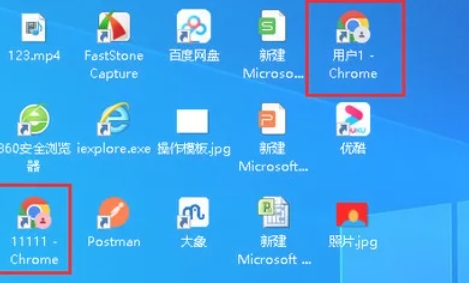
The above is how the editor of Huajun compiled for you how to set up a clone in Google Chrome and how to set up a clone in Google Chrome. I hope it can help you!

 How to add background music in python-How to add background music in python
 How to configure environment variables in python - How to configure environment variables in python
 How to run python - How to run python
 How to create a project in python - How to create a project in python
 How to make a blue sky background with scratch-How to make a blue sky background with scratch
 Steam
Steam
 Tencent Video
 WPS Office
 iQiyi
iQiyi
 Sohu video player
 Lightning simulator
 MuMu emulator
 Eggman Party
 WPS Office 2023
 What to do if there is no sound after reinstalling the computer system - Driver Wizard Tutorial
 How to switch accounts in WPS Office 2019-How to switch accounts in WPS Office 2019
 How to clear the cache of Google Chrome - How to clear the cache of Google Chrome
 How to fire bullets in scratch-How to fire bullets in scratch
