
Hot search terms: 360 Security Guard Office365 360 browser WPS Office iQiyi Huawei Cloud Market Tencent Cloud Store
Hot search terms: 360 Security Guard Office365 360 browser WPS Office iQiyi Huawei Cloud Market Tencent Cloud Store
Utility tools Storage size: 62.7 MB Time: 2023-06-27
Software introduction: Pre-registration for the overseas server of King of Glory is open, experience game acceleration, and be one step ahead! OurPlay accelerator is a free...
OurPlay software is a game installation and acceleration service management platform specially designed for Android users. OurPlay has built-in Google Service Framework (GMS Service), which provides users with a convenient one-stop solution without the need to install the Google three-piece suite (Google Play Services, Google Play Store and Google Service Framework) separately. This solves the problem that many users have been unable to run certain overseas applications and games due to the lack of Google service framework. Next, let the editor of Huajun explain to you how to enable the small window mode of ourplay and how to enable the small window mode of ourplay!
first step
Find and click the "OurPlay" app icon on your device to launch the app.
Step 2
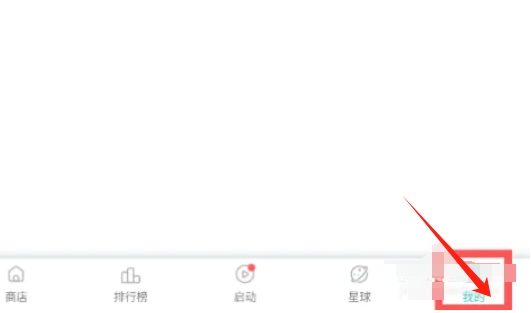
Under the main interface of OurPlay app, find and click the "My" option. This is usually an icon or text with the user's avatar or username.
Step 3
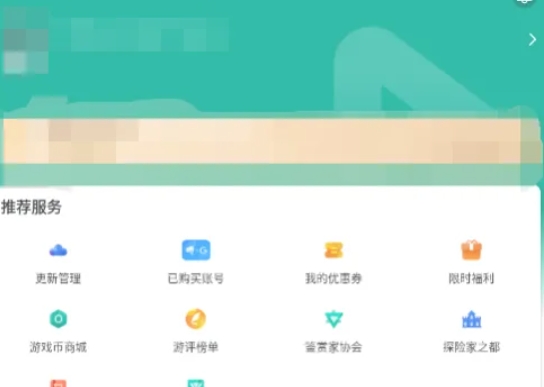
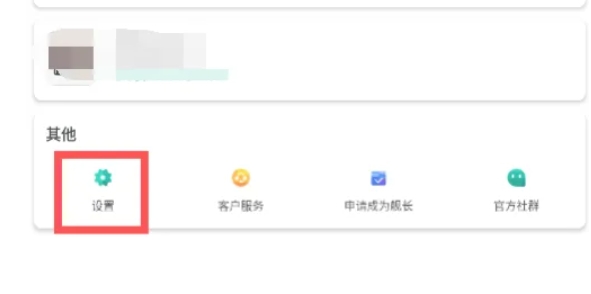
Once on the My page, scroll down or find and click on the Settings option. This option will usually appear as a gear icon or settings text.
Step 4
In the settings page, find and click "Small Window Mode" or a similar option. This option may appear as a toggle button.
Step 5
Click the slider behind the small window mode switch button and slide it from off to on. At this point, you should see a prompt indicating that small window mode is on.
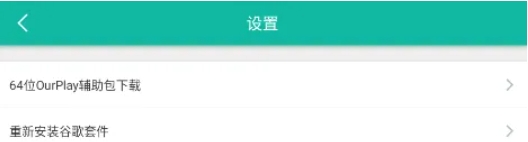
Step 6
After completing the above steps, you have successfully turned on the small window mode of OurPlay app.
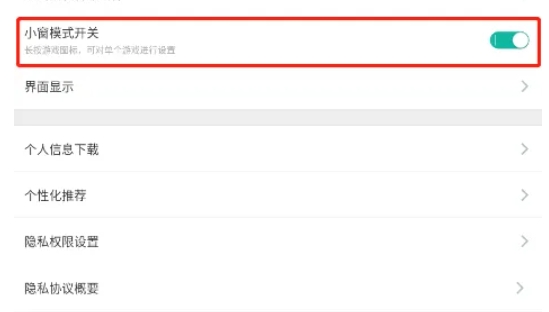
The above is how the editor of Huajun compiled for you how to enable the small window mode of ourplay and how to enable the small window mode of ourplay. I hope it can help you!

 How to check the list style in Kuai Technology? -Quick Technology’s method of viewing list styles
 How to cancel the account in Kuai Technology? -How to cancel your account in Kuai Technology
 movie paradise
 Quark Browser
 little red book
 Chinese University MOOC computer version
 Xiaoetong
 Traffic control 12123
 Minecraft Bedrock Edition
 KMPlayer
 watermelon video
 How to use Fliggy’s student discount? List of student certification methods on Fliggy
 How to find the help center for Panzhi Sales - How to find the help center for Panzhi Sales
 How to change ID card with taptap-How to change ID card with taptap
 How to add friends on steam mobile version - How to add friends on steam mobile version
 How to Chineseize ourplay with one click - How to Chineseize ourplay with one click


