
Hot search terms: 360 Security Guard Office365 360 browser WPS Office iQiyi Huawei Cloud Market Tencent Cloud Store
Hot search terms: 360 Security Guard Office365 360 browser WPS Office iQiyi Huawei Cloud Market Tencent Cloud Store

Utility tools Storage size: 69.4 MB Time: 2023-06-27
Software introduction: Panzhi Sales, founded in 2017, is a professional platform focusing on game account evaluation and transactions. We have a professional team to provide players with buying and selling services...
As a leader in the field of game account trading, Panzhi Sales Trading Platform (also known as Panzhi Sales App) has won the trust of the majority of players with its professionalism and security since its establishment in 2017. The platform not only provides players with convenient account trading services, but also has a series of special functions and a wide range of popular games, setting a new benchmark for the game account trading market. Next, let the editor of Huajun explain to you how to modify the nickname of Panzhi for sale and how to modify the nickname of Panzhi for sale!
first step
Click the installed "Panzhi Sales" icon on the mobile phone desktop to open the APP.
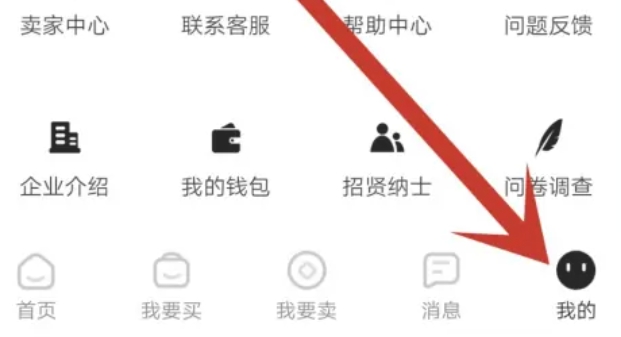
Step 2
In the APP interface, find and click the "My" option pointed to by the arrow on the lower right, which will take you to the personal center page.
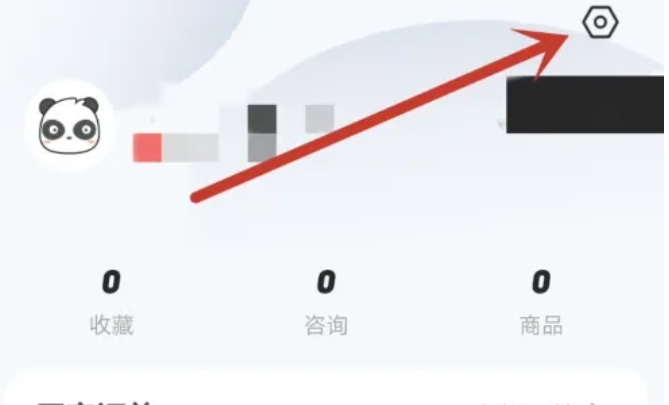
Step 3
In the "My" page, find and click the settings button in the upper right corner (usually a gear icon) to enter the settings page.
Step 4
On the Settings page, look for and click the "Profile Management" option. This step is to enter the personal information editing interface.
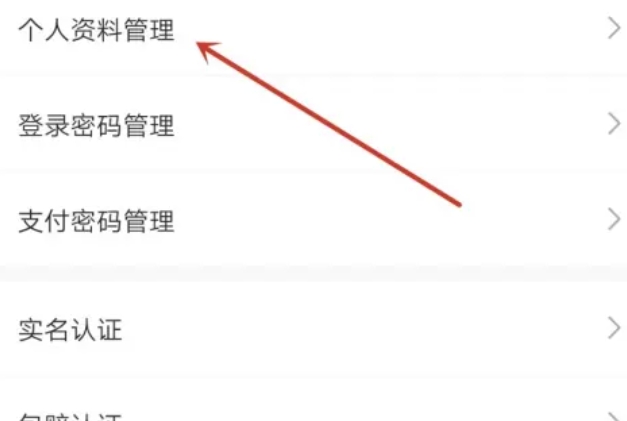
Step 5
On the "Profile Management" page, find and click the "Nickname" option. At this point, you will see the currently set nickname and can enter a new nickname in the input box next to it.
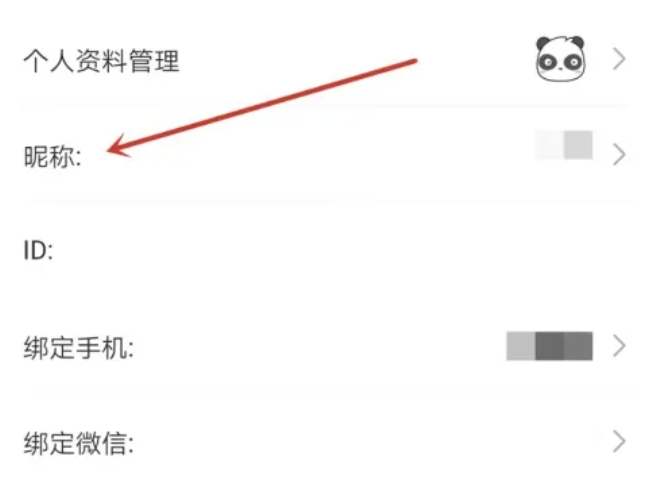
Step 6
After entering the new nickname, click the Save or Confirm button (the specific button name may vary depending on the APP version, but it is usually "Save" or "Done" or similar words). After completing this step, your nickname has been successfully modified.
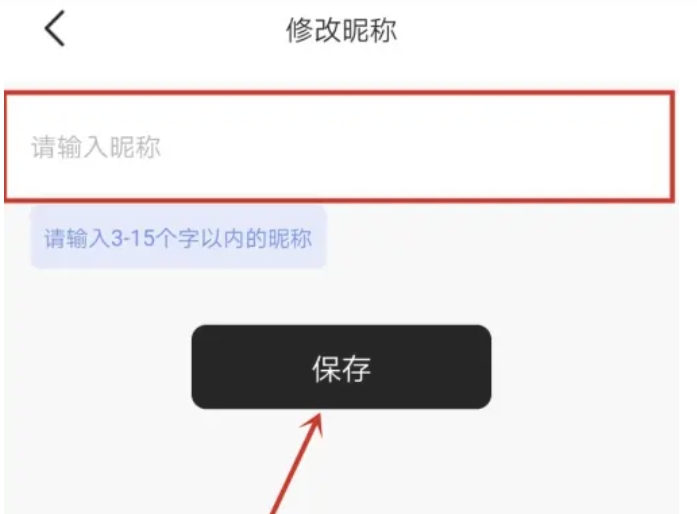
The above is how to modify Panzhi’s consignment nickname and how to modify Panzhi’s consignment nickname compiled by Huajun editor for you. I hope it can help you!

 How to set the font for Toutiao today? -How to set font in Toutiao
 How to register for Toutiao? -How to register for Toutiao
 How does Toutiao publish news? -How to publish news in Toutiao today
 How to find the cover of Toutiao today? -How to find the cover of Toutiao today
 Quark Browser
 little red book
 Chinese University MOOC computer version
 Xiaoetong
 Traffic control 12123
 Minecraft Bedrock Edition
 KMPlayer
 watermelon video
 Meijia Market TV version
 How to use Fliggy’s student discount? List of student certification methods on Fliggy
 How to find the help center for Panzhi Sales - How to find the help center for Panzhi Sales
 How to change ID card with taptap-How to change ID card with taptap
 How to add friends on steam mobile version - How to add friends on steam mobile version
 How to Chineseize ourplay with one click - How to Chineseize ourplay with one click
