
-
UMU interactive
- Size: 212.2M
- Language: Simplified Chinese
- Category: Document business
- System: android
- Manufacturer:Beijing Youmu Technology Co., Ltd.
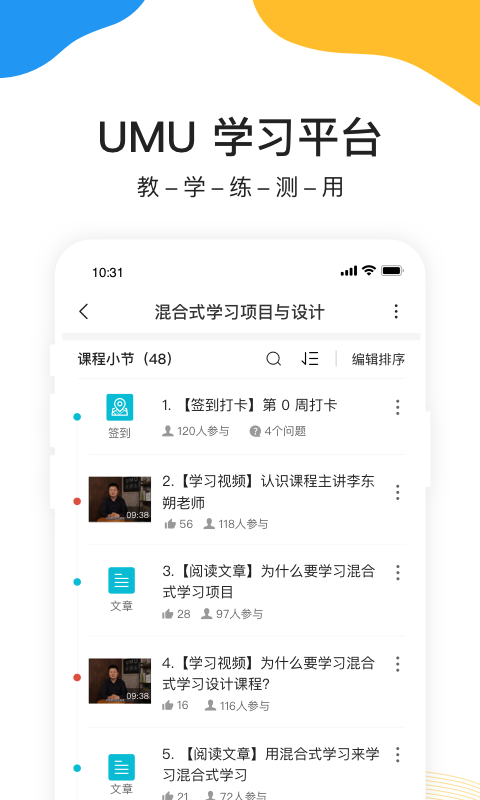
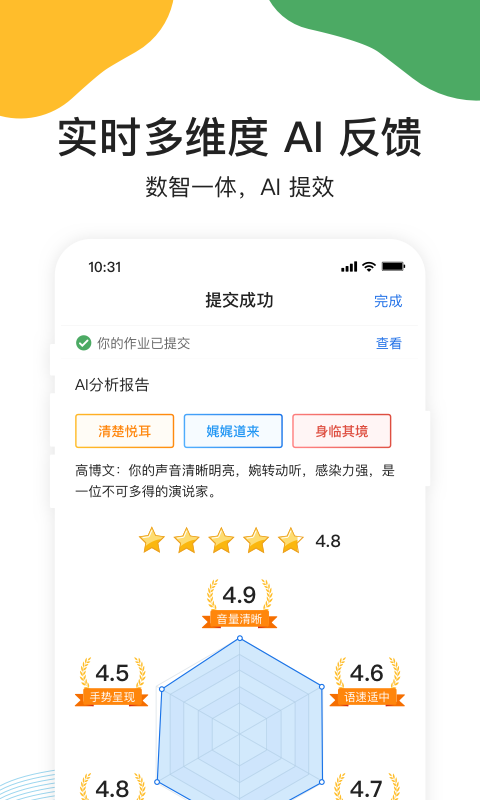
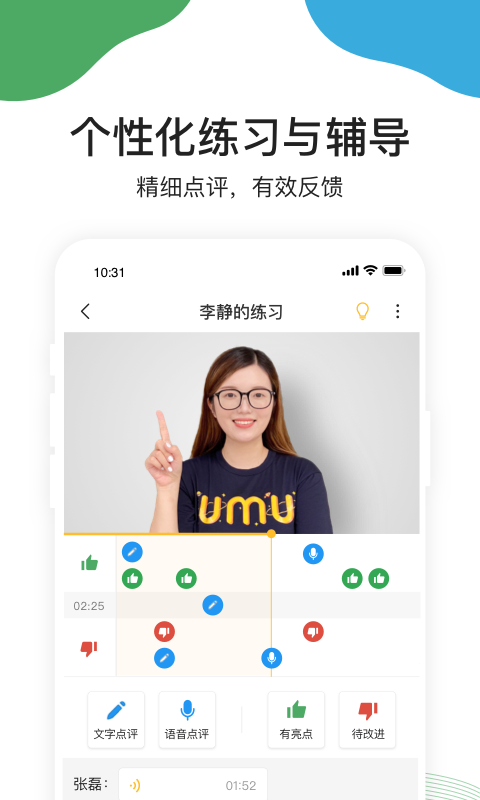
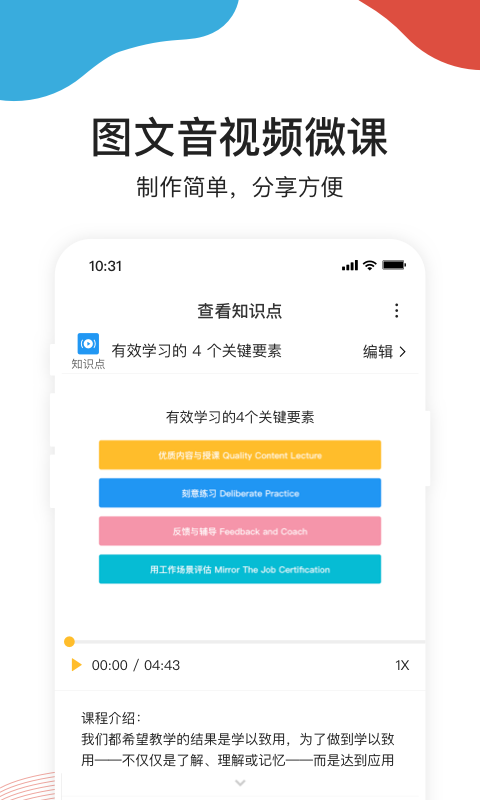
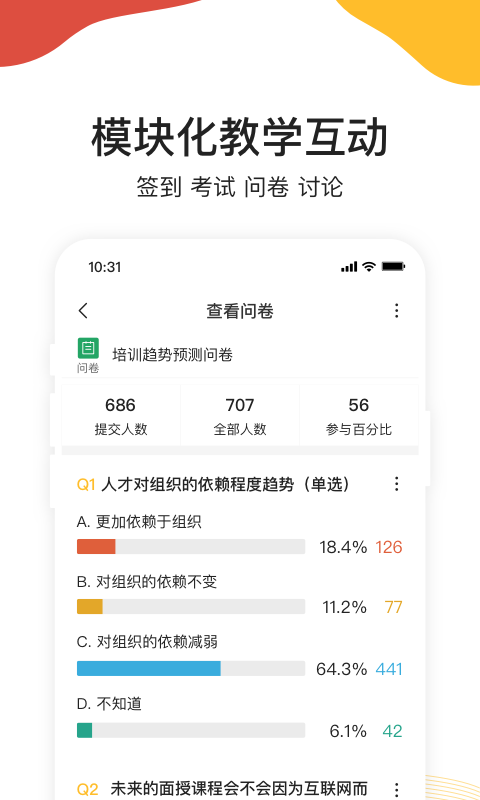
UMU is a learning method that connects the stage and off stage through "interactive links" during live events. It is a mobile Internet product that can create, organize and precipitate micro-lectures through simple recording and sharing during online teaching. It is suitable for micro-lectures, training, teaching, speeches, lectures, conferences and other occasions, allowing every participant to integrate, share and gain.
Features of UMU interactive platform
1. Construct a blended learning project
Face-to-face teaching will not disappear, but it can improve efficiency. Connect before, during and after class through UMU, allowing for a perfect combination of online and offline
2. Join the salary increase club
out all all all all all together all all together. Pursue excellence, practice deliberately, enter the positive cycle of action-achievement-growth, and become a high-performing talent, and everything will follow.
3. Systematic production of various micro-courses with pictures, text, audio and video.
Integrate teaching resources to present knowledge to students in a rich form. Create learning paths and intelligently allocate learning resources.

UMU interactive platform function introduction
do courses
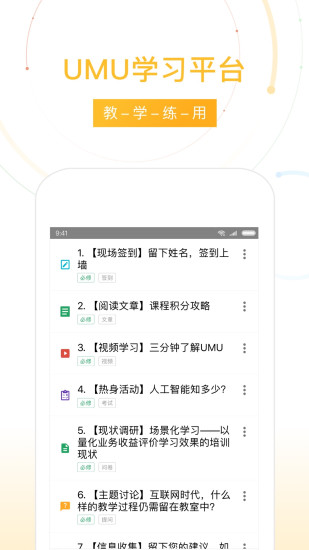
UMU micro class: Download the mobile app and create UMU’s unique 9 pictures + 10-minute micro class, which is easy to do and learn;
Video courses: Support video uploading and mobile phone shooting, making learning more intuitive;
Graphic micro-courses: Create the mobile app easily, combine text and pictures at will, and learn without ads;
Article micro-course: The computer supports pasting and editing of text in any format, and one-click saving will take effect immediately;
Document Course: Supports the uploading of 16 types of documents, and you can learn by scanning the QR code;

interact
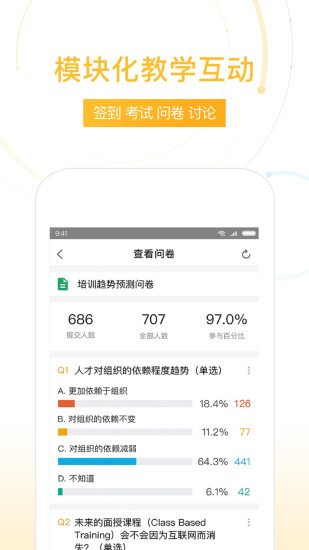
Questionnaire: It can be used for research, voting, or information collection. It supports four types of questions: single-choice, multiple-choice, numerical, and open-ended;
Questions: Collect questions efficiently, students ask questions together, like each other and focus on common issues;
Discussion: Quickly discuss and share, like each other and crowdfund to find high-quality speeches;
Examination: Easily launch online exams, supporting single-choice questions, multiple-choice questions, single-item fill-in-the-blank and question-and-answer questions;
Sign-in: electronic sign-in, supports anti-cheating and more information collection;
拍照上墙:手机上传图片到大屏幕,共享精彩笔记;
Lottery: Winners will be selected based on the correct rate of answering questions. Winning can also depend on talent;
Games: 4 puzzle games are provided to help participants activate their thinking;
Interactive large screen: All interactions support the immediate display of interactive results on the large screen.
Live broadcast
Support high-bandwidth automatic high-definition, and continuous offline at low network speeds;
Audiences can watch on mobile phones and computers, without installing APP or any plug-ins;
Forward the live broadcast entrance to the WeChat group, and viewers can join the live broadcast by clicking on the card;
It comes with a smart beauty function during live broadcast, making the speaker more attractive in the camera!
Innovative learning community
The content of the course catalog is standardized knowledge provided by teachers for students;
Study group interaction and responses are personalized services provided by teachers to students;
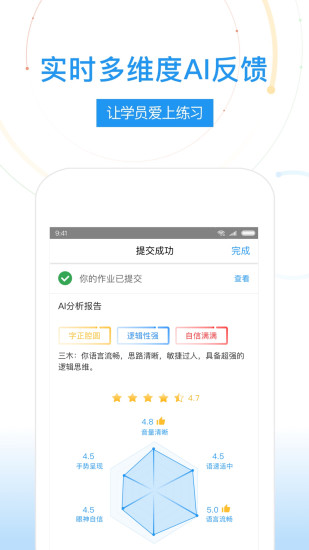
The learning group retains learning content, supports tens of thousands of people in online learning, and makes it more convenient to share pictures and texts live.
Learning Management
Course management: You can add sections to courses as needed, and learning projects can also be built for multiple courses to facilitate the development of a series of courses;
Collaboration with each other: The course supports multi-person collaboration to jointly create organizational learning;
Learning progress: Automatically record course participation and completion rates and provide quantitative Excel results, which can be viewed and downloaded in real time through mobile phones and computers;
Feedback iteration: Students can provide evaluation and feedback for each course to help teachers make targeted updates and upgrades;
How to use UMU interactive platform
making UMU Micro Courses
1.Create a course
After opening the APP and logging in, you can find the course in the corresponding location. Click the plus sign in the upper right corner to create a UMU course.

In the course creation page, we can fill in the basic information of the course, including course name, introduction and tags.
The course name is the course topic;
The course introduction will be displayed on the course catalog page to introduce the course content to students;
Labels can be set according to course content to facilitate the establishment of learning channels in the future.

2. Add micro-courses
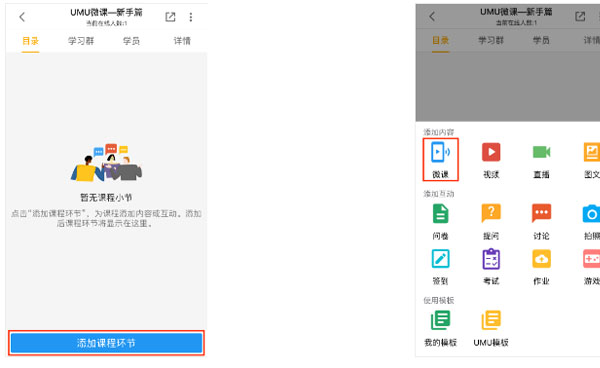
UMU courses can be shared through learning groups, or can be divided into multiple sections in the catalog to provide students with learning content and organize interactions. Click "Add Course Link" on the catalog page and select "Micro Course", the first item in the first row.
3.Choose speech notes
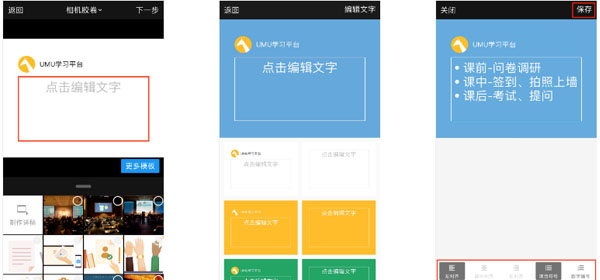
UMU not only supports selecting pictures from the mobile phone album as speech notes, but also provides a mobile phone editing window, which allows you to directly create concise text speech notes using your mobile phone.
The text lecture notes provide a variety of templates, and you can choose the appropriate color and style. It also provides three modes: left alignment, center alignment, and right alignment.
Enter the text content in the interface and click Save, and a beautiful picture of the lecture notes will be automatically generated.

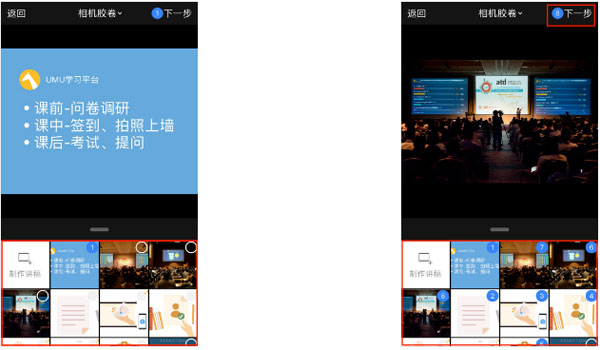
The steps to select pictures as lecture notes from your mobile phone are as follows:
Click on the picture of the lecture notes on your mobile phone and add them in the order of explanation.
The number in the circle in the upper right corner of the picture represents the sequential position of the picture.
Select the speech picture and click Next to start recording the voice content.
4. Record micro lessons
Click the red button to start recording the micro class. You can click to pause at any time during the process.
The recording interface is divided into four parts. From top to bottom, they are the lecture notes display area, the lecture notes preview area, the voice preview area, and the voice recording area.
The top part is the lecture notes display area, which is the lecture notes of the current lecture. In this area, you can slide the pictures to switch at any time according to the progress. When students learn, the teacher's page turning movements in the recorded micro lessons will be restored simultaneously.
In the middle is the speech preview area, which contains all the pictures we just selected. Through this area, we can quickly jump to a certain speech.
Next is the voice preview area. We can play back and listen to the voice content we just recorded at any time through the triangle on the left.
The bottom is the voice recording area, which can be paused at any time, and the content between pauses can be deleted.
5. Save the micro class
Click "Finish" and fill in the micro-lesson section title and description. Then click "Finish" to complete the recording of a micro class.

UMU interactive platform update log
1. You can like any speech in the study group message. The wonderful speech will be automatically converted into a famous sentence card. Try it now!
2. The learning group displays the number of people online in real time and visually displays the current number of students.
3. The learning group blocking function is online, and inappropriate speeches can be blocked at any time.
4. Under the course module, you can create all interaction types that were originally only provided under the activity module, such as signing in, taking photos and posting them on the wall, etc. Everyone is welcome to use the course module to create interactive and course content.
UMU Interactive FAQ
How to create a course?
In the UMU interactive Android version, users can click the "Course" button at the bottom of the page to enter the course management interface, and then click the "Add" button to create a new course. After filling in the course name, description and other information, you can complete the creation of the course.
How to participate in course interaction?
In the course, users can communicate with other students and teachers through interactive functions such as asking questions, discussions, and voting. These functions are usually located at the bottom of the course page or in the sidebar. Users can select the corresponding functions to participate as needed.
UMU interactive update log
Detailed function optimization to enhance user experience UMU is committed to providing you with innovative functions and exciting experiences of "teaching, learning, practicing, using, and testing". Enterprise users are requested to upgrade and have a new experience.
Huajun editor recommends:
UMU Interactive has always been a commonly used software for most friends, and its dominance in the minds of netizens is obvious. The editor of Huajun Software Park recommends users to download UMU Interactive for use. Come and download it. In addition, there are also new TXT documents, Dumpling Cloud Games, and Cloud Machine Manager available for download.
Version: 7.6.4 | Update time: 2025-04-22
Similar recommendations





Latest updates





How to check the list style in Kuai Technology? -Quick Technology’s method of viewing list styles
How to cancel the account in Kuai Technology? -How to cancel your account in Kuai Technology
How to submit feedback on Kuai Technology? -How to submit feedback on Kuai Technology
How to send a private message to Toutiao today? -How to send private messages to Toutiao today
How to change Toutiao password? -How to change password in Toutiao
How to set the font for Toutiao today? -How to set font in Toutiao
UMU interactive review
-
1st floor Huajun netizen 2021-10-28 17:33:02The UMU interactive download process is very smooth, good, and you can use it on your Android tablet as usual after downloading!
-
2nd floor Huajun netizen 2021-12-19 13:06:07The UMU interactive downloaded here can be used by my friends and I on different Android phones. It’s a great review!
-
3rd floor Huajun netizen 2022-02-22 05:27:54It’s so good that I collected it directly. UMU Interactive highly recommends it.
Recommended products








- Diablo game tool collection
- Group purchasing software collection area
- p2p seed search artifact download-P2P seed search artifact special topic
- adobe software encyclopedia - adobe full range of software downloads - adobe software downloads
- Safe Internet Encyclopedia
- Browser PC version download-browser download collection
- Diablo 3 game collection
- Anxin Quote Software
- Which Key Wizard software is better? Key Wizard software collection




