
-
Digital Photo Professional
- Size: 298.39M
- Language: Simplified Chinese
- Category: image processing
- System: WinAll






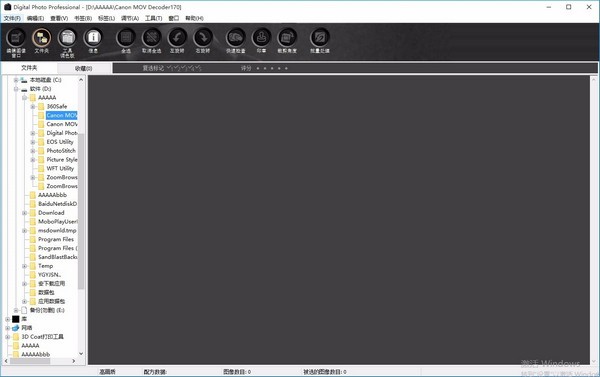
Digital Photo Professional official versionIt is specially designed for Canon SLR digital cameras.Image processing tools. Digital Photo Professional latest version supportRAWThe imaging function can also help users polish images. Digital Photo Professional software has a variety ofimage editingfunction to facilitate users to directly edit picturespost processing. Friends who like Digital Photo Professional come to Huajun Software Park to download and experience it!
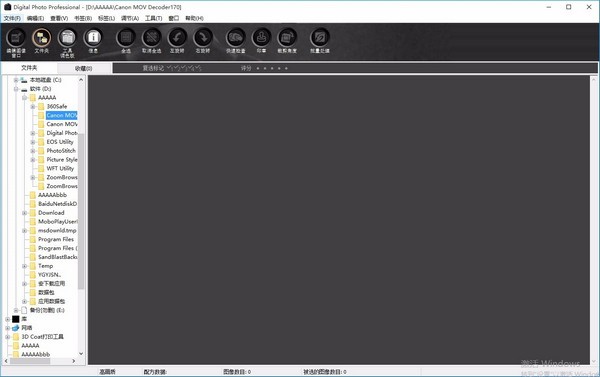
Digital Photo Professional function introduction
NEW Color Adjustment Palette
’s new color adjustment palette allows for hue, saturation, and brightness adjustments for eight separate color fields
Enables users to adjust in isolation a specific color without affecting the image as a whole.
This feature is particularly useful when adjusting the background tint in a portrait, for example, where there might previously have been a risk of giving skin tones a color cast.
Enhanced highlighting capabilities
Canon software developers have redesigned the processing algorithm to increase the freedom of tonal rendering.
By adjusting the highlights, it is now possible to recreate tones that previously looked washed out, such as those of clouds and faces.
Dual display support
For photographers with dual monitors, DPP 4.0 allows the secondary monitor to be used as a preview window on the primary display.
Although fine-tuning can be performed using the main monitor
You can use the image's secondary image window as a magnifying glass to examine part of the image more closely.
Cameras and lenses designed to power movies
The EOS R System captures film in new and dynamic ways with the latest technology including Dual Pixel CMOS AF, up to 4K resolution and professional-grade controls.
From top photography and film to the perfect lightweight travel companion, the EOS R Series offers full-frame solutions for every stage of your creative journey.
A powerful full-frame mirrorless camera for serious enthusiasts looking for a compact and lightweight astrophotography tool.
A groundbreaking full-frame mirrorless camera that sets a new standard for photographers and filmmakers.
No matter how you shoot, no matter how you shoot, the EOS R6 allows you to be creative in ways you never thought possible.
Professional full-frame mirrorless flagship camera providing photographers and filmmakers with high-resolution stills and 8K video.
Digital Photo Professional software features
1. High-speed processing of RAW images
1. DPP uses Canon’s original high-performance algorithm and can process/display RAW images at high speed.
2. DPP Canon’s pure software can perform high-quality image processing.
2. A variety of operations and windows can suit the workflow of professionals
1. The DPP operation tube is simple and can suit the workflow of professionals. Has a variety of functional windows.
2. In the main window, images can be displayed as a list (thumbnail image display), selected, rearranged, and basic editing can be performed.
3. In the edit image window, one of many images can be selected and enlarged, inspected, and detailed edits can be made.
4. In the editing window, an image can be enlarged, inspected, and edited in detail.
5. In the quick check window. Images can be displayed one after another and inspected and selected.
3. Real-time image editing
1. DPP has a variety of image editing functions. The editing results can be reflected in the image in real time.
2. You can adjust all image editing functions with 16-bit high precision.
3. DPP can use RAW image adjustment functions that are richer and more flexible than the camera's image adjustment functions. to perform a variety of image editing. It also has RGB image adjustment function and can be edited RAW images and RGB images (JPEG images, TIFF images). When using the RAW image adjustment function, RAW images are edited with almost no image distortion.
4. RAW image adjustment features: brightness adjustment, white balance adjustment, picture style setting.
5. RAW images and RGB images (JPEG images, TIFF Image) adjustment features: tone curve adjustment, color adjustment, sharpness, cropping, image correction (patch, copy stamp), image rotation (rotate 90" left or right.
7. DPP Recipe data (the results of various adjustments to the edited image) can be saved, imported, or applied to other images. The before-and-after comparison display feature allows you to display the before-and-after versions of your edits in a window. Comparison and adjustment charts.
4. Various functions
1. DPP can use three kinds of check marks to iterate and organize images.
2. DPP can send an image to Photoshop. Or batch send multiple images at once to optional image editing software. DPP can print including RAW A single copy of the compatible image including the image.
3. By working jointly with Easy-PhotoPrint and Canon BJ printers, DPP can easily, high-quality printing including RAW Compatible images including images.
4. DPP can convert and save RAW images to TIFF or JPEG images and embed ICC profiles. DPP can batch convert and save multiple RAW Images (batch processing).
5. DPP can change multiple file names in batches (name change function). Working in conjunction with EOS Capture, DPP is compatible with remote-controlled shooting.
Digital Photo Professional installation steps
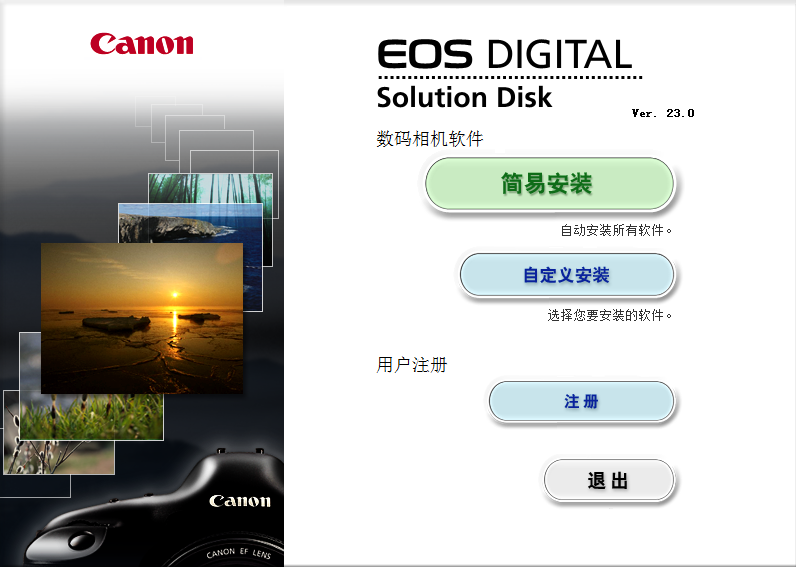
1. Download Digital Photo in Huajun Software Park Professional official version installation package, after decompression, double-click the exe program to enter the installation wizard, click [Easy Installation or [Custom Installation]], the editor here chooses custom installation
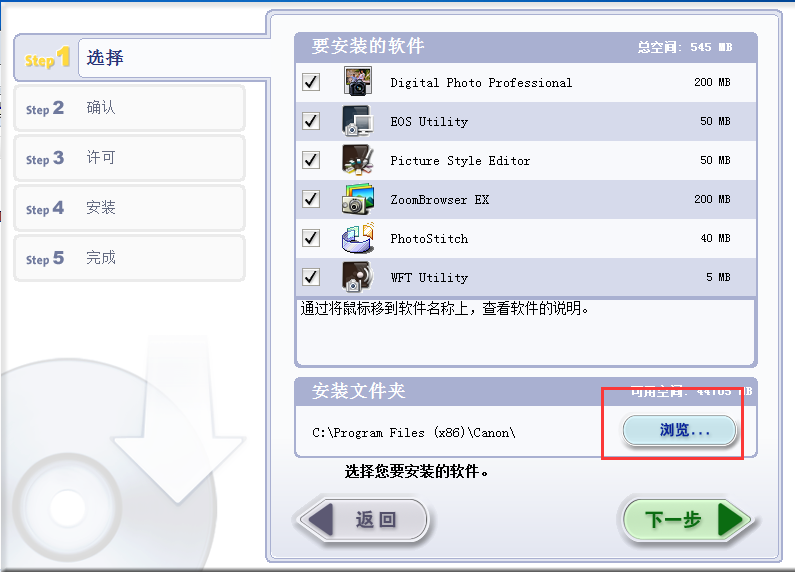
2. Click "Browse" to select the installation folder. Generally, it is installed on the C drive of the computer by default. It is recommended to install on the D drive. Click Next.
3. The installation program is ready, click Install
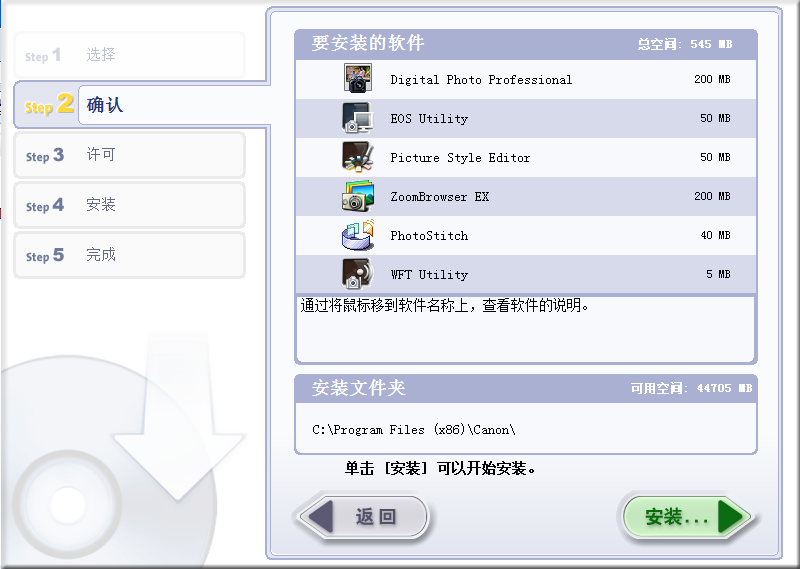
4. Read the license agreement and click Yes
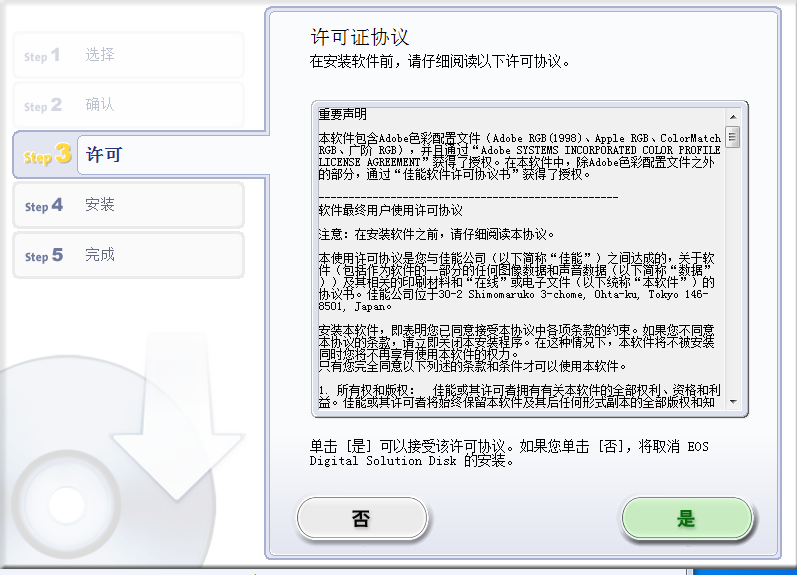
5. The software is being installed, please wait patiently.
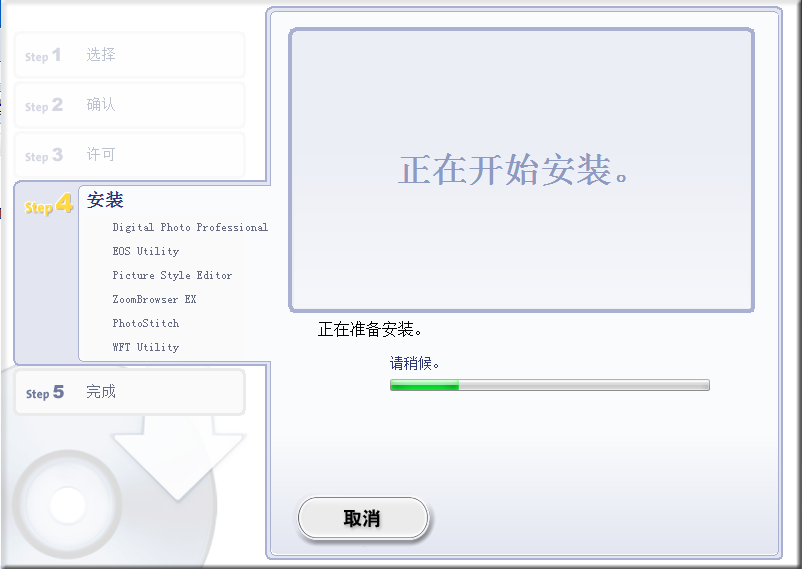
6.Digital Photo Professional installation is complete, click Finish to exit the installation wizard
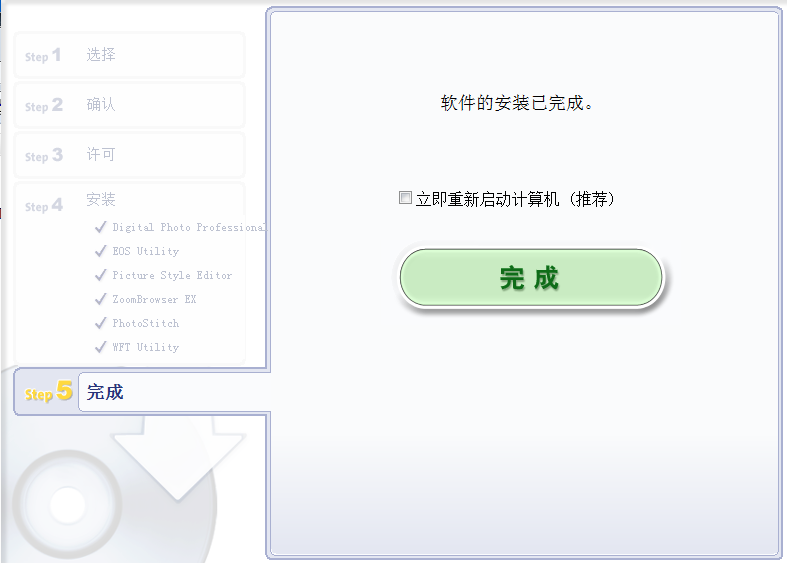
FAQ
1. Error when connecting camera to capture images
Possible causes and solutions:
Card error or data transfer issues: Check whether the camera memory card is damaged or full, and whether there are problems with the data transfer process. You can try to replace the memory card or card reader, and check whether the connection cable is stable.
Software conflicts: In some cases, DPP may conflict with other software on your computer, causing errors in captured images. You can try closing other unnecessary software or restarting the computer before trying to connect the camera.
Digital Photo Professional update log
1. Sweep the bug out and carry it out to the end
2. The most stable version ever
Huajun editor recommends:
After undergoing many updates and optimizations, Digital Photo Professional has become more user-friendly and simpler to operate. The editor of Huajun Software Park personally tested it and recommends it to everyone to download. Interested friends can also download Photo BlowUp, AutoCad 2020, and Photo BlowUp.
Version: v4.18.10 official version | Update time: 2025-10-23
Similar recommendations





Latest updates





Digital Photo Professional Review
-
1st floor Huajun netizen 2021-11-28 05:06:35Digital Photo Professional is very useful, thank you! !
-
2nd floor Huajun netizen 2021-11-22 16:27:09The interface design of Digital Photo Professional is easy to use and has rich functions. I highly recommend it!
-
3rd floor Huajun netizen 2022-03-31 02:56:44Digital Photo Professional hopes to do better and better, come on!
Recommended products






- Diablo game tool collection
- Group purchasing software collection area
- p2p seed search artifact download-P2P seed search artifact special topic
- adobe software encyclopedia - adobe full range of software downloads - adobe software downloads
- Safe Internet Encyclopedia
- Browser PC version download-browser download collection
- Diablo 3 game collection
- Anxin Quote Software
- Which Key Wizard software is better? Key Wizard software collection




