
-
2345King of Pictures
- Size: 77.2M
- Language: Simplified Chinese
- Category: Picture viewing software
- System: Win All








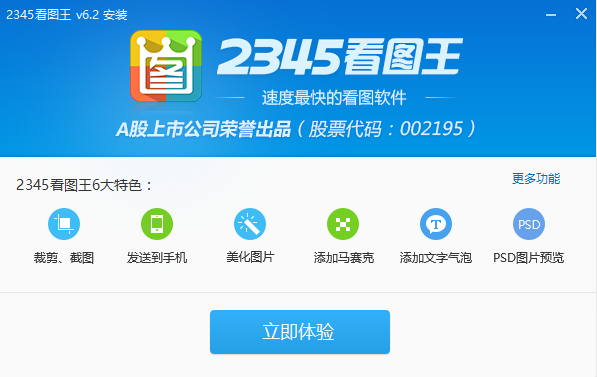
2345King of PicturesIt is a powerful image browsing and management software.Picture viewing softwareCompletely supports browsing, managing, and editing all major image formats. Supports page turning, zooming, and printing of pictures in folders. Exclusively supports the playback and single-frame saving of multi-frame pictures such as GIF. Supports full screen viewing and slide viewing. Provide thumbnail preview: all pictures in the current directory can be previewed at one time. Huajun Software Park provides you with2345King of PicturesDownload the official version, welcome to download.

2345 Picture Viewer function:
1. Support full-screen viewing and large picture browsing.
2. Supports slideshow playback and can freely set the playback speed.
3. Support thumbnail preview, which can preview all pictures in the current directory at one time;
4. It supports up to 67 image formats, which is the best picture viewing software;
5. Supports bird's-eye view, which facilitates mobile positioning after enlarging the picture.
6. Exclusively launches the function of viewing GIF multi-frame images and saving them frame by frame.
7. Built-inImage conversionTool to quickly convert image size and format.
2345Kantuwang FAQ
2345How to take screenshots with King of Pictures
1. Double-click the 2345Kantuwang desktop shortcut to open the software.
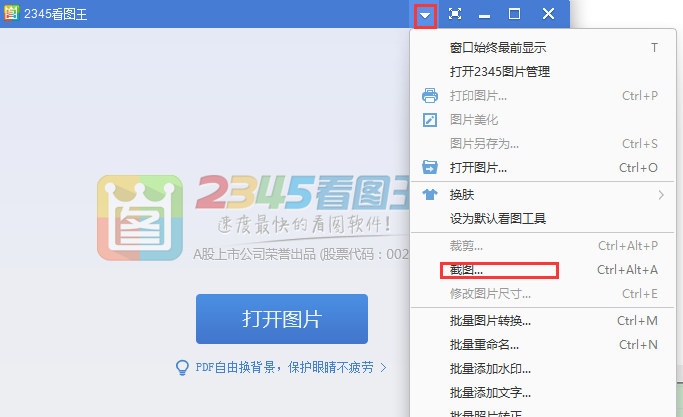
2. After opening the software, click [▼] at the top and click [[] in the pop-up optionsscreenshot】option. Or you can use the shortcut key Ctrl+Alt+A to open the screenshot.
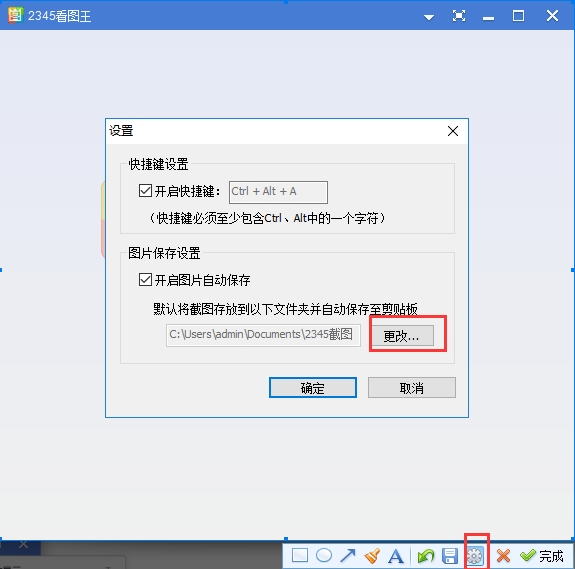
3. Select the range of pictures you want to intercept. After selecting, click the [small gear icon] at the bottom. You can modify the save location of the pictures yourself.
How to use 2345Kantuwang
How to use 2345 Picture Viewer to batch modify the size of pictures
1. Open the 2345 Picture Viewer software downloaded from this site. After opening the software, click the [Open Picture] button in the middle of the software and select the picture you want to operate in the window that opens.
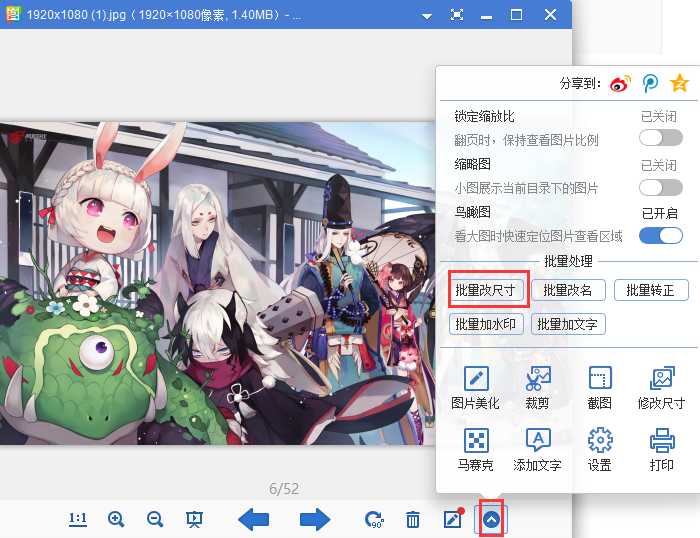
2. After opening the image, click the [More] option in the lower right corner, and click the [Batch Resize] option in the pop-up options.
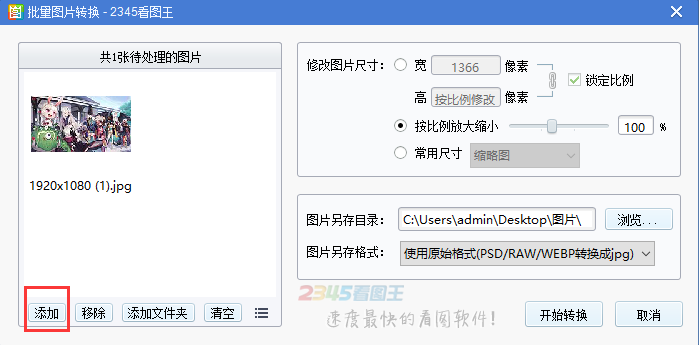
3. In the opened 2345 Kantuwang batch picture conversion window, click [Add] on the left interface and select the pictures you want to add.
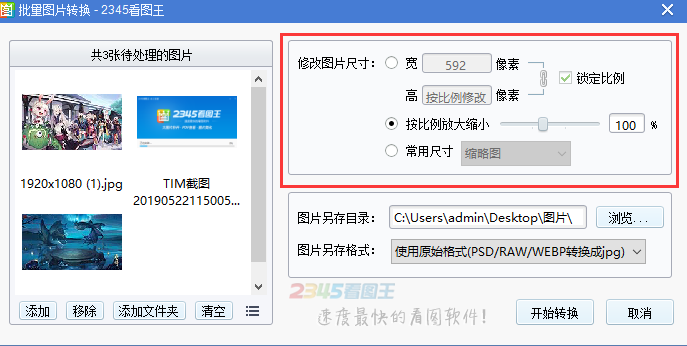
4. You can modify the image size in the right interface, fix the width and height, zoom in and out proportionally, and you can choose the commonly used sizes.
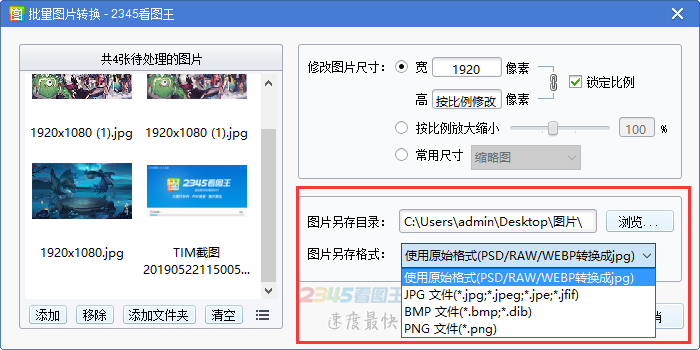
5. After modifying the image size, you can also modify the save location of the image. Click [Browse] in the window that opens. You can select the installation location of the software. After the selection is completed, you can also modify the software image format. After the modification is completed, click [Start Conversion].
2345Kantuwang how to modify the special effects of pictures
1. Open the 2345 Picture Viewer software downloaded from this site. After opening the software, click the [Open Picture] button in the middle of the software and select the picture you want to operate in the window that opens.
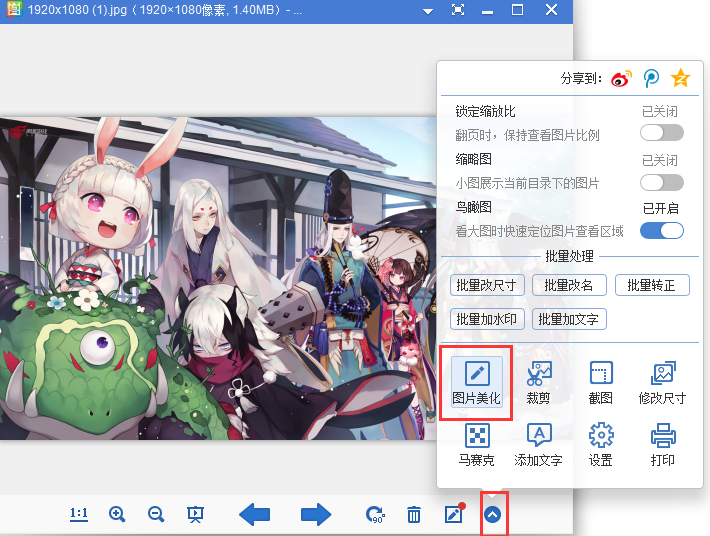
2. After opening the picture, click [More], and click the [Picture Beautification] option in the pop-up options.
3. In the opened 2345 Kantuwang beautification window, you can choose the special effects you like and just click on the special effects.
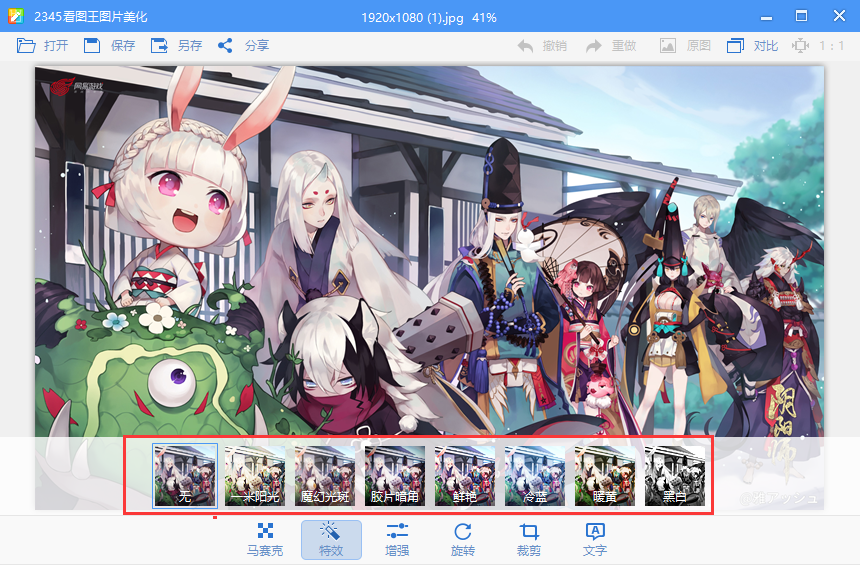
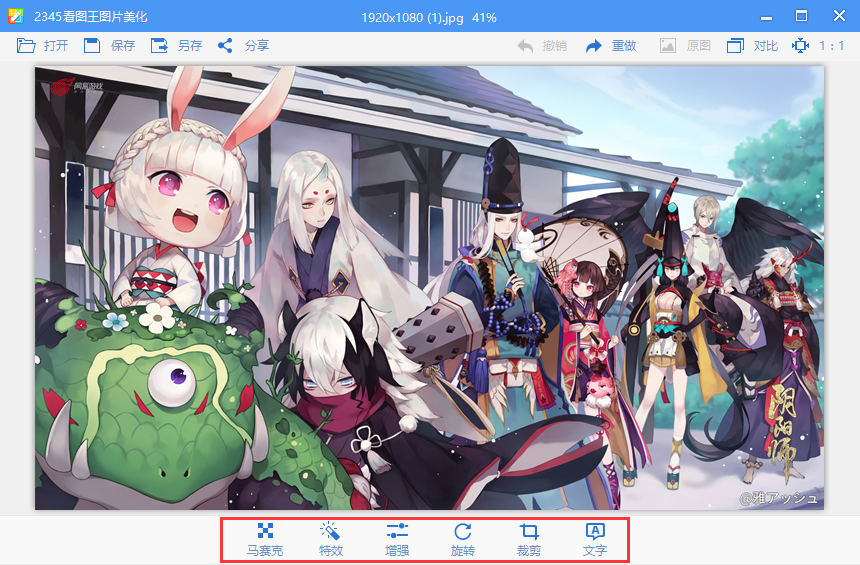
4. In the toolbar at the bottom of 2345 Viewer, you can click [Mosaic], [Enhance], [Rotate], [Crop], and [File] to choose the functions you want.
2345Kantuwang installation method
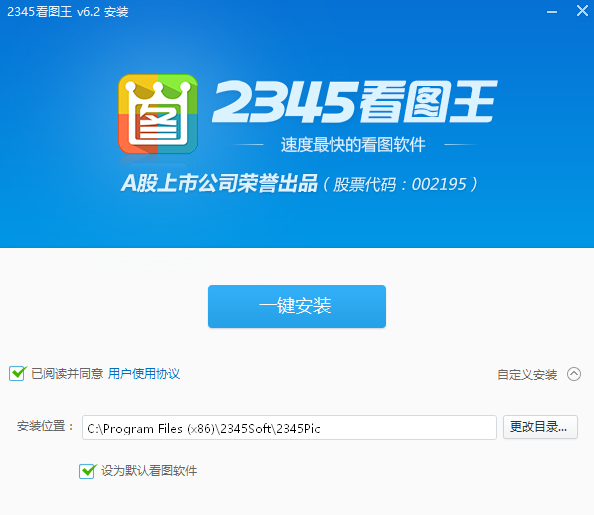
1. After downloading 2345 Picture Viewer from this site, get an .exe file locally on your computer. Double-click the .exe file to enter the software installation interface. You can click [One-click installation] and the software will be installed by default.

2. Or you can click [Customize Installation]. In the expanded installation location interface, you can click [Change Directory]. In the opened Select Installation Location interface, you can choose the installation location of the software. After the selection is completed, you can select [Set the software you see by default], and then click [One-click Install].
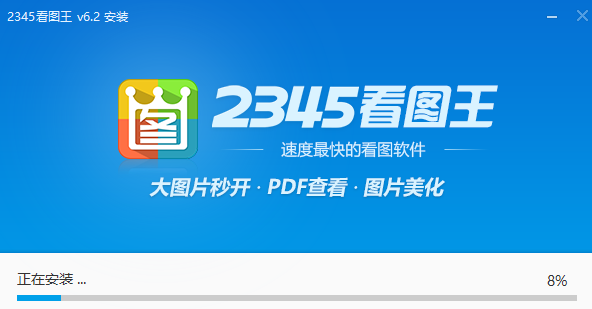
3. 2345KantuKing is being installed. You need to wait patiently for the software installation to be completed.
4. The installation of 2345Kantuwang is completed. Click [Experience Now] to open the software.
2345Look at Tuwang and Meitu to see which one is better
2345Kantuwang and Meitukankan are both powerful picture software that can meet the basic needs of users. 2345Kantuwang supports operations such as page turning, zooming, and printing of images, and it can also exclusively support the playback and single-frame saving of multi-frame images such as GIF, as well as full-screen viewing and slide viewing, and provides thumbnail previews. Meitu Kankan adopts a self-developed image engine, which is specially optimized for digital photos, so that the browsing performance of large pictures is comprehensively improved! The original cached picture technology takes up very little CPU and memory, and can be used smoothly even on low-configuration computers.
美图看看下载地址:http://softwaredownload4.com/soft/79408.htm
2345Kantuwang update log
1. 2345 Picture Viewer has added a wheel picture viewing mode, which supports scrolling pictures up and down with the wheel;
2. 2345KantuKing has added a new level folder penetration function, so you no longer need to open folders one by one to read comics;
3. 2345KantuKing greatly improves the speed of opening pictures and solves the problem of slow opening of pictures in folders;
4. Improve win10 compatibility and optimize related issues and full-screen display issues of win10 anniversary edition;
5. 2345KantuKing optimizes the function of adding background music to slides and supports adding multiple pieces of music independently;
Huajun editor recommends:
2345Kantuwang is a very practical picture browsing tool that can help users browse pictures, and can also edit, beautify, crop, add watermarks and other functions to pictures. The software also supports full-screen viewing and slideshow viewing.The software is simple to operate and easy to use. The editor has also carefully prepared for youUniversal picture viewing king, extremely fast picture viewing, CADSeeWaiting for software, welcome to download.
Version: V13.3.0.12392 | Update time: 2025-12-08
Similar recommendations






Latest updates





2345How to compress GIF dynamic images in Kantuwang? -2345Kantuwang GIF dynamic image compression
How to set the transition effect in 2345Kantuwang? -2345Kantuwang sets transition effect
How to take screenshots of 2345Kantuwang? -2345Keeping Picture King Screenshot Tutorial
How to add text in 2345Kantuwang? -2345How to add text to the picture king
How to cancel 2345Kantuwang? -2345How to cancel the picture king
2345Kantuwang comments
-
1st floor Huajun netizen 2021-08-07 01:13:592345Kantuwang is very useful, thank you! !
-
2nd floor Huajun netizen 2020-06-15 04:40:20The interface design of 2345Kantuwang is very easy to use and has rich functions. I highly recommend it!
-
3rd floor Huajun netizen 2020-11-26 06:12:012345 Picture Viewer software is very easy to use, the download speed is very fast and very convenient!
Recommended products










- Diablo game tool collection
- Group purchasing software collection area
- p2p seed search artifact download-P2P seed search artifact special topic
- adobe software encyclopedia - adobe full range of software downloads - adobe software downloads
- Safe Internet Encyclopedia
- Browser PC version download-browser download collection
- Diablo 3 game collection
- Anxin Quote Software
- Which Key Wizard software is better? Key Wizard software collection




