
-
WPS Office PC version
- Size: 248M
- Language: Simplified Chinese
- Category: Office software
- System: Win All






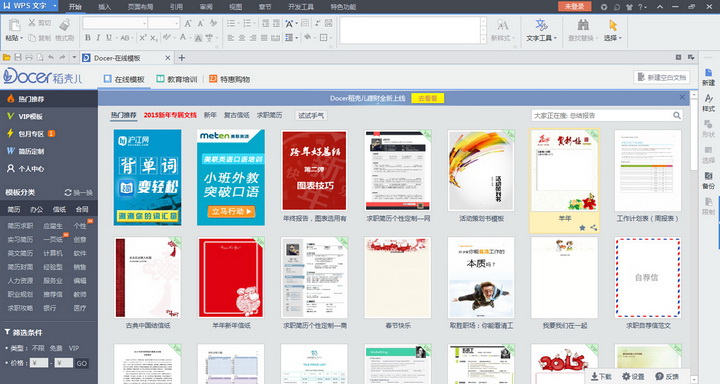


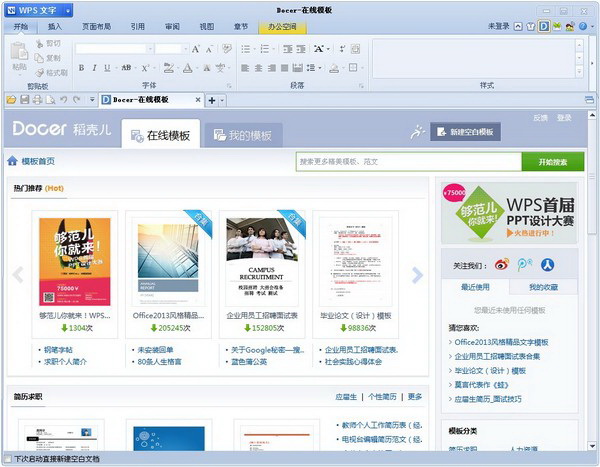
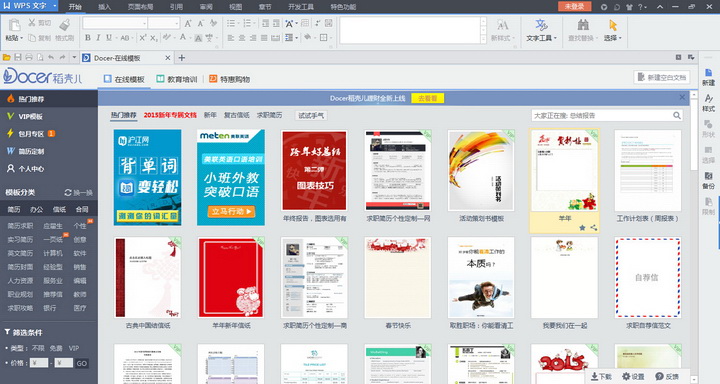
WPS Office PC versionFree office expert, compact, fast and fully compatible! It can realize the most commonly used text, tables, presentations and other functions of office software. It has unique advantages such as fast running speed, small size, powerful plug-in platform support, free provision of massive online storage space and document templates, support for reading and outputting PDF files, and full compatibility with Microsoft Office 97-2010 formats; document sharing, discussion and collaboration, easy team work; enjoy distinguished membership services; a treasure trove of tens of thousands of exquisite templates, materials and other resources make document creation easier and more efficient! Huajun Software Park provides you with free download of WPS Office computer version, come and experience it!
Features of WPS Office PC version software:
1. New Win8 flat design style
The product interface and logo of WPS 2013 adopt the currently most popular Win8 flat design style, and more than 1,000 function icons have been redrawn to match the overall design style.
2. Four types of skins that can be changed at will
WPS 2013 has prepared four sets of skin interfaces for users, who can change the skin of the product according to their own preferences. WPS has prepared two 2013-style skins for users who like to try new things, namely elegant black and fresh blue. At the same time, 2012-style and classic-style skins are also prepared for users who are accustomed to using older versions. No matter which style you like, users can use their favorite skin.
3. More reasonable functional layout
The new version of WPS takes into account that more and more computer screens are now using widescreen, especially in the interface design, the height of the commonly used tool panels is compressed, giving users greater operating space. At the same time, the horizontal space is fully utilized so that the wide screen can be better used.
4. Fragmented office
With the development of mobile Internet, office platforms have become increasingly diversified, causing office data to be fragmented and distributed across multiple platform devices such as computers, mobile phones, and tablets. "Light Office" is added to WPS as a brand new component, which will bring great convenience to the integration of fragmented offices. Users can use Light Office to integrate Office materials on each platform are managed and called in a unified manner to improve work and file management efficiency.
5. Strong circle collaboration
Light Office can collaborate on files through circles. Users can create their own circles based on work projects and bring project team members into the circle. In the circle, they can record document discussions and modification processes, call @ in the circle and send instant message reminders to circle members, so that they can easily resolve emails, QQ, and discussions. In order to solve the problems of group communication being dispersed and difficult to unify and organize, you can also create project files for files here for easy viewing in the future.
6. Exclusive privileges for distinguished members
Light Office supports users to log in through various accounts such as QQ, Weibo, Kuaipan, WPS Pass, etc. In WPS 2013, Light Office will enable a membership mechanism. By joining as a member, you can enjoy many member-exclusive privileges such as super circles, points redemption, and customized services.
7. Multi-platform to achieve new positioning of the Internet
The development strategy of Internet-based multi-platform synchronization is the most important market development positioning of WPS 2013. The release of WPS 2013 realizes the simultaneous update of each platform version for the first time. At the same time, a new underlying native cross-platform V9 engine is enabled in WPS 2013. The new engine can realize multi-platform development on Linux, iOS, Mac, etc. Code reuse keeps each platform updated synchronously.
Frequently asked questions about WPS Office PC version?
How to close ad pop-ups in wps?
Advertisements that pop up when using WPS can be turned off through the settings page. The following are the specific steps to turn off ads:
Click [Configuration and Repair Tools] in WPS.
After entering the page, click [Advanced].
Select [Turn off WPS hotspots and advertising pop-ups] among other options.
How to turn off the automatic renewal function in wps?
First enter the wps software and click "Me" in the lower right corner.
Then click "Wallet" on my page.
Then select "Renewal Management" below.
Finally click to turn off the automatic renewal function.
How to recover unsaved documents in wps?
1. Click File to find Backup and Restore, then select Backup Center.
2. Find and click on the previously unsaved file.
3. If during the recovery process, you encounter garbled characters or the file cannot be opened, you only need to click on the document repair to solve the problem.
How to turn off automatic upload of cloud documents in WPS?
1. Open the WPS software, click the "Cloud Document" icon in the taskbar to open the cloud document.
2. In the cloud document interface, click the "My Cloud Document" option on the left to enter the My Cloud Document interface.
3. In the My Cloud Document interface, find the folder where you want to stop uploading, and right-click the folder.
4. In the right-click menu, select the "Settings" option to open the settings window.
5. In the settings window, find the "Upload Settings" option and click the "Edit" button
6. In the upload settings, find the "Automatic upload" option and turn it off.
7. After confirming the settings, click the "OK" button to save the settings and close the window.
8. Return to the My Cloud Documents interface and you can see that the upload status of the folder has stopped.
Please note that after turning off automatic upload, you need to manually upload files to the cloud document. If you need to turn on automatic upload again, follow the same steps to turn on the automatic upload option.
Comparison between WPS office computer version and Microsoft Office
Features of WPS and Microsoft Office
Both have cloud services. WPS has a better user experience in China and can seamlessly switch between mobile phones and computers. Due to network problems, the user experience of Office is not that good. Some WPS user habits are more in line with Chinese usage. The software installation package is smaller, making it easier to obtain and install. In contrast, Microsoft Office does not have a personal free version, and personal acquisition may be more complicated. Microsoft Office download link:http://softwaredownload4.com/soft/1223438.htm
WPS Office PC version update log:
1: Brand new interface, refreshing, simple and efficient
2: Performance is getting better and better
Huajun editor recommends:
Believe me, as long as you use WPS Office 2016, you can uninstall other office software and it will definitely meet all your needs. The editor has also carefully prepared Hanwang Attendance Management System, Hanwang Attendance Management System, and Aimo Brain Map for you.
Version: 12.1.0.21915 | Update time: 2025-10-28
Similar recommendations






Latest updates





Clever use of WPS table number classification
How to calculate the average value if there are spaces in cells in WPS table 2016
WPS table 2016 sums the data of non-adjacent cells
Clever use of shared workbook function in WPS form
How to backup and restore the file with the same name in wps2016?
What features have been updated in the early access version of WPS2016?
What should I do if the wps2016 document is lost and cannot be found?
How to modify the cell line color of WPS table 2016?
WPS Office PC version review
-
1st floor Huajun netizen 2020-10-22 17:31:47WPS Office 2016 is very useful, thank you! !
-
2nd floor Huajun netizen 2021-06-07 03:33:43The interface design of WPS Office 2016 is easy to use and has rich functions. I highly recommend it!
-
3rd floor Huajun netizen 2021-05-01 12:14:21WPS Office 2016 is not bad, the download is very fast, I give you a good review!
Recommended products









- Diablo game tool collection
- Group purchasing software collection area
- p2p seed search artifact download-P2P seed search artifact special topic
- adobe software encyclopedia - adobe full range of software downloads - adobe software downloads
- Safe Internet Encyclopedia
- Browser PC version download-browser download collection
- Diablo 3 game collection
- Anxin Quote Software
- Which Key Wizard software is better? Key Wizard software collection




