
-
Baidu hard drive search
- Size: 1.90M
- Language: Simplified Chinese
- Category: search engine
- System: Win9x/Me/NT/2000/XP/2003






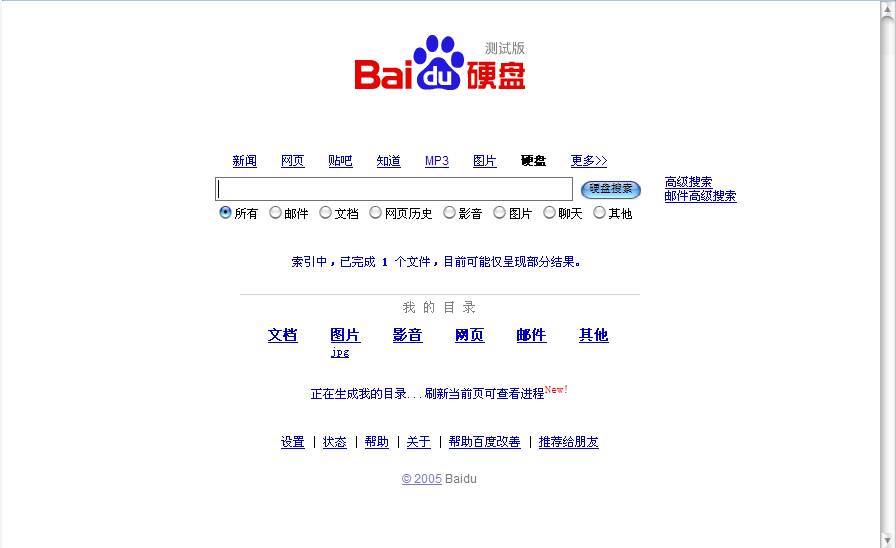
Baidu hard drive search official version
Baidu hard drive search official version is a hard drive search tool created by Baidu official for Baidu hard drive. Baidu hard drive search extends the search business from the Internet to users' personal computers, helping users quickly find the information they want from the massive data on their personal computers. Baidu hard drive search can search files, emails, instant messaging messages, and web browsing history. Huajun Software Park provides download services for Baidu hard drive search software. Everyone is welcome to download and use it!
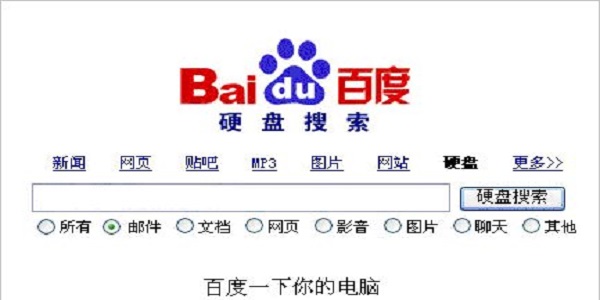
Baidu hard drive search software function
1. Supports the following types of files: Outlook email, WPS document, JPG, GIF, BMP, TIF, PNG
2. Outlook Express email WordMP3, WAV, WMA
3. MSN chat history ExcelAVI, MPG, WMV, RM, etc.
4. Local web pages and IE, Firefox web page history PowerPoint TXT, RTF, C, JSP and other source codes
5. Separately stored emails (.EML) PDFRAR, ZIP, EXE
Baidu hard drive search software features
1A new quick search box is added to facilitate searching web pages, MP3s, pictures, information, or files on the hard drive at any time.
1Double-click the Ctrl key to bring up or hide the quick search box.
2After calling up the quick search box, press the Tab key to switch between web page, MP3, picture, information, and hard disk search types.
2Specified folder search is more accurate!
Baidu hard disk search installation steps
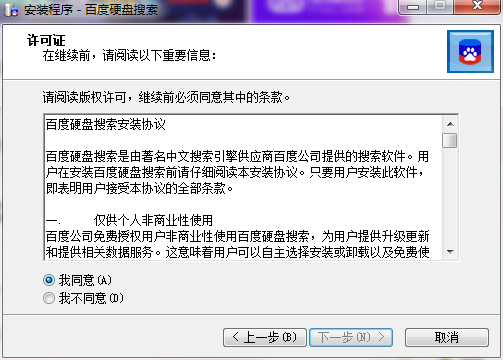
1. Download Baidu Hard Drive Search in the Huajun Software Park and unzip it to the current folder. Click on the BaiduDS_setup.exe application to enter the installation wizard interface and select the software installation location interface. The editor of Huajun recommends that users install it in the D drive, select the installation location and click Next.
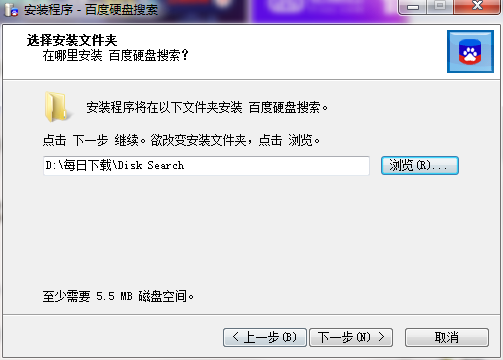
2. Enter the installation interface, we need to click Install.
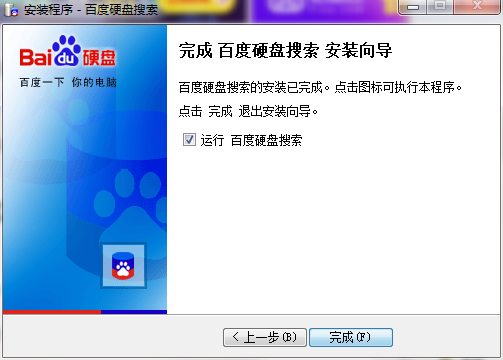
3. Baidu hard drive search installation is completed, click Finish.
Baidu hard drive search FAQ
Q: Which one is better, Baidu hard drive search tool or Everything?
Answer: 1. Search speed. Baidu hard disk search needs to create index data and provide file content search, which is more detailed, so the speed is lower than Everything;
2. Search depth (details). Everything only supports directory and file name retrieval, so it is fast, but not as deep as Baidu hard drive search.
3. Occupy resources. Baidu hard disk search requires indexing data, but Everything basically does not, so Everything takes up less resources.
What kind of hard drive search tool to choose depends on what functions you need that the hard drive search tool can provide. For example, I need more vague and detailed search requirements, and I need to search based on the content of document files, so I choose Baidu hard drive search.
Question: How to uninstall Baidu hard drive search?
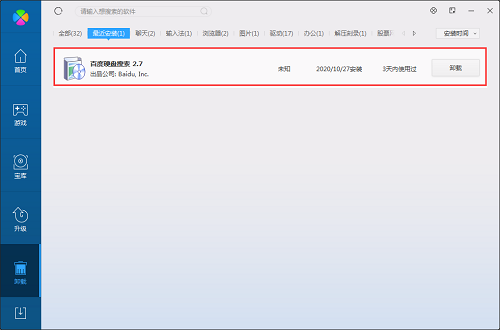
Answer: Method 1: Install and open the computer manager software, select the software management option, click the uninstall option, find Baidu Hard Drive Search in the list, and click uninstall
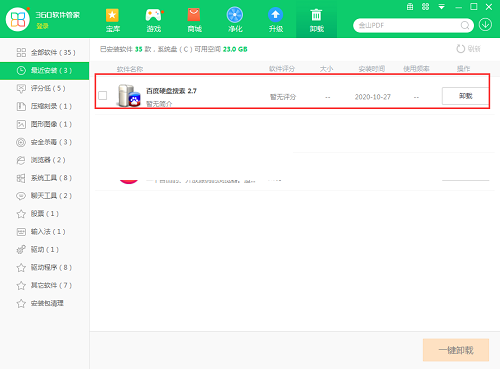
Method 2: Install and open 360 Software Manager, find Baidu Hard Drive Search in the list of uninstall options, and click Uninstall
Comparison of similar software
IdiskSearch light speed hard drive search softwareIt is a powerful search tool that can instantly find the documents you need in the hard drive without the hard drive light flashing.
Local hard drive search toolTo solve the problem that there are too many things on the computer hard disk, we often forget which disk we have stored the files in. After installing the local hard disk search tool, just enter the file name and press Enter to view the storage location of the file you are looking for.
Baidu hard drive search update log
1. The quick search box can customize shortcut keys and default search types, making it more convenient to use!
Double-click the Ctrl key or left-click the icon in the tray area to bring up the quick search box. Click the settings button in the upper right corner of the search box to open the settings interface of the quick search box.
"Double-click Ctrl", "Double-click Shift" or "Double-click Alt" can be set as a shortcut key for the quick search box. In "Default search type", you can also set the default search type when calling up the quick search box.
2. In the "Others" tab of the hard drive search settings page, you can choose to turn on or off the quick search box (as shown below). If "Turn on quick search box" is checked, using shortcut keys after starting hard disk search will not bring up the quick search box.
3. On the right side of the search results page for all files, documents, videos and other files, add a "File Type" subdivision directory and a "Time" drop-down box. Click the file type directory to view the search results belonging to that type; in the time drop-down box, you can also select a time to view the search results. On the image search results page, a "image size" subdivision has also been added, allowing you to view large, medium or small images in the search results.
Huajun editor recommends:
Baidu hard drive search extends the search business from the Internet to users' personal computers, helping users quickly find the information they want from the massive data on their personal computers. Highly recommended to everyone, welcome to download.
Version: 2.7 Official version | Update time: 2024-12-23
Similar recommendations






Latest updates





Solution to the problem that Baidu network disk files cannot be previewed in win10 system
How to choose the upgrade version of Win10 system
How to solve the "microsoft visual c++ runtime library" error window that pops up in Win10?
Tutorial on changing the background color of Edge browser/app store startup in Win10
How to solve the problem of freezing when playing videos using 360 Speed Browser in Win10
How to delete Baidu search in Edge browser on Win10 system?
How to set up night mode in Edge browser in win10 system
How to view history in Win10 Edge browser
How to change the background color of edge browser to eye protection color in win10 system
Baidu hard drive search review
-
1st floor Huajun netizen 2022-02-10 21:20:52Baidu hard drive search interface design is easy to use and has rich functions. I highly recommend it!
-
2nd floor Huajun netizen 2020-11-11 10:12:29Baidu hard drive search software is very easy to use, downloads quickly and is very convenient!
-
3rd floor Huajun netizen 2021-05-25 14:28:30Baidu hard drive search is awesome! 100 million likes! ! !
Recommended products








- Diablo game tool collection
- Group purchasing software collection area
- p2p seed search artifact download-P2P seed search artifact special topic
- adobe software encyclopedia - adobe full range of software downloads - adobe software downloads
- Safe Internet Encyclopedia
- Browser PC version download-browser download collection
- Diablo 3 game collection
- Anxin Quote Software
- Which Key Wizard software is better? Key Wizard software collection




