
-
People teach easy audio-visual
- Size: 302.74M
- Language: Simplified Chinese
- Category: Educational Management
- System: Win All







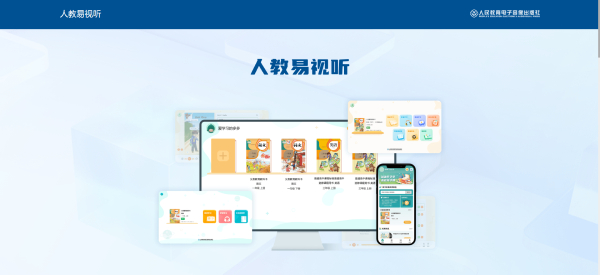
The PC version of People's Education Easy Audiovisual is an official digital learning platform specially created by People's Education Electronic Audio-visual Publishing House for the K12 school stage. As a core supporting tool for People's Education Edition textbooks, it focuses on synchronous resource services for all subjects in primary and secondary schools. The platform adopts a "differentiated learning stage" layout, in which the computer and mobile terminals complement each other - the free teaching stage uses the "People's Education Easy Audiovisual" client, and the high school stage corresponds to the "People's Education Fun Learning" client, both of which require the activation code of the study card accompanying the textbook to unlock resources. Relying on the authoritative teaching material compilation experience of the People's Education Press, the resource content is strictly synchronized with the new curriculum standards, becoming a digital extension of classroom teaching, meeting the core needs of teachers and students for pre-class preview and after-class review.

People's Education Easy Audiovisual Computer VersionSoftware description
The platform is presented as an independent Windows client (supports WinAll system), and some versions need to run the APK file through the Android emulator to achieve compatibility. The content architecture is centered on audio and video resources (accounting for more than 70%), covering multimedia forms such as text readings, experimental demonstrations, and explanations by famous teachers. H.265 encoding technology is used to optimize playback performance and ensure that low-configuration devices can run high-definition content smoothly. The resource organization adopts a three-level classification system of "Grade - Subject - Textbook Version". The interface design focuses on the efficiency of resource acquisition without advertising interference. It supports quick association of corresponding resource packages through the QR code on the back of the textbook, achieving a convenient "scan and learn" experience.
People's Education Easy Audiovisual Computer VersionSoftware function
Resource Management Center: Supports batch downloading of activated resources, adopts folder-based local management, and can be stored by subject and grade, making it easy for users to directly search through the file manager (the default path is usually the Download folder in the installation directory).
Professional playback control: Provides functions such as high-definition video playback (up to 1080P supported), precise audio repetition (customized start and end points), text reading (clicking on text to trigger synchronized audio), and is suitable for large-screen learning scenarios.
Cross-terminal data synchronization: After logging in to the account, the list of activated resources and learning progress on the mobile terminal are automatically synchronized to realize the scene connection of "mobile preview - computer deep learning".
Extended application support: After downloading, resources can be directly exported to a USB flash drive (via local file copy), compatible with mainstream players, and meet offline learning needs.
People's Education Easy Audiovisual Computer VersionSoftware features
Authoritative resource barriers: All content is reviewed by the teaching material writing team of the People's Education Press, and corresponds to the knowledge points of paper textbooks page by page. Core resources such as original text readings and experimental operation videos are exclusively included to ensure the accuracy of knowledge transfer.
Technology adaptation optimization: Deeply optimized for Windows systems, it not only supports high-definition and smooth playback on high-performance devices, but also adapts to low-configuration computers through encoding and compression technology to solve the lag problem of old devices.
Efficient activation system: It adopts the "one book, one card, one code" activation mechanism, which supports two methods: scanning code identification and manual input. After activation, the resources are permanently bound to the account and can be downloaded repeatedly.
Pure learning environment: There is no interference from social modules and gamification. The interface design is centered on resource acquisition. The operation path is simplified to the three steps of "activation - download - learning", which is suitable for independent learning scenarios.
People's Education Easy Audiovisual Computer VersionSoftware usage
Client acquisition: Visit the official website of People's Education Electronic Audio and Video Publishing House (www.peeavp.com.cn/khdxz/rjlx/gzb), download the "People's Education Easy to View" or "People's Education Enjoys Learning" client according to the school level, and follow the prompts to complete the installation (some versions require an Android emulator to be installed first).
Account activation: Open the client, register and log in, click "Learning Resources - Activate New Resources", complete the resource binding by scanning the QR code of the learning card or manually entering the 15-digit activation code, and click "Confirm Activation" after verification.
Resource acquisition: After successful activation, click the "Download" button to select resources individually or in batches, and the system will automatically save them locally; you can view the download progress and storage location in "Resource Management".
Learning operations: Double-click the downloaded resource to play it, and use the interface control bar to perform operations such as pausing, repeating, and adjusting the speech speed; through "Personal Center - Resource Management", management operations such as deletion and re-downloading can be performed.
Extended use: Open the computer file manager, enter the client download directory, copy the resource file to a USB flash drive, and then use it offline on other devices.
Installation steps of PC version of People's Education Easy Audio-visual
1. Download the latest version of the PC version installation package of People's Education Easy Video from this website, and double-click to run the software.
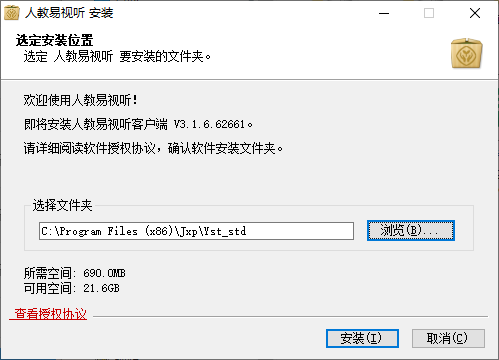
2. Select the installation address.
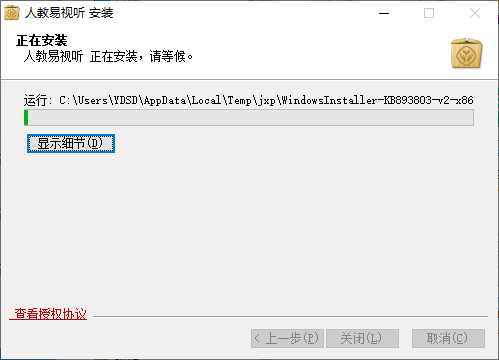
3. Wait for the installation to complete.
People's Education Easy Audiovisual Computer VersionSoftware instructions
1.Installation
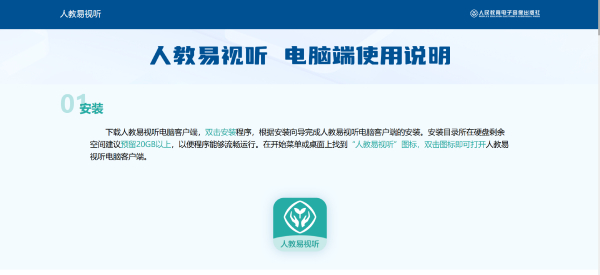
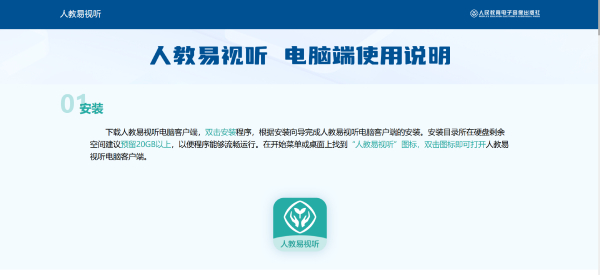
Download the computer client of People Education Video, double-click the installation program, and follow the installation wizard to complete the installation of the computer client of People Education Video. It is recommended to reserve more than 20GB of remaining space on the hard disk where the installation directory is located so that the program can run smoothly. Find the "People Education Easy Audio-Visual" icon on the start menu or desktop, double-click the icon to open the People Education Easy Audio-Visual computer client.
2.Register and log in
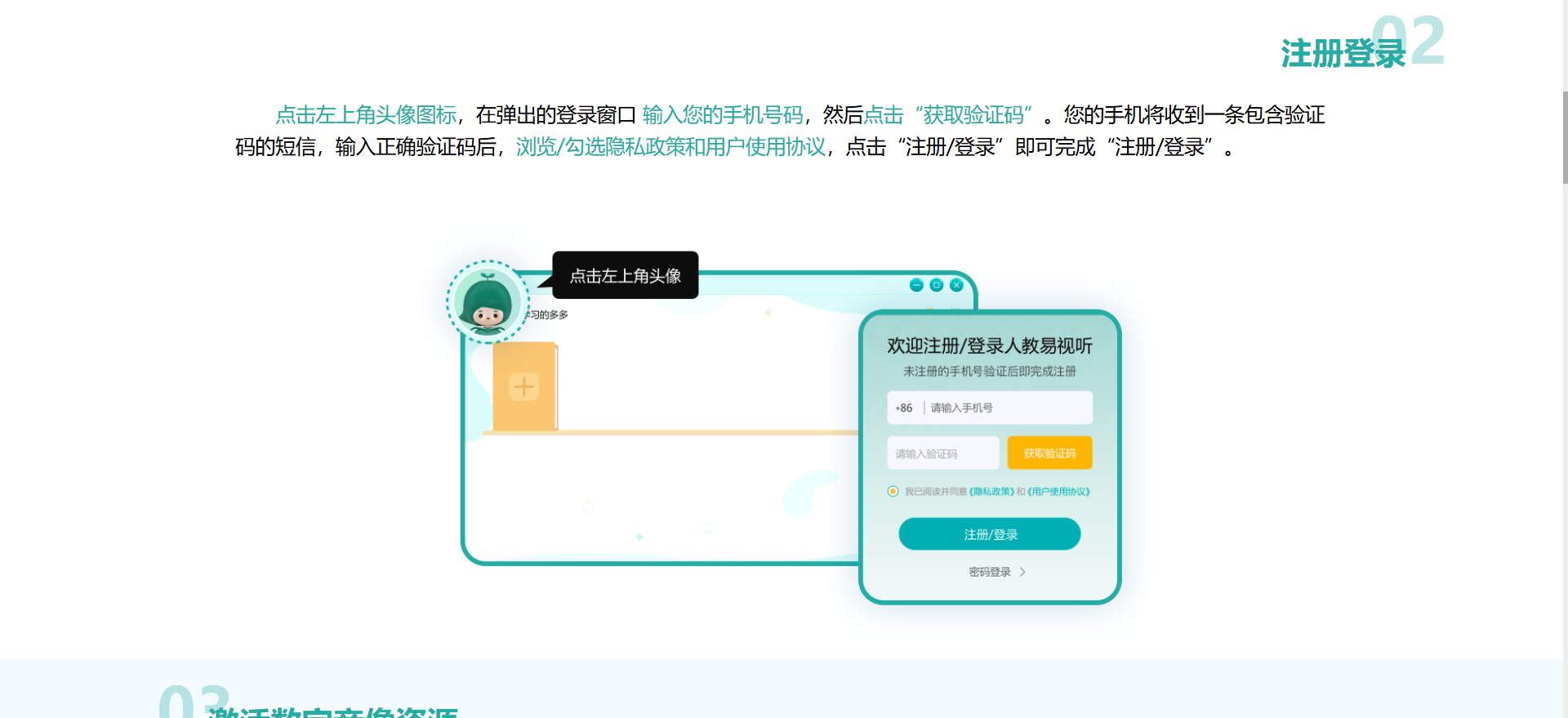
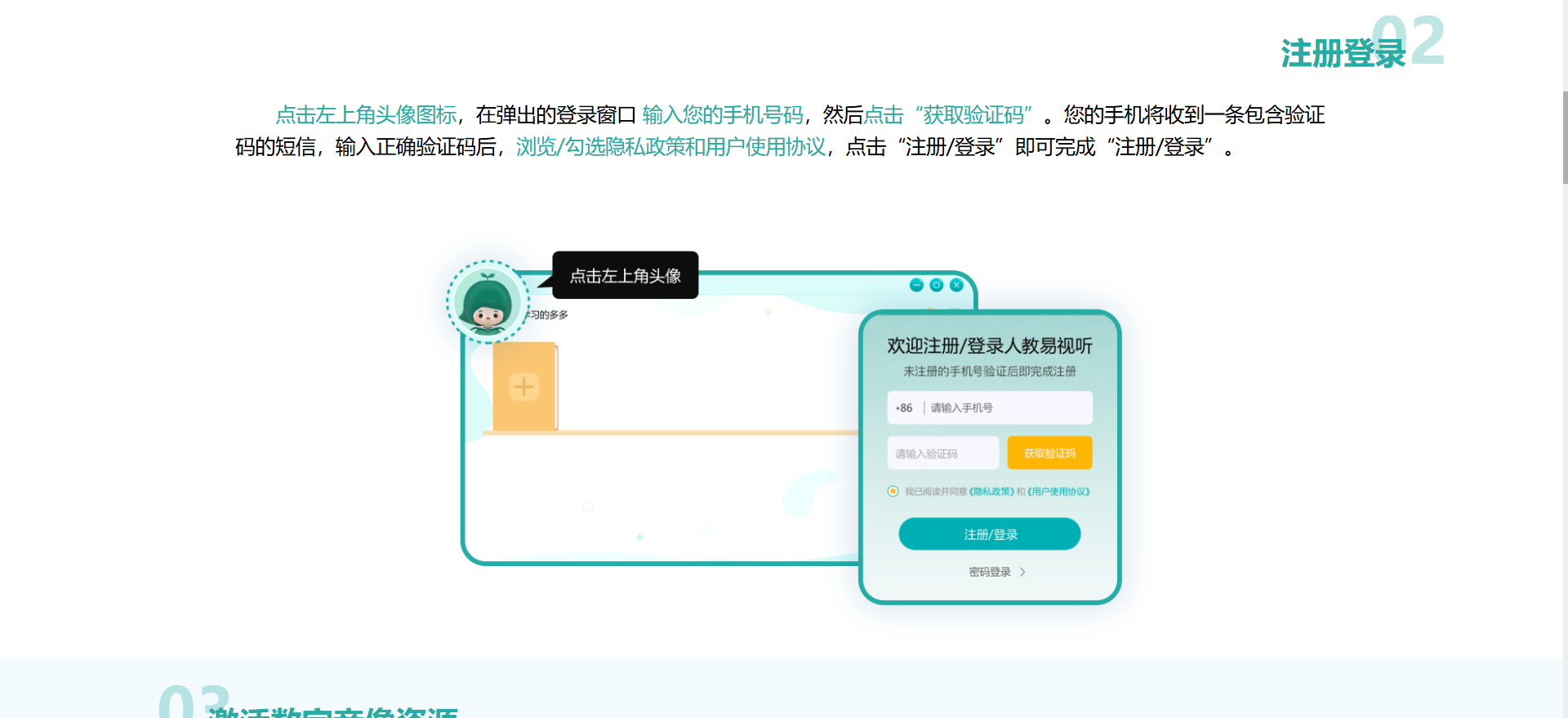
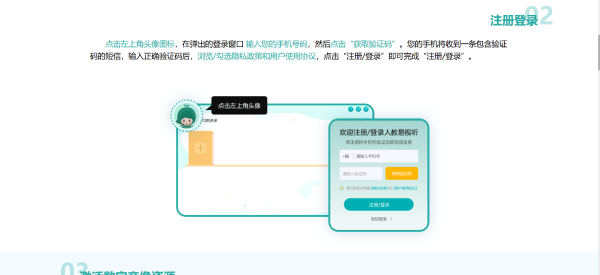
Click the avatar icon in the upper left corner, enter your mobile phone number in the pop-up login window, and then click "Get Verification Code". Your mobile phone will receive a text message containing a verification code. After entering the correct verification code, browse/check the privacy policy and user agreement, and click "Register/Login" to complete the "Registration/Login".
3 Activate digital audio and video resources
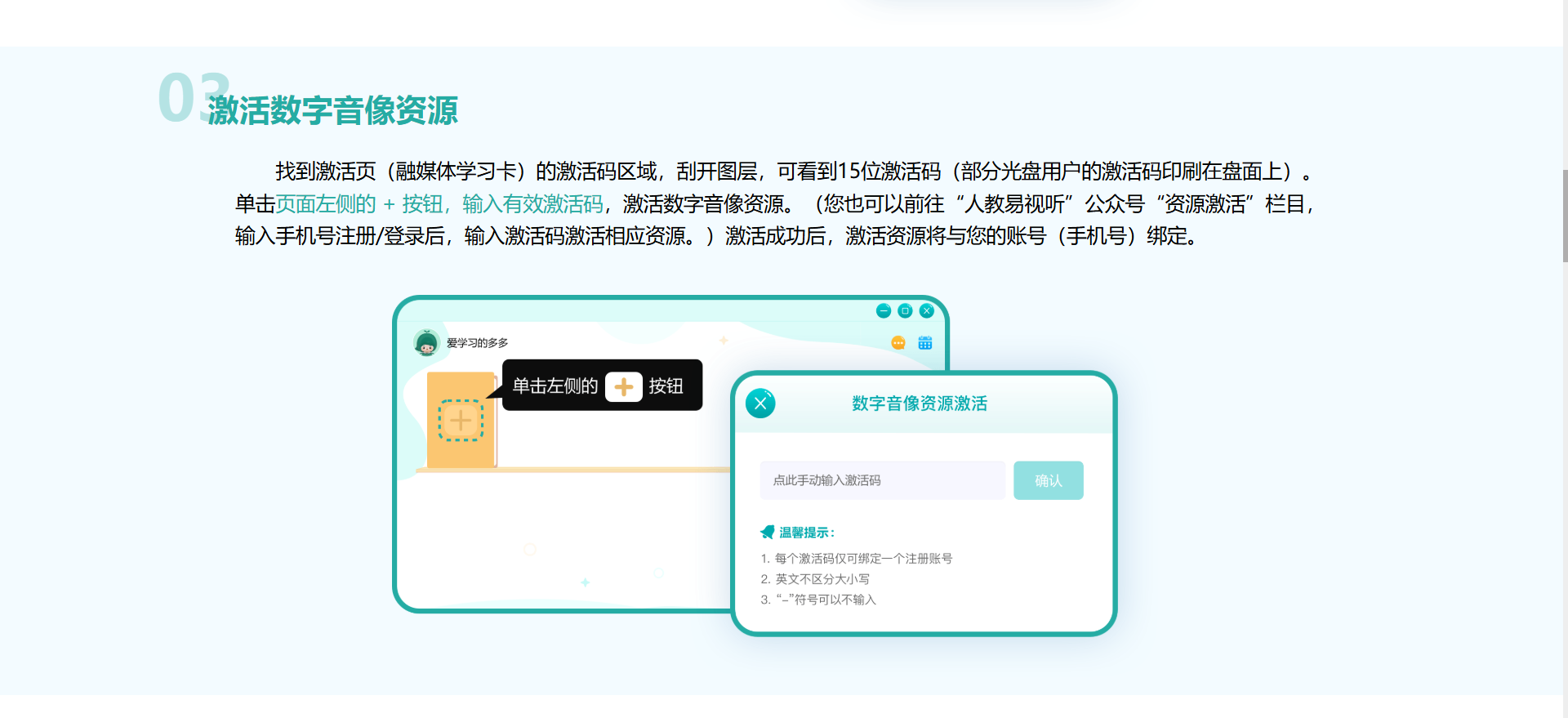
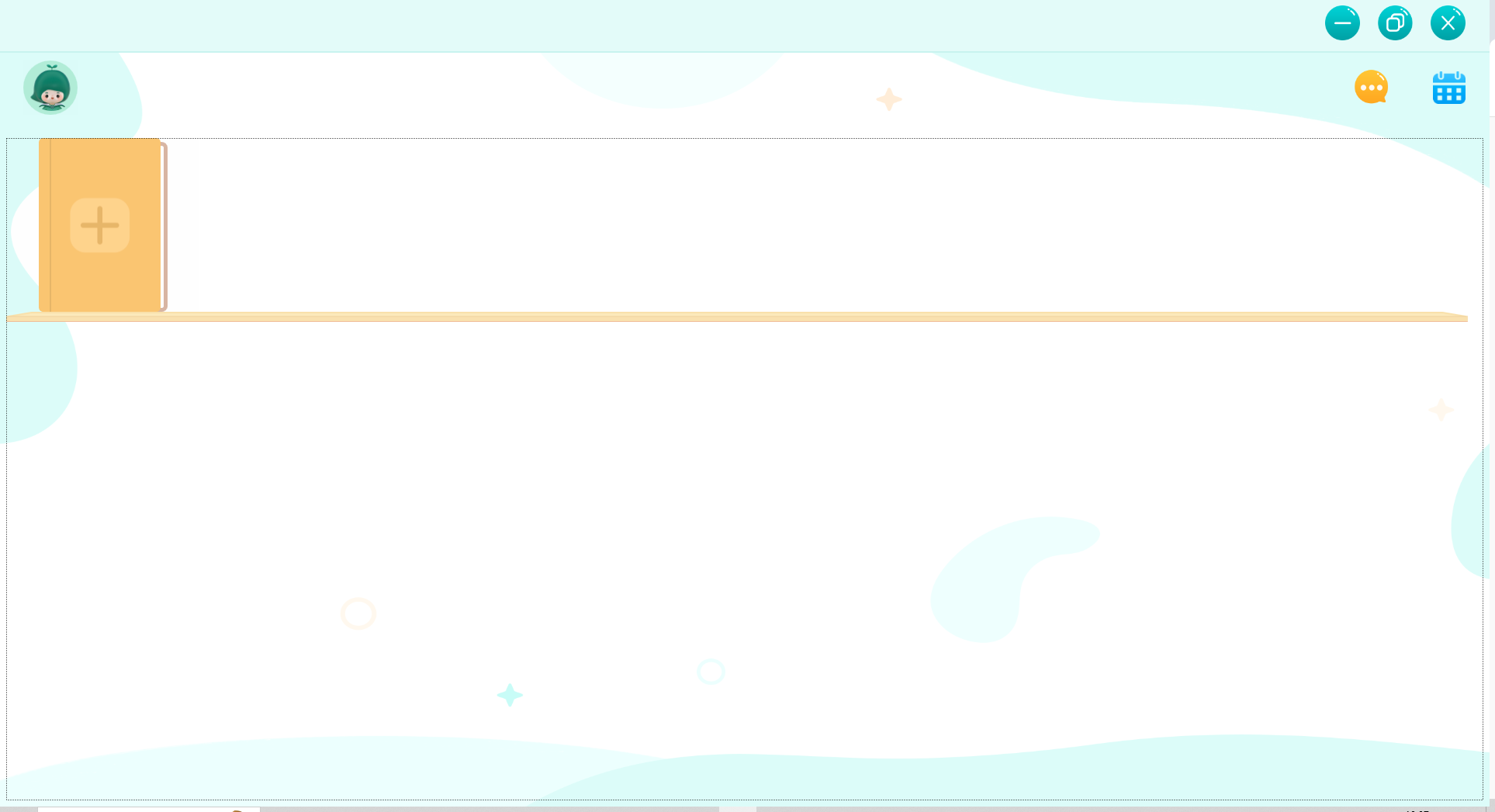
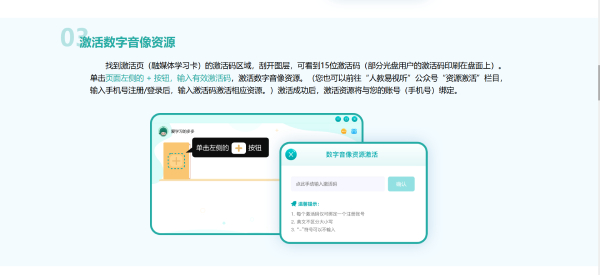
Find the activation code area of the activation page (Integrated Media Learning Card), scratch off the layer, and you can see the 15-digit activation code (the activation code of some CD-ROM users is printed on the disk). Click the + button on the left side of the page, enter a valid activation code, and activate digital audio and video resources. (You can also go to the "Resource Activation" section of the "People's Education Easy Audiovisual" public account, enter your mobile phone number to register/log in, and enter the activation code to activate the corresponding resources.) After successful activation, the activated resources will be bound to your account (mobile phone number).
4. Start learning
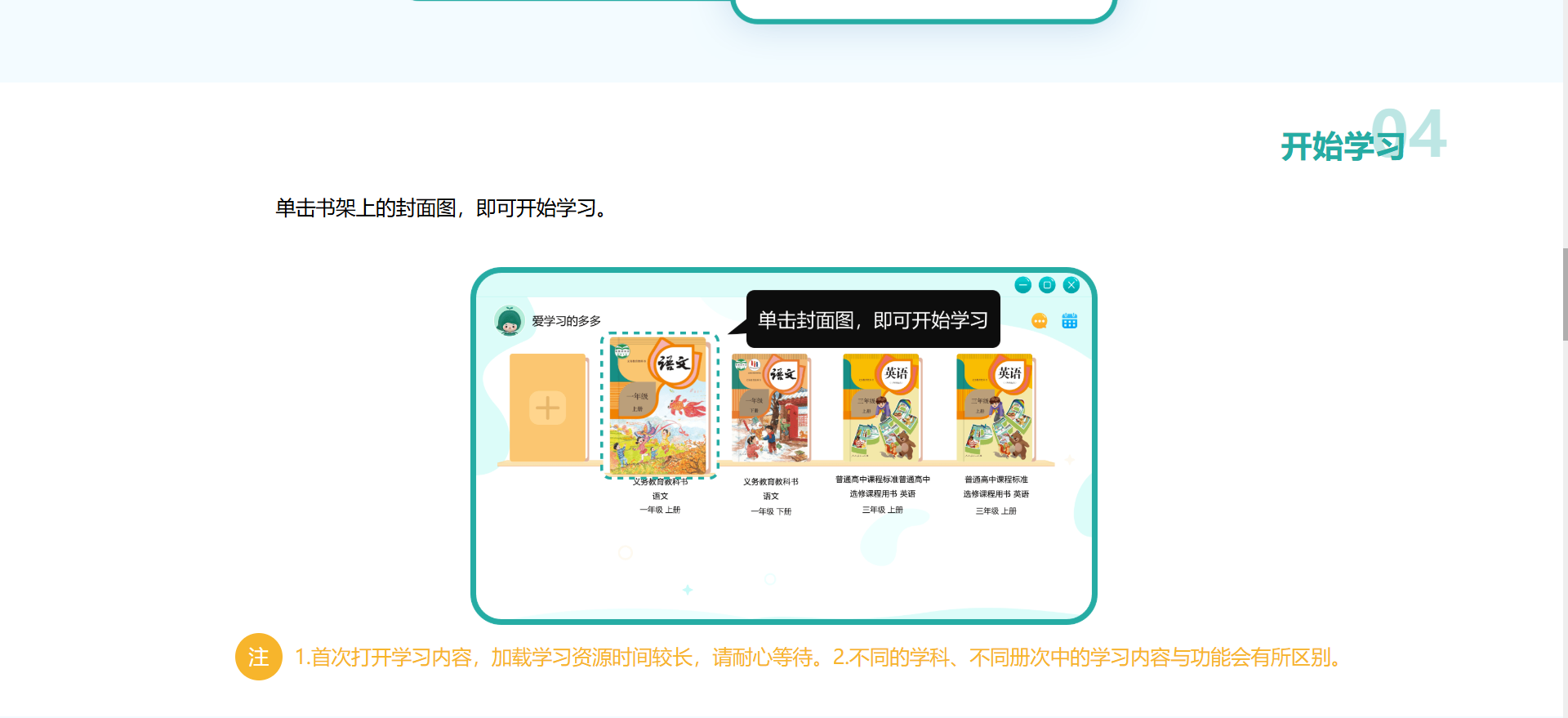
Click on the cover image on your bookshelf to start studying.
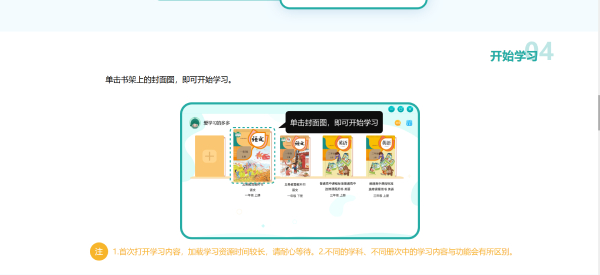
Note: 1. When opening the learning content for the first time, it will take a long time to load the learning resources, so please wait patiently. 2. The learning content and functions in different subjects and volumes will be different.
5.Offline mode
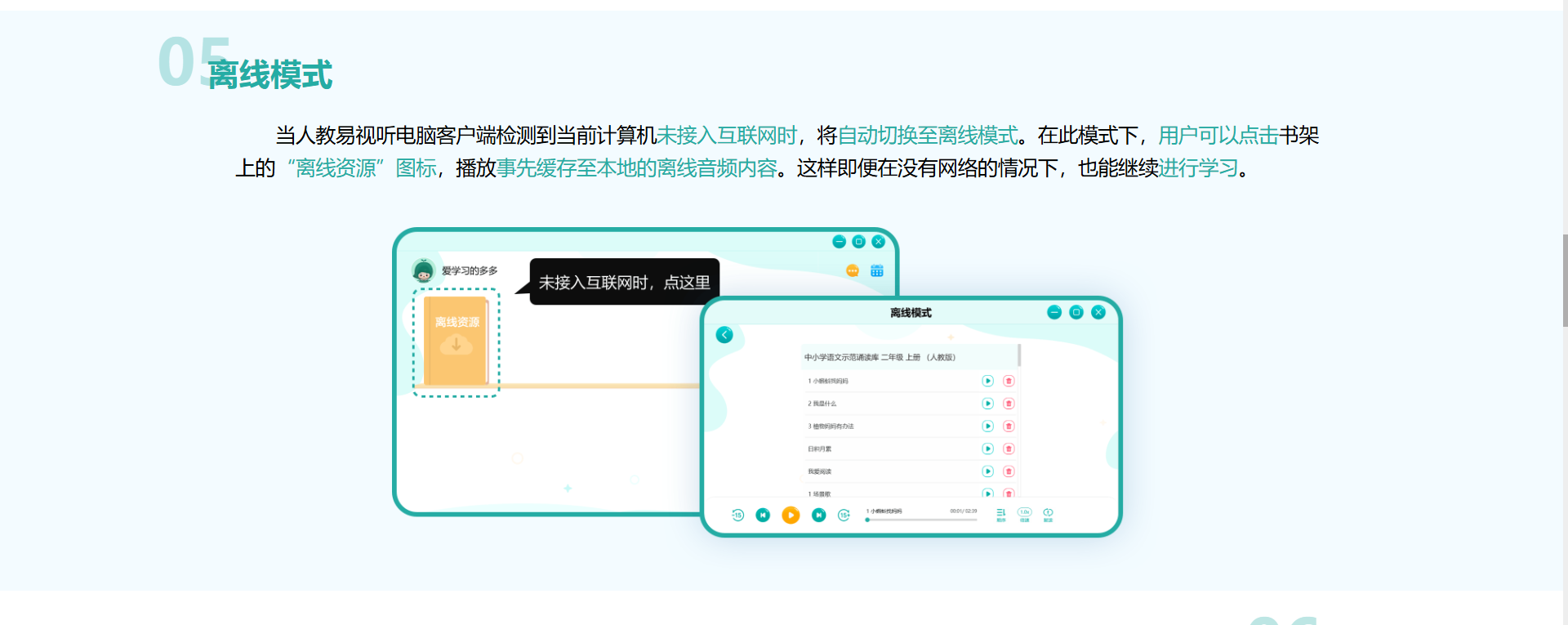
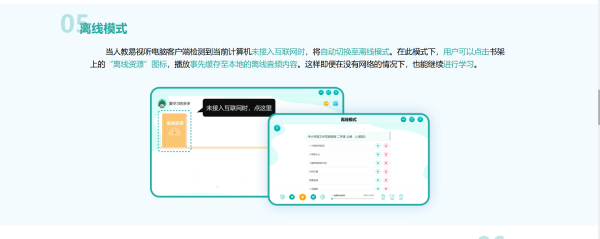
When the PC client of Renjiaoyi Audio-Visual detects that the current computer is not connected to the Internet, it will automatically switch to offline mode. In this mode, users can click the "Offline Resources" icon on the bookshelf to play offline audio content that has been cached locally. This way you can continue learning even without the Internet.
6. Current login account
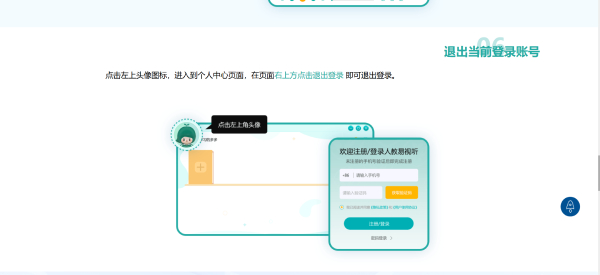
Click the avatar icon in the upper left corner to enter the personal center page. Click Log Out in the upper right corner of the page to log out.
People's Education Easy Audiovisual update log:
Developer GG said there are really no bugs this time~
Huajun editor recommends:
People's Education Easy Audiovisual is one of the best software in the industry. I believe that many friends will have used it. If you don't use it anymore, you will be OUT. This website has also prepared for you the electronic version of the Chinese Idiom Dictionary, Writing Words 2017, and Batch Butler
Version: Latest version | Update time: 2025-09-02
Similar recommendations




Latest updates




How to delete history in Video Pioneer? -How to delete history records by Video Pioneer
How to set the skin for Video Pioneer? -How to set skin for Video Pioneer
How to upgrade software in 360 Software Manager? -How to upgrade software in 360 Software Manager
How to draw a lottery in 360 Software Butler - How to draw a lottery in 360 Software Butler
People's Education Easy Audiovisual Review
-
1st floor Huajun netizen 2025-08-13 22:42:51People's Education Easy Audiovisual is very useful, thank you! !
-
2nd floor Huajun netizen 2025-08-26 12:29:02People's Education Easy Audiovisual is great! 100 million likes! ! !
-
3rd floor Huajun netizen 2025-08-09 19:53:28The overall feeling of Renjiaoyi Audio-Visual is good, I am quite satisfied, the installation and operation are very smooth! It went very smoothly following the installation step-by-step guide!
Recommended products
-

Yida school textbook management software
-

Class scheduling system for primary and secondary schools
-

Yukeyun Home School 2017 (Statistical Analysis of Score Management WeChat Home School)
-

Intelligent broadcast bell system (campus version)
-
Yijie question bank management and examination system
-

Future Education Level 2 MS Office paperless exam simulation software
-

seewo class optimization master
-

Student performance management system
-

Yida student admission ticket printing system software
-

Primary and secondary school library management system
- Diablo game tool collection
- Group purchasing software collection area
- p2p seed search artifact download-P2P seed search artifact special topic
- adobe software encyclopedia - adobe full range of software downloads - adobe software downloads
- Safe Internet Encyclopedia
- Browser PC version download-browser download collection
- Diablo 3 game collection
- Anxin Quote Software
- Which Key Wizard software is better? Key Wizard software collection




