
-
ToDesk
- Size: 95.5M
- Language: Simplified Chinese
- Category: Office software
- System: winall







ToDesk is a remote control solution focusing on data security and compliance. It builds and operates its own network system through leading network technology, and has a multi-node, multi-service, and millisecond-level delay application layer routing system covering the world. Friends who like ToDesk client come to Huajun Software Park to download and experience it!
Software Highlights
security mechanism
End-to-end encryption: Using SSL/TLS protocol and 256-bit AES encryption technology, the connection password is only stored on the user's device to prevent man-in-the-middle attacks.
Enterprise-level security design: supports secondary verification, privacy screen (locking the screen of the controlled device when remote), operation screen recording and log auditing to ensure enterprise data security and compliance.
Permission hierarchical management: The enterprise version provides a user-device-role multi-dimensional permission allocation system to achieve ultra-fine-grained control.
Multifunctional expansion
File transfer: Supports high-speed transfer of large files (speeds up to 12MB/s to 100MB/s), drag-and-drop operations simplify the process, and files are not compressed during the transfer process.
Peripheral compatibility: compatible with peripherals such as tablets, game controllers, and Bluetooth keyboards, and supports remote printing, camera monitoring, and U-shields and other security devices.
Multi-screen collaboration: A single device can control multiple terminals at the same time, supporting virtual screen expansion and split-screen operations to improve multi-tasking efficiency.
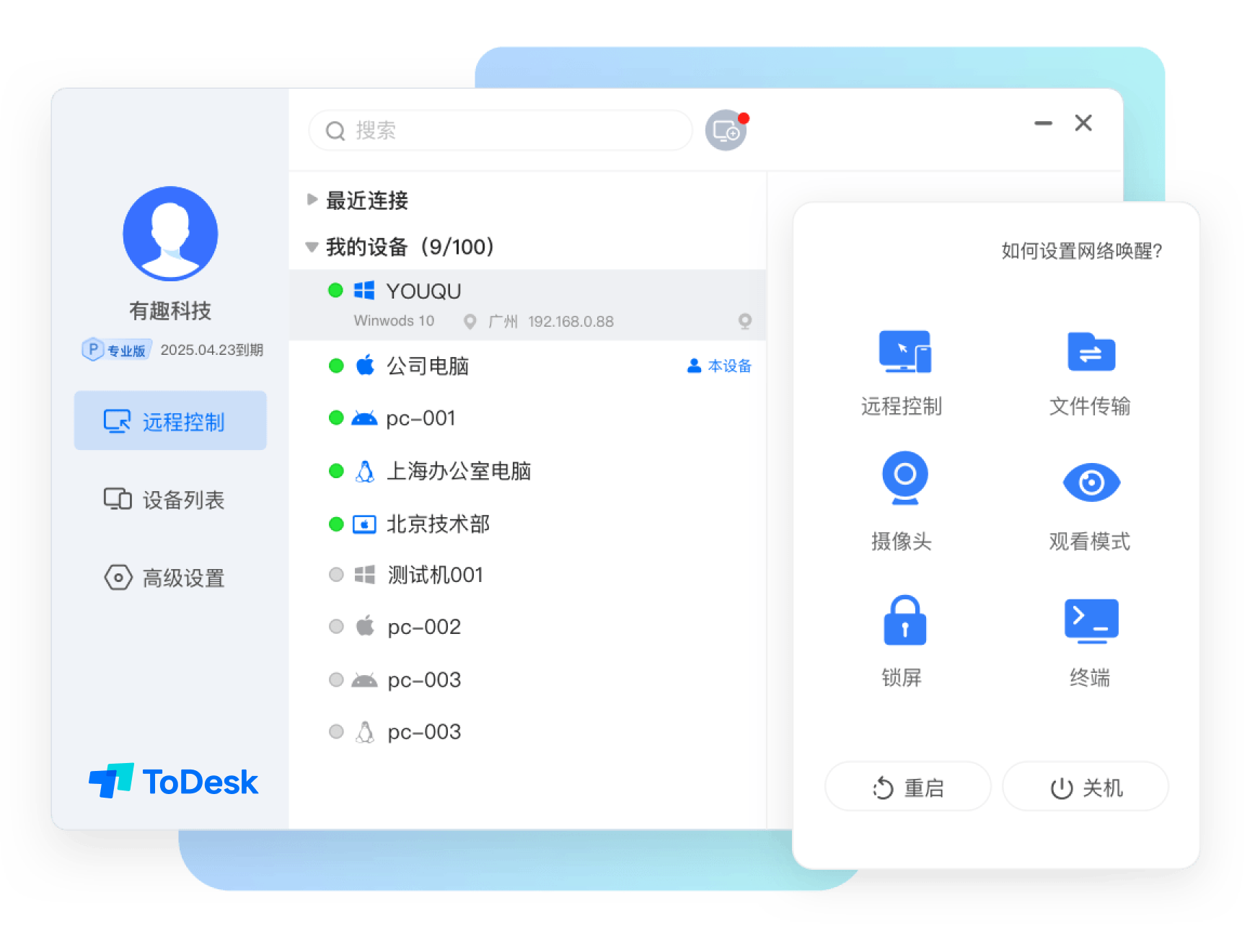
Software function
Remote desktop operation: Supports cross-platform remote control of mobile phones, tablets, computers and other devices. Users can fill in the controlled device number through the main control device to achieve remote control, and the operation response will be as local.
High-speed file transfer: The file transfer speed can reach 12m/s. Users can drag, drop, copy and paste files between remote devices to quickly and easily transfer large files or perform data backup.
Remote power on and off and standby: The power on and off and standby status of the device can be controlled remotely, allowing users to flexibly manage the device in different scenarios.
Screen recording and screenshots: Supports screen recording function, which can completely record the remote operation process, and can also take screenshots, which is suitable for remote demonstrations or problem recording.
Voice and video communication: Provides voice and video communication functions to facilitate users to communicate and collaborate during remote control.
Privacy protection: Equipped with a privacy screen function, it can prevent others from viewing the contents of the remote operation screen and protect user privacy.
Supports a variety of application scenarios: It can be used in remote office, home monitoring, assisting parents, remote gaming and other scenarios to meet the different needs of users.
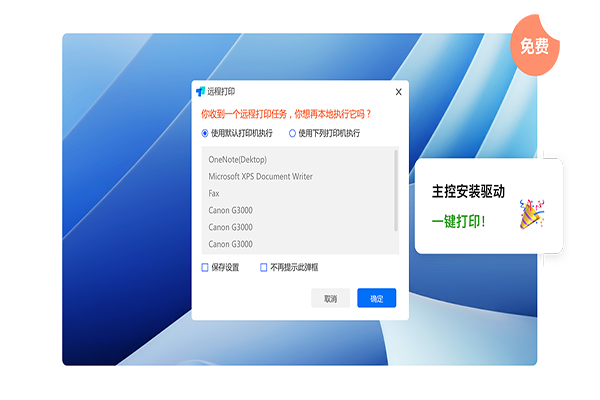
Software features
High performance: The first RTC engine technology, using self-developed congestion control algorithm, using ARQ+FEC anti-packet loss strategy, introducing the RTC protocol into the remote control field, improving network throughput and weak network resistance capabilities, and using OTT SD-WAN technology to ensure a high-definition, smooth, and low-latency remote office experience.
Safe and reliable: Provides 23 comprehensive security measures, including logging, operation screen recording, controllable file transfer, screen watermark, privacy screen, system lock, two-factor authentication, device-user binding, etc., while using end-to-end encryption technology to ensure data transmission security.
Strong compatibility: Supports access to a variety of devices, including mobile phones, tablets, desktop computers, Xinchuang computers, workstations, X86/ARM thin terminals, all-in-one devices, smart conference screens, etc. It is also compatible with peripherals such as keyboards and mice, tablets, split-screen displays, microphones, cameras, and game controllers.
Easy to deploy: The enterprise version supports silent deployment through the command line. Installation and binding can be completed with one command. It can also be connected to the company's AD domain, Feishu, and Qiwei accounts to import user information in batches to achieve rapid deployment and unified management.
FAQ
Remote connection failed: Check whether the ToDesk service of the target computer has been started, whether the network connection is normal, and whether the user name and password are correct. If the network environment is unstable, consider using a VPN or proxy.
Tip "This device is not online": Confirm whether the other party's device is turned on and the ToDesk software is running normally, check whether the network connection between both parties is normal, and whether there is a network failure or disconnection.
ToDesk update log:
1. Fixed BUG, the new version has a better experience
2. Some pages have been changed
Huajun editor recommends:
Say goodbye to junk software, ToDesk is a green and safe software, the editor has personally tested it! Our Huajun Software Park is dedicated to serving everyone. This site also has Jin Goal, Aimo Brain Map, and Cloud Machine Manager for you to download!
Version: 4.8.3.3 | Update time: 2025-12-04
Similar recommendations






Latest updates





ToDesk online remote use www.todesk.com _ToDesk web version login portal
How to install ToDesk-ToDesk installation steps
How to uninstall todesk-How to uninstall todesk
How to force disconnection of todesk? -todesk forced disconnect tutorial
How to transfer files in todesk-How to transfer files in todesk
How to copy files in todesk-How to copy files in todesk
How to change nickname in ToDesk? -ToDesk tutorial guide for changing nickname
How to change nickname in ToDesk? -ToDesk tutorial guide for changing nickname
How to set up remote boot in todesk-How to set up remote boot in todesk
How to set up a privacy screen in todesk - How to set up a privacy screen in todesk
ToDesk Reviews
Recommended products









- Diablo game tool collection
- Group purchasing software collection area
- p2p seed search artifact download-P2P seed search artifact special topic
- adobe software encyclopedia - adobe full range of software downloads - adobe software downloads
- Safe Internet Encyclopedia
- Browser PC version download-browser download collection
- Diablo 3 game collection
- Anxin Quote Software
- Which Key Wizard software is better? Key Wizard software collection




