
-
Daemon Tools (elf virtual optical drive)
- Size: 47.19M
- Language: Simplified Chinese
- Category: virtual optical drive
- System: winall






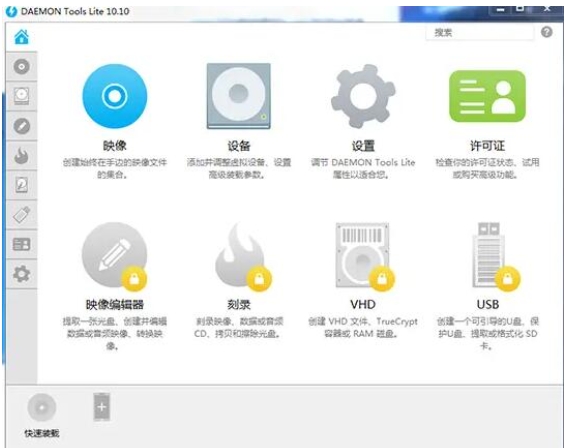
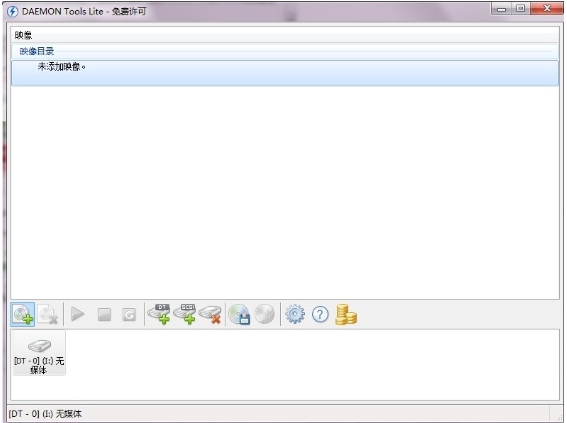
Daemon Tools is a powerful virtual optical drive software. The software supports up to 4 virtual optical drives running simultaneously, is compatible with CD/DVD/Blu-ray and HD DVD formats, and integrates SPTD driver technology to ensure efficient interaction with the underlying system.
Daemon Tools software features
Create an image: Users can convert the physical disc content into image files in ISO, MDS and other formats. It supports selecting the reading speed and saving path to facilitate backup and sharing.
Edit images: The professional version supports functions such as image merging, compression, splitting, and password protection to meet users' diverse processing needs for image files. For example, users can merge multiple image files into one, or split a large image file into multiple small files for easy storage and transmission. At the same time, the password protection function can ensure the security of the image file and prevent unauthorized access.
Create a virtual hard drive (VHD): Daemon Tools supports creating virtual hard drives and mounting disk image files. This feature is very useful in virtual machine environments or data backup. For example, users can mount a virtual hard disk in a virtual machine to run a specific operating system or application in the virtual machine. At the same time, the virtual hard disk can also be used as a storage medium for data backup to ensure data security.
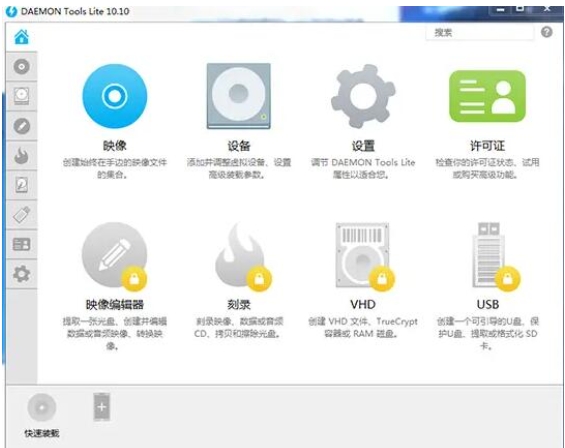
Daemon Tools (elf virtual optical drive) software functions
Automatically detect and install the SPTD driver: Daemon Tools has a built-in SPTD driver maintenance program that can automatically detect and install the SPTD driver to ensure compatibility with the underlying system. The SPTD driver is a software driver for virtual optical drives that can improve the performance and stability of virtual optical drives.
Provide driver cleaning tools: Daemon Tools also provides driver cleaning tools, such as the SPTD-Cleaner tool, to resolve driver conflicts. When users encounter driver conflicts, they can use this tool to clean up old or conflicting drivers to ensure the normal operation of the system.
Image encryption: Daemon Tools provides image encryption function to protect user data security. Users can encrypt image files to prevent unauthorized access and tampering. This feature is very useful in scenarios where sensitive data or private information needs to be protected.
Compatible with multiple operating systems: Daemon Tools is compatible with 32-bit/64-bit Windows systems, including Windows XP, Windows Vista, Windows 7, Windows 8, Windows 10, etc., to meet the needs of different users.
Multi-language interface: The software supports multi-language interface, including Chinese, etc., to facilitate user operation. Users can choose the appropriate interface language according to their own language habits to improve the user experience.
Integrated cloud synchronization function: The latest version of Daemon Tools integrates cloud synchronization function, allowing users to synchronize configurations and images between different devices. This feature allows users to share and use the same virtual optical drive configuration and image files on multiple devices, improving work convenience and efficiency.
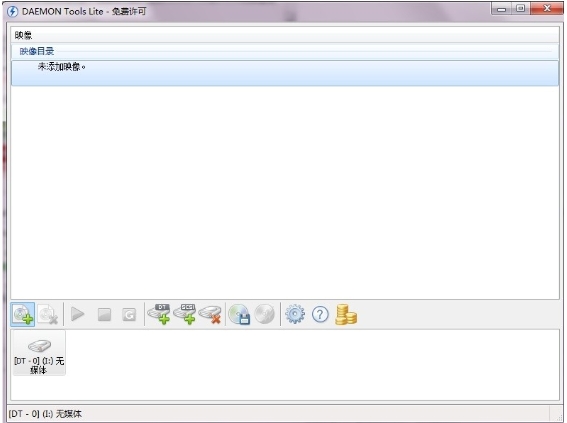
Daemon Tools FAQ
The image file cannot be run after being loaded.
Problem description:
After successfully loading the image file in Daemon Tools, the image file cannot be run in the virtual optical drive.
Possible causes and solutions:
Image file is damaged:
Try using other tools or methods to verify the integrity of the image file.
If the image file is damaged, you may need to re-download or obtain a new image file.
Virtual optical drive settings problem:
Make sure the virtual optical drive settings are correct, such as drive letter, file system type, etc.
In Daemon Tools, check the settings for the virtual optical drive and adjust if necessary.
Software or system compatibility issues:
Make sure Daemon Tools are compatible with your operating system and other software.
If there are compatibility issues, try updating Daemon Tools to the latest version, or contact the software developer for support.
Daemon Tools (elf virtual optical drive) update log:
1. Modify user-submitted bugs
2.Add new features
Huajun editor recommends:
Daemon Tools (elf virtual optical drive) is a very good virtual optical drive software. I secretly tell you that I also use this software, and I don’t tell others about it! Powerful, green and safe. Huajun Software Park also provides you with DAEMON Tools Ultra 5, .NET, Cloud Machine Manager, etc. for you to download.
Version: 12.3.0.2352 | Update time: 2025-11-25
Similar recommendations







Latest updates


Daemon Tools (Elven Virtual CD-ROM Drive) Review
Recommended products








- Diablo game tool collection
- Group purchasing software collection area
- p2p seed search artifact download-P2P seed search artifact special topic
- adobe software encyclopedia - adobe full range of software downloads - adobe software downloads
- Safe Internet Encyclopedia
- Browser PC version download-browser download collection
- Diablo 3 game collection
- Anxin Quote Software
- Which Key Wizard software is better? Key Wizard software collection




