
-
Kaspersky
- Size: 185M
- Language: Simplified Chinese
- Category: Antivirus software
- System: WinAll






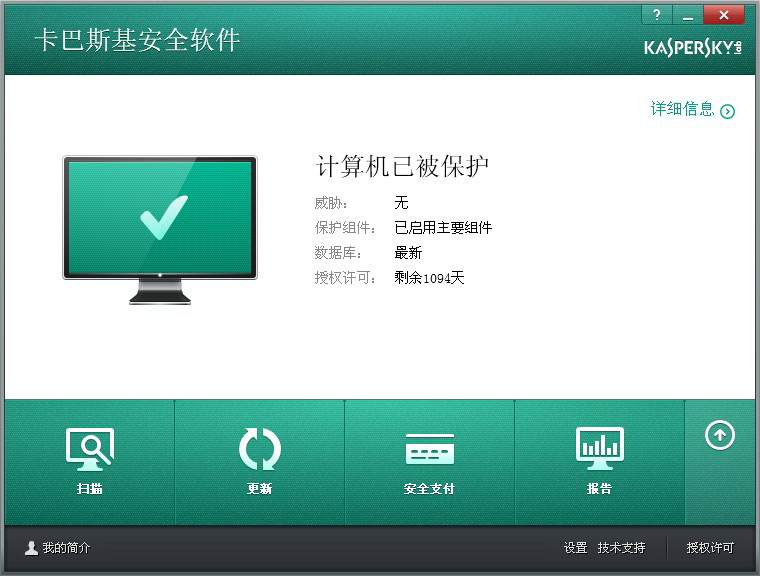
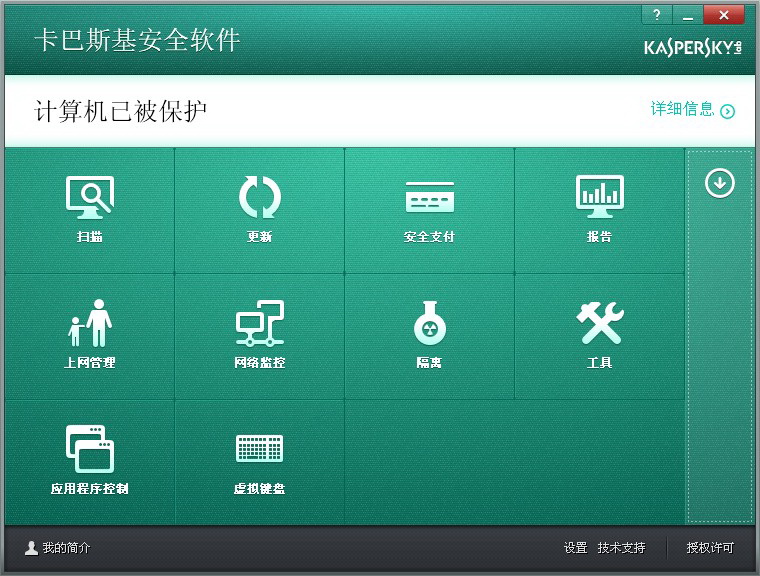
KasperskyIt is an anti-virus software that can protect computers, tablets and other devices, allowing everyone to surf the Internet safely. Kaspersky is very powerful. It provides multi-faceted protection and real-time defense against computer viruses. Kaspersky provides comprehensive security solutions that can protect against the most common network threats and are available for download on this site. Huajun Software ParkKasperskyDownload the official version and the latest version. Friends in need come to Huajun Software Park to download and experience it!
Kaspersky features
Anti-virus defense: Kaspersky software provides real-time virus protection and can detect and remove computer viruses, worms, Trojans, spyware, rootkits, zombie viruses and other malware. Its heuristic scanning technology can detect unknown malware without using virus signature databases, with a detection rate of over 94%.
Anti-hacking: Kaspersky software is equipped with a two-way firewall that blocks hacker attacks and protects user computers from unauthorized access.
Anti-spam: The software has a built-in anti-spam module, which can intelligently filter spam, save users time, and reject harassment.
Mobile device protection: Kaspersky software provides security protection for mobile devices, including Android tablets and smartphones. Its anti-theft technology can protect private data stored on the device, such as contacts, photos, etc., and prevent data leakage if the device is lost or stolen.
Online payment protection: Kaspersky software's secure payment technology can protect users' online shopping and online banking transactions, prevent users from being directed to fake websites, and ensure the safety and reliability of the transaction process.
Privacy protection: The software provides a privacy protection module that can prevent unauthorized access to web cameras and protect user privacy.
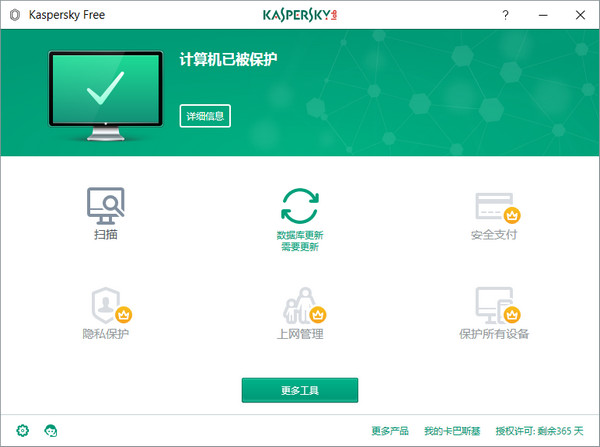
Kaspersky Features:
Heuristic scanning technology: Kaspersky software uses heuristic scanning technology to detect unknown malware without using virus signature databases, improving detection efficiency and accuracy.
Cloud protection mechanism: The software adopts a composite protection mechanism of cloud protection and system monitoring, which can update the virus database in real time to ensure that user computers are always protected by the latest security protection.
ZETA Shield technology module: Kaspersky Internet Security is equipped with the ZETA Shield technology module, which can analyze files, check hidden malware behavioral characteristics, and improve the accuracy of malware detection.
Multi-platform support: Kaspersky software supports multiple operating systems such as Windows, macOS, iOS, and Android, and can meet the needs of different users.
Kaspersky installation steps:
1. Download the Kaspersky software from this site. Double-click the downloaded software. The following interface will open. Check "I want to join Kaspersky Security Network" and click to install.
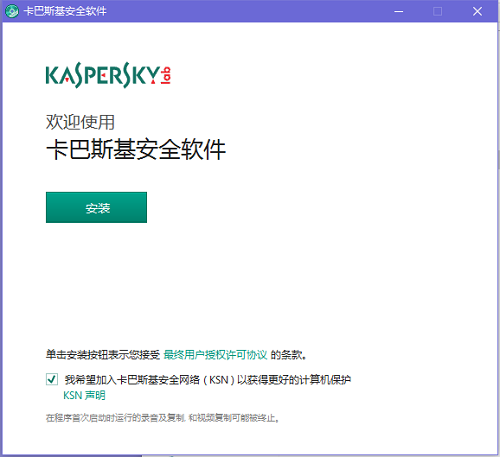
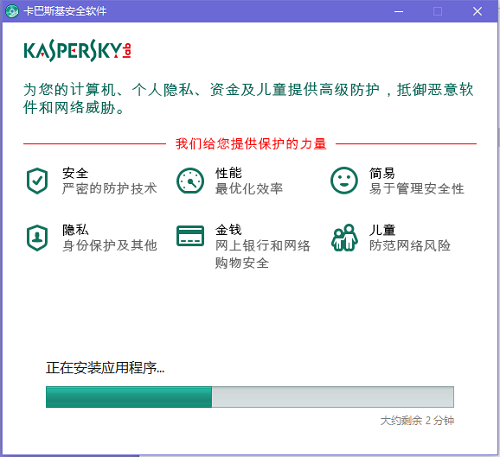
2. Kaspersky is being installed and the process is slow. Please wait patiently.
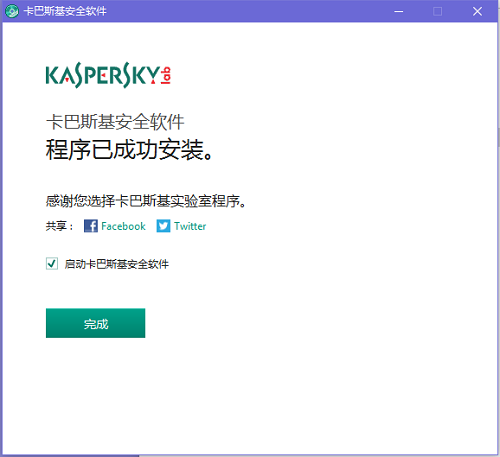
3. Kaspersky has been installed successfully. Click "Finish" to exit this interface.
How to activate Kaspersky Internet Security?
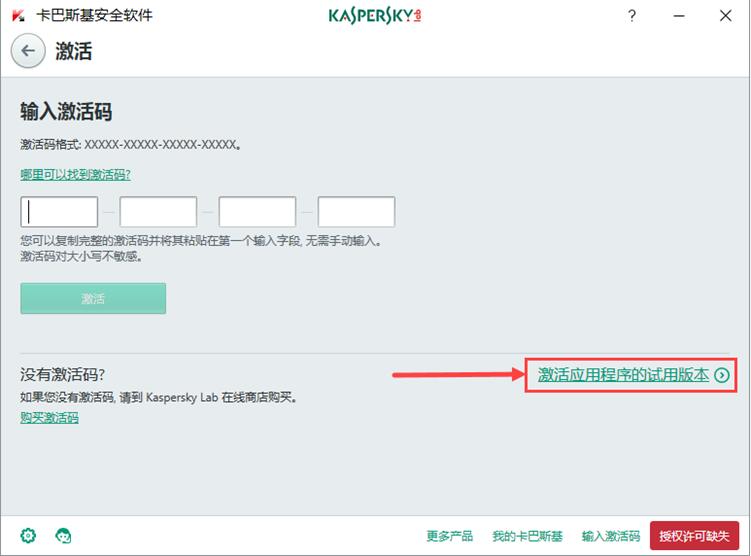
Generally, Kaspersky will start the software after the installation is completed, and you will see this activation interface when you start it. If not, you can click Enter the activation code in the lower right corner of the interface to bring up the activation interface after starting the Kaspersky software.
Enter the activation code in the following interface and click Activate. After activation, it can be used within a limited time. If you use it for a long time, you can purchase it from the official website of the software.
|
Kaspersky activation code: Activation code: j65kr-64sub-dgexj-ueqyg User ID: 0263928495 Password: DAzTLlj5 Activation code: j71qj-e5vfa-mbcrv-5sm23 User ID: 0263928714 Password: GZQPKDhG Activation code: j71tc-z2798-gc433-29ucf User ID: 0263928769 Password: ZEoWnIMr Activation code: j72g4-1baug-8ydx6-cqqsj User ID: 0263928866 Password: YtE6kN0W Note: The above activation code comes from the Internet, and Huajun Software Park does not guarantee its authenticity. |
How to use Kaspersky:
1. First, let’s take a look at Kaspersky’s interface.
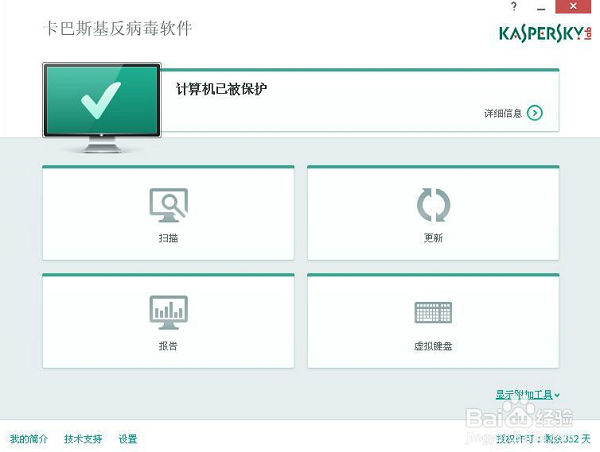
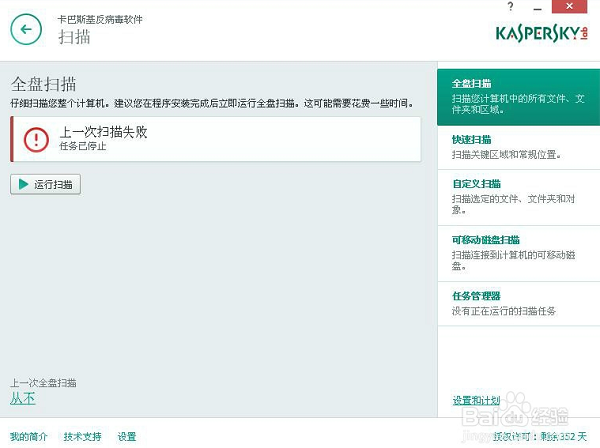
2. First look at Kaspersky's scanning function. Click Scan to jump to the interface. You can see a simple interface. I use custom scanning.
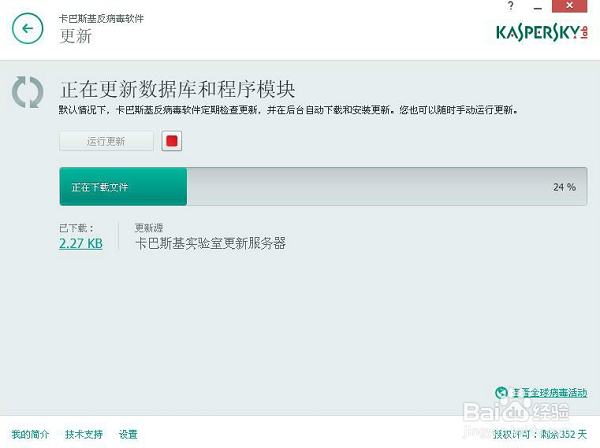
3. Click the update function. This is where Kaspersky will update the virus database every day. It may be very slow during the first installation, which takes about 10-20 minutes.
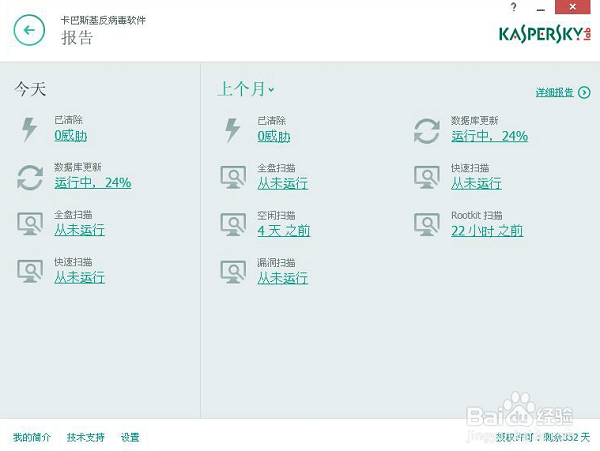
4. Click the report function. Here is the data report that Kaspersky shows to the user, as well as the location of Kaspersky’s anti-virus results.
5. Next is a virtual keyboard. You cannot take screenshots here. It is mainly a virtual keyboard function to protect your password from being leaked when you log in to a website or software.
6. Here are some additional protection functions of Kaspersky. The effect is also very good and very practical.
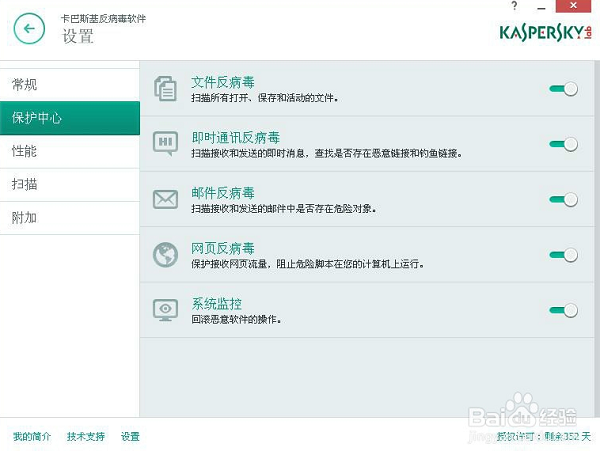
7. Additional functions are relatively advanced functions, which are also easy to understand.
Kaspersky FAQ:
1. How does Kaspersky perform virus scanning?
1. Select "Custom Scan" and find the scan range
2. Click the "Add button" in the pop-up window
3. Among all the options that pop up, select the location to be scanned and click "Add"
4. After the addition is completed, click the "OK" button. Among all the options that pop up, select the location to be scanned and click "Add"
5. Click "OK"
6. Click the "Start Scan" option under "Custom Scan"
7. Kaspersky starts scanning and waits for the scanning to complete.
2. How to clean up garbage with Kaspersky?
Kaspersky does not support cleaning up junk, it is just an anti-virus software.
Kaspersky update log
1. Added ZETA shield;
2. Added trusted application mode;
3. Improvements in secure payment and anti-phishing functions of Kaspersky Internet Security;
4. Kaspersky Internet Security software’s online management function has been improved;
5. Added anti-lock screen software function;
6. Added anti-lock program function;
Huajun editor recommends:
Using Kaspersky Security software can protect our online security very well: such as social information, bank information, etc., it can protect the security of our online activities in real time. Kaspersky is powerful and professional, and is a must-have anti-virus software for netizens. In addition, this site also has special software such as Rising Antivirus and Jiangmin Antivirus. Welcome to the Huajun Software Park to download and experience it.
Version: 21.22.7.466 | Update time: 2025-11-11
Similar recommendations







Latest updates





Kaspersky uninstallation process
Kaspersky's operation process for setting up a whitelist
Kaspersky describes the authorization process
Kaspersky's graphic and text operation content to prevent authorization files from being blocked
How to uninstall Kaspersky after forgetting your password?
What should I do if 360 Security Guard fails to download Kaspersky?
Kaspersky review
-
1st floor Huajun netizen 2021-04-24 21:21:32Kaspersky's interface design is easy to use and has rich functions. I highly recommend it!
-
2nd floor Huajun netizen 2021-07-08 13:49:07The overall feeling of Kaspersky is good, I am quite satisfied, the installation and operation are very smooth! It went very smoothly following the installation step-by-step instructions!
-
3rd floor Huajun netizen 2021-11-07 12:54:07Kaspersky hopes to do better and better, come on!
Recommended products





- Diablo game tool collection
- Group purchasing software collection area
- p2p seed search artifact download-P2P seed search artifact special topic
- adobe software encyclopedia - adobe full range of software downloads - adobe software downloads
- Safe Internet Encyclopedia
- Browser PC version download-browser download collection
- Diablo 3 game collection
- Anxin Quote Software
- Which Key Wizard software is better? Key Wizard software collection




