
-
HoneyView
- Size: 7.7M
- Language: Simplified Chinese
- Category: Picture viewing software
- System: Win All






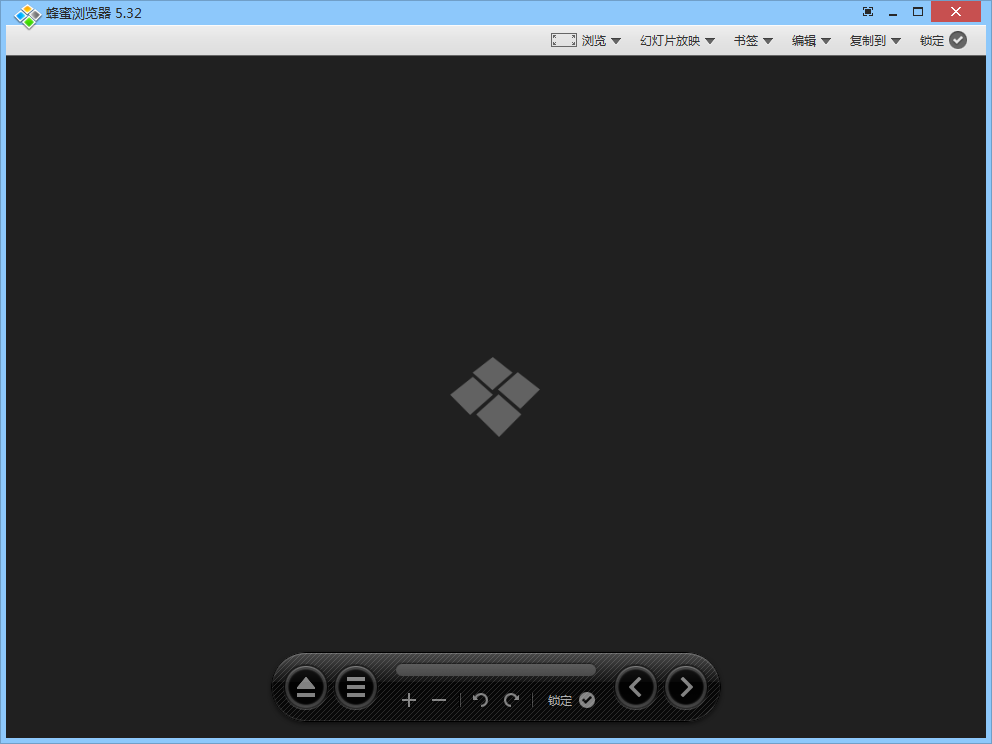
HoneyView official version is a lightweight image browser. The software is powerful and fast in viewing pictures. It can quickly zoom and filter pictures through optimization methods. It supports popular image formats and is a rare image browser and comic reader.

HoneyView main functions
Supported operating systems: Windows XP/Vista/7/8/10
License type: Freeware (no ads/spyware/viruses), EULA
Can display EXIF information in JPEG format including GPS information
Batch conversion and adjustment of image formats
HoneyView supported formats
Image formats: BMP, JPG, GIF, PNG, PSD, DDS, JXR, WebP, J2K, JP2, TGA, TIFF, PCX, PGM, PNM, PPM, and BPG
Raw image formats: DNG, CR2, CRW, NEF, NRW, ORF, RW2, PEF, SR2, and RAF
Animated image formats: Animated GIF, Animated WebP, Animated BPG, and Animated PNG
You can directly view images in compressed packages without decompression: ZIP, RAR, 7Z, LZH, TAR, CBR, and CBZ
HoneyView main shortcut keys
Shortcut keys
Open file: F2, Ctrl+O
Open the folder: F
Close the file: F4
Select image: Enter
Displayed in Windows Explorer: Ctrl+Enter
Toggle Exchangeable Image File Format/File Information > File Information > View: Tab
Set as background: Ctrl+Alt+W
Delete
Delete photos permanently: Shift+Delete
Copy to photo folder: Insert
Open with an external image editor: Ctrl+E
Print: Ctrl+P
Copy original image to clipboard: Ctrl+C
Copy the resized image to the clipboard: Ctrl+Alt+C
Copy the file path to the clipboard: Ctrl+Alt+Shift+C
Configuration: F5
Program information: F1
Exit: ESC, X, Ctrl+W
HoneyView installation steps
1. Download the compressed package of HoneyView official version from Huajun Software Park. After decompressing, double-click the exe file, select the installation language Chinese Simplified, and click OK

2. Click the icon button to freely set the software installation location. It is recommended that you choose to install on the D drive.
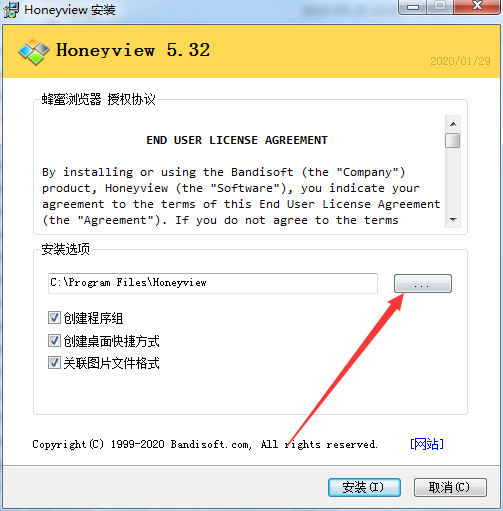
3. Select the installation option according to your needs and click Install

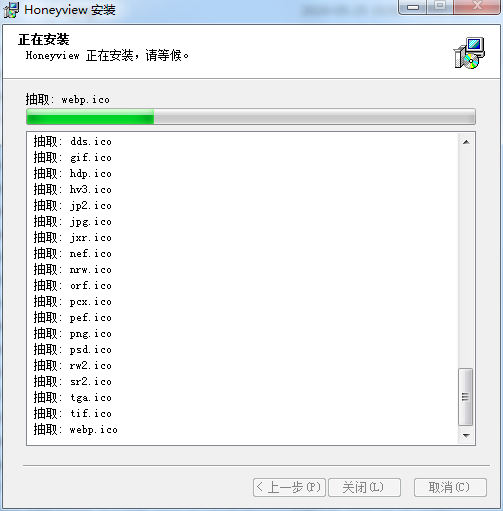
4. The official version of HoneyView is being installed, we can wait patiently for it to be completed.
How to use HoneyView
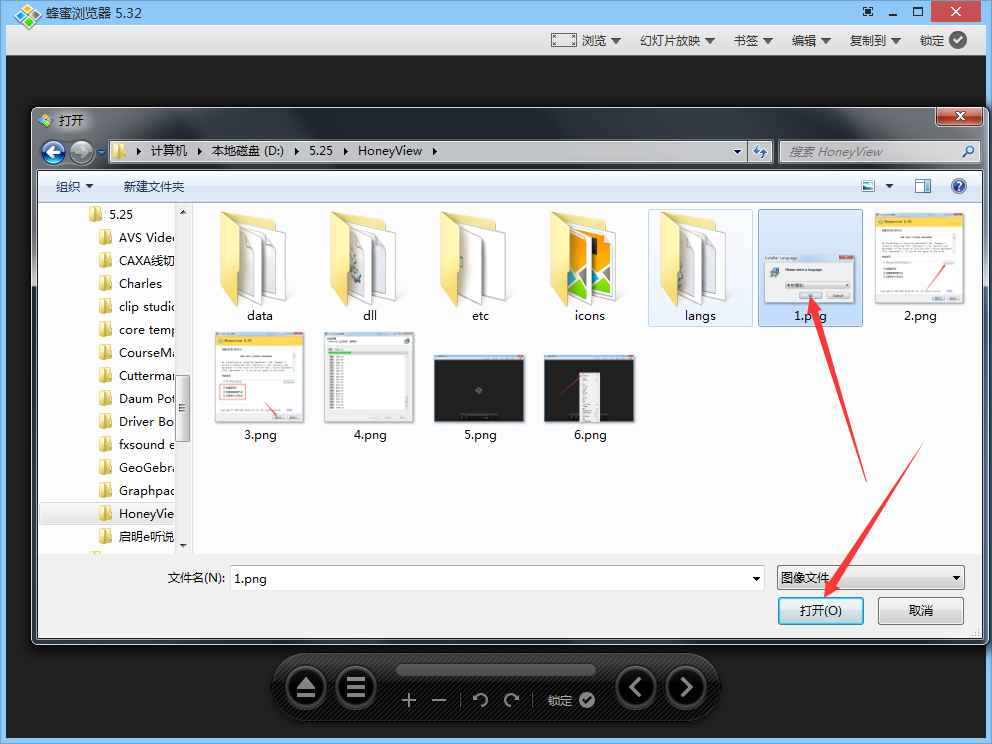
1. Run the software, right-click the mouse in the interface and click to open
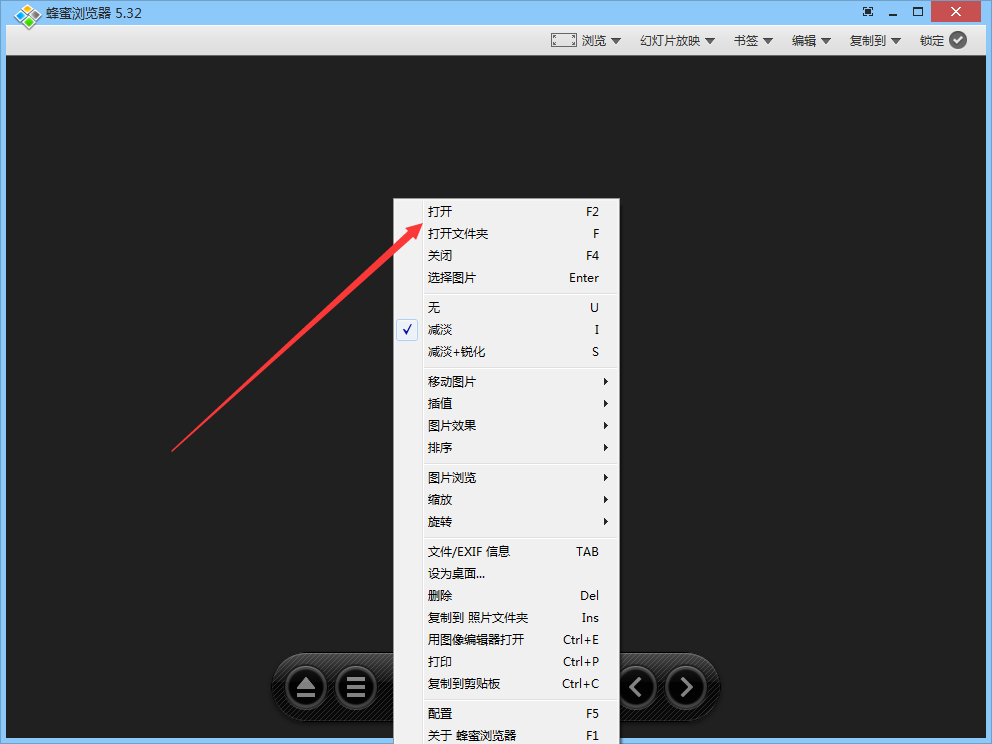
2. Select the picture you want to browse on your computer and open it
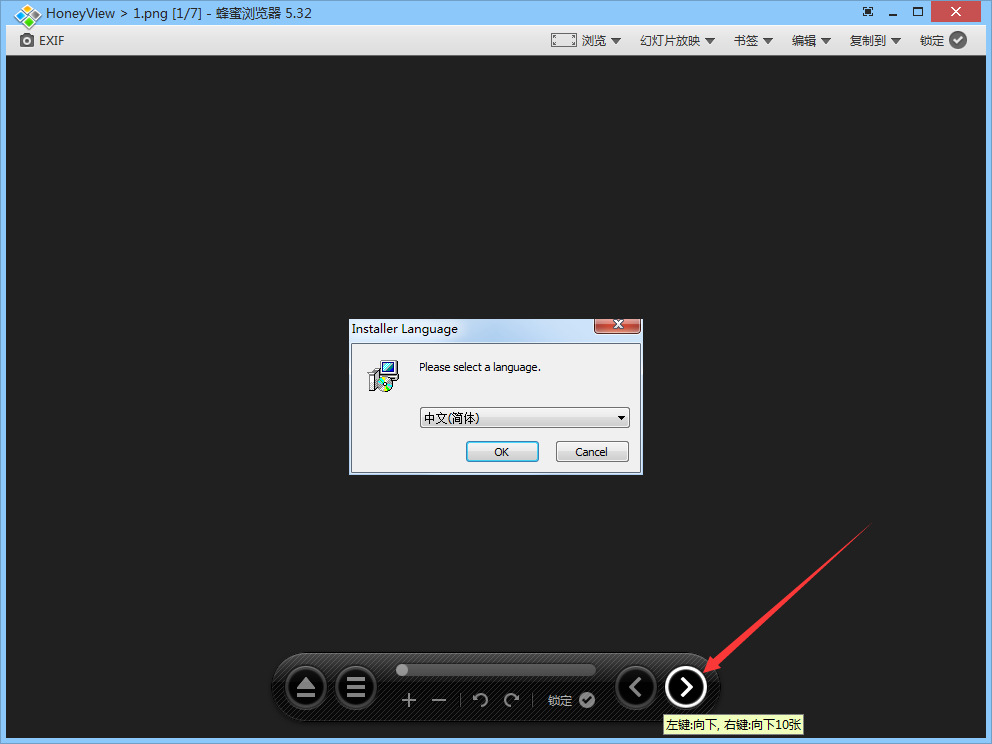
3. Click the icon button to view the next picture
4. Click on the slide show to set the pictures to play like a slide show

5. Click to edit and support rotating pictures, etc.

HoneyView FAQ
How to set a picture as the desktop background in the official version of HoneyView?
Open the picture you want to set in the official version of HoneyView, click Edit, and click Set as background.
Comparison of similar software
King of Golden Boat Viewing PicturesIt is a free photo viewing software that supports JPG/BMP/PNG common image formats and GIF/TIF animation formats, and also supports professional format viewing such as HEIC/PSD/RAW/WEBP/JP2. It is also a picture manager that supports the browsing, management, page turning, zooming, and printing of pictures in folders of all mainstream picture formats. It can view full-screen and slideshows, provides thumbnail previews, and can preview all pictures in the current directory at once. It renders extremely quickly, allowing you to enjoy a better picture viewing experience.
View pictures on iQiyiIt is a picture browsing software launched by iQiyi. It is a faster, lighter and more convenient picture viewing tool. It is small in size, super fast, powerful and supports multiple picture formats!
HoneyView update log
A new code signing certificate has been installed.
New shortcut key (Alt+T) switches to handle alpha transparency
New feature to display GPS altitude information
新特征处理UTF8 JPEG格式评述
New support for jfif format
Fixed a bug where Honeyview crashed when converting images
Fixed a bug where Honeyview could not detect changes in network folders
Fixed a bug where certain types of animated PNGs were displayed incorrectly
Other modifications
Huajun editor recommends:
The official version of HoneyView supports batch conversion and adjustment of image formats, bringing you a new picture browsing experience. The editor of Huajun Software Park personally tested it and recommends it to everyone. Interested friends can also download it.Alternate Pic View.
Version: 5.48 official version | Update time: 2024-12-30
Similar recommendations






Latest updates





How to install HoneyView-HoneyView installation tutorial
How to use HoneyView - Detailed explanation of how to use HoneyView
Pixel Naruto online play entrance-Pixel Naruto web version online play-Huajun Software Park
How to add background music in python-How to add background music in python
How to configure environment variables in python - How to configure environment variables in python
How to run python - How to run python
How to create a project in python - How to create a project in python
How to make a blue sky background with scratch-How to make a blue sky background with scratch
How to create a linked list in scratch-How to create a linked list in scratch
HoneyView Review
-
1st floor Huajun netizen 2022-01-05 04:39:18The overall feeling of HoneyView is good, I am quite satisfied, the installation and operation are very smooth! It went very smoothly following the installation step-by-step instructions!
-
2nd floor Huajun netizen 2022-01-27 01:27:24HoneyView hopes to do better and better, come on!
-
3rd floor Huajun netizen 2021-12-26 03:24:18HoneyView is convenient, practical and powerful. The software is very easy to use!
Recommended products










- Diablo game tool collection
- Group purchasing software collection area
- p2p seed search artifact download-P2P seed search artifact special topic
- adobe software encyclopedia - adobe full range of software downloads - adobe software downloads
- Safe Internet Encyclopedia
- Browser PC version download-browser download collection
- Diablo 3 game collection
- Anxin Quote Software
- Which Key Wizard software is better? Key Wizard software collection




