
-
QQ Synchronization Assistant For WM
- Size: 0.39M
- Language: Simplified Chinese
- Category: communication network
- System: WinMobile






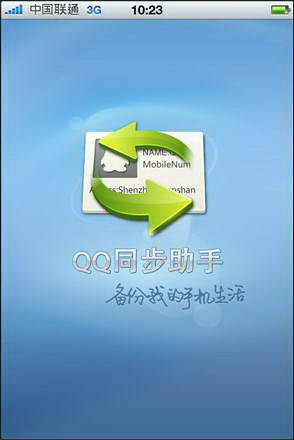
QQ synchronization assistant is a mobile phone data backup tool used on WM mobile phones. QQ synchronization assistant can back up address books, text messages, photos, software, etc. It is one of the must-have tools for WM mobile phone users. If you are also a WM mobile phone user, then you will definitely need this software, come and download it.

QQ synchronization assistant function introduction
1. Complete backup
2. Security
3. Two-point service
4. Easy management
QQ synchronization assistant software features
1. Intelligent management of address book
2. Photo & software backup
3. Video and video transmission in seconds
4. Protect data security
5. Birthday reminders for relatives and friends
6. Mobile Encyclopedia
QQ synchronization assistant installation steps
1. Download the compressed package named "QQPim1.0(WM)_Build0015_M8.zip" from Huajun Software Park and decompress the compressed package directly.
Note: To decompress the compressed package, you need to use a compression and decompression tool. WinRAR is recommended because the technology is mature and reliable. WinRAR download address:http://softwaredownload4.com/soft/5.htm

2. Then we open the decompressed folder, and there is a .CAB file in it. This file is displayed as a compressed file, but do not decompress the file.

3. Then connect the WM phone to the computer and remember the storage directory of the CAB file. Open the IA resource manager of your phone, find the file and run it directly on your phone. Then you will enter the software installation interface. Then select the software installation location and wait a moment for the installation to complete.
How to use QQ synchronization assistant
1. Open the installed QQ synchronization assistant. You can use three login methods: QQ, WeChat and mobile phone number.

2. Let’s take WeChat login as an example. Scan the QR code to confirm authorization and log in.

3. Afterwards, you will enter the mobile phone binding interface. We can enter the mobile phone number we are using for SMS verification.

4. Enter the QQ synchronization assistant software interface. The data that can be synchronized in the mobile phone is displayed on the lower left, and the synchronized data is displayed on the lower right.

5. Then click the synchronization button on the interface to start synchronization. When the progress bar is completed, the synchronization is completed.

QQ synchronization assistant FAQ
1. How to import address book from computer to mobile phone using QQ Sync Assistant
1. If you want to import the address book from the computer to the mobile phone, you need to back up the address book on the computer in advance. Open the installed QQ Sync Assistant and click the "☰" button in the upper left corner of the software interface to open the main menu.

2. Then click the "Number Retrieval" function in the menu.

3. After that, the address book backup records will appear in the list below, and the number of address books and backup time in each record will be displayed. Click on the record that needs to be imported.

4. After that, a dialog box pops up asking whether you are sure to restore, just click the "OK" button. This way the import is successful, come and try it.

2. How to delete cloud contacts with QQ Sync Assistant
1. Open the installed QQ Sync Assistant and click the "Backed up" button in the lower right corner.

2. This will open the cloud contact interface. We click the "Select Delete" option in the upper right corner of the interface.

3. Then click on the blank circle in front of the contact you want to delete, and then click the "Delete" button at the bottom of the phone screen.


4. You will be asked whether to confirm the deletion. Click the "OK" button at this time.

QQ Sync Assistant update log
1. Optimized some functions
2. Solved many intolerable bugs
Huajun editor recommends:
The synchronization function of QQ Sync Assistant can be said to be very practical. Whether you accidentally lose your phone or accidentally delete data, you can use QQ Sync Assistant to completely restore the data. Friends who need it can download it quickly. The editor of Huajun Software Park recommends it. In addition, there are also related software such as mobile phone QQ2010 For Java, BlackBerry Desktop Manager, etc. which are also pretty good and can be downloaded and used.
Version: 1.0 Build0015 | Update time: 2024-12-23
Similar recommendations





Latest updates




QQ Synchronization Assistant For WM Review
-
1st floor Huajun netizen 2020-08-07 22:26:06QQ Synchronization Assistant For WM software is very easy to use, the download speed is very fast, and it is very convenient!
-
2nd floor Huajun netizen 2020-08-23 13:17:16The overall feeling of QQ Synchronization Assistant For WM is good, I am quite satisfied, the installation and operation are very smooth! Followed the installation step-by-step instructions and it went very smoothly!
-
3rd floor Huajun netizen 2021-01-25 05:56:18QQ Synchronization Assistant For WM hopes to get better and better, come on!
Recommended products









- Diablo game tool collection
- Group purchasing software collection area
- p2p seed search artifact download-P2P seed search artifact special topic
- adobe software encyclopedia - adobe full range of software downloads - adobe software downloads
- Safe Internet Encyclopedia
- Browser PC version download-browser download collection
- Diablo 3 game collection
- Anxin Quote Software
- Which Key Wizard software is better? Key Wizard software collection




