-
Hongqi Linux operating system
- Size: 3635.2M
- Language: Simplified Chinese
- Category: System assistance
- System: WinAll






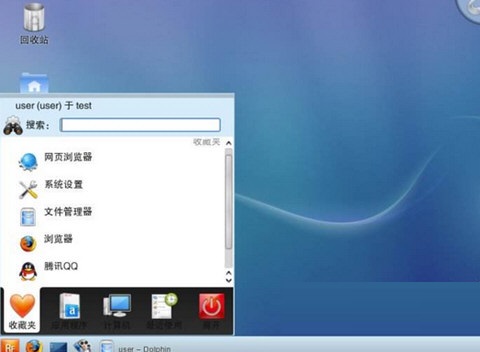
Hongqi Linux operating systemThe latest version is a domestic version built for PCs.operating system. The official version of Hongqi Linux operating system integrates allLinuxWith the system functions, everyone can get a safe, stable, fast and efficient Linux system. andHongqi Linux operating systemThere are also built-in a variety of powerful and free plug-ins, through whichplug-in, everyone can proceedNetwork monitoring, window switching and other operations. Huajun Software Park provides download services for the Red Flag Linux operating system. To download other versions of the Red Flag Linux operating system, please go to Huajun Software Park!
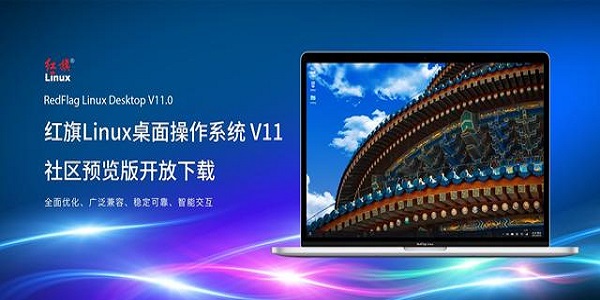
Hongqi Linux operating system system functions
Information security comes from the foundation
The powerful security functions and good compatibility provided by Hongqi Security Operating System will build decisive security and trustworthy support for your information system applications and solve basic security problems that traditional architecture cannot solve.
Safe operation, peace of mind
Are you still worried about data leaks, website breaches, and Trojan horses? The built-in security functions of Hongqi Security Operating System 4.0 can keep out known and unknown security threats and expose the true nature of bad behavior.
Whole network management, centralized control
Through the built-in security and audit management graphical console, administrators can manage hundreds of security nodes at the same time on a credit terminal, adjust the operation mode of the security module, manage security users and file tags, control system sessions and resources, audit system configuration and audit record query and analysis, audit event customization and operation track tracking, etc.
Based on roles, separation of privileges
Based on the "least privilege" principle, the security role mechanism is used to divide the super user's privileges into roles. In addition to the daily system administrator roles, separate security administrator and audit administrator roles are also set up.
Domain Isolated Access Control
Adopting the security rule definition model of "default prohibition, access authorization", based on the type enforcement (TE) model, all programs and files in the system are divided into security domains, and access authorization policies for each security domain are defined.
Kernel-level security audit
It further enhances the audit function, optimizes audit performance, redesigns and implements audit management tools, enhances the protection of audit data, and provides flexible audit record retrieval and viewing functions. By transparently encrypting the file system, encrypted storage of application data content is achieved without any impact on the application, and theft of confidential information of the system through direct access to physical devices is eliminated.
Encrypted file system
By transparently encrypting the file system, the encrypted storage of application data content is realized without any impact on the application, and theft of confidential information of the system through direct access to physical devices is eliminated.
Real-time safety monitoring and alarming
Integrated safety monitoring and alarm modules. Through simple configuration, various security abnormal events can be monitored in real time and alarm notifications can be generated on the management console.
Session and resource control
Can implement security control over user login sessions. You can limit the time, IP, terminal and number of sessions for login sessions. In addition, you can also limit resources for user sessions, including occupied CPU clock and memory, number of processes, number and size of created files, etc.
Features of Hongqi Linux operating system
1. Cooler
By enabling a new desktop theme, the interface design begins to surpass the Windows-like style and reflect more novel UI features of Linux;
Brand new graphical interface and component design;
Game-like special effects;
From system installation to multi-language selection, feel the international experience of the Linux desktop environment;
2. Update
Based on community achievements, version maintenance is updated on a rolling basis in real time;
Ensure that the kernel, Glibc, X window and application software are the latest desktop systems in all current Linux distributions;
3. More complete
It is fully compliant with the Linux standards formulated by the country and fully complies with the LSB4.1 certification standards. At the same time, it has made substantial progress in many aspects of the system: expanded hardware compatibility and support for wireless devices, and is widely compatible with home and commercial laptops, desktops, thin clients, wireless network cards, iPods, Bluetooth headsets, printers, and various peripherals.
4. Faster
Redesigned system startup process and fully optimized applications accelerate system startup and shutdown, improve application startup speed; newly designed user directory structure and control panel, improved desktop browser program functions, development of personal information management programs, unprecedented 3D desktop special effects experience, multi-language supported system internationalization experience, efficient and convenient network configuration framework, etc.
5. Stronger
Fundamentally solves the problem of supporting mobile storage devices, such as USB storage devices, SD, TF, IEEE1394 storage devices, PCMCIA storage devices, and DVD, all of which can be plug and play;
The network configuration tool has been redesigned to allow graphical configuration of network cards (LAN), wireless network cards (WLAN), and broadband;
Comprehensive optimization and improvement of multimedia encoding support issues, multimedia format support is more comprehensive;
Integrating a complete development environment, including java, gnome, python and other development environments, enables Linux desktop development capabilities to be more powerfully expanded.
6. More refined
Single CD capacity, practical choice: web browser, email client, chat tool, graphics and image processing software, multimedia playback software are more complete;
Independently developed network configuration framework, integrating background operation, graphics management and status monitoring;
Easy customizable design for international language requirements, ensuring the minimum workload for multi-language version maintenance;
Selected software warehouses, combined with the widest range of application needs, including complete development tools and new Linux network and multimedia software, create a complete, efficient and practical system environment for users' daily office and study.
No matter what, Taihang allows you to see far more than that. If you want to get rid of the many constraints of traditional operating systems, want to have a truly safe, stable, and diverse desktop environment, or want to have a completely free operating platform, we believe that Taihang will be your wise choice.
Hongqi Linux operating system configuration method
1. Language selection
Select the language in the configuration information, we can choose Chinese as the first choice. There are also multiple languages to choose from.
2. Privacy settings
You can choose privacy settings according to your personal needs. If you don't choose, click off the button in the picture above, and then click "Forward".
3. Time zone setting
Set the time zone of your personal location. The default time zone selection is Shanghai.
4. Set up software resources
You can add software resources according to your own needs. If you don’t add them, you will “move forward”.
5. Online account
Automatically connect your accounts, such as Google accounts, Microsoft accounts, etc. Click "Skip" to not connect by default.
6. Set username
7. Set password
Set a password for the user. The password must be no less than 8 characters long and contain at least 1 uppercase letter, 1 lowercase letter, and 1 number.
8. Configuration completed
After completing the configuration, click Start using RedFlag to enter the user login interface.
9. Enter the RedFlag Linux Desktop 9.0 desktop
At this point, the installation process is complete, and you can enjoy RedFlag Linux Desktop 9.0.
Frequently Asked Questions about Hongqi Linux Operating System
Question: How does the Hongqi Linux operating system solve the problem of being unable to enter the system due to improper monitor configuration?
Answer: Please restart the system, enter <4> from the keyboard on the GRUB menu interface, and then type. Under normal circumstances, the system will use vesa as the default driver to start the desktop environment. After the desktop is started, the graphics card configuration tool will pop up. There are two options at this point:
Automatic detection
"Graphics driver" and "monitor" completely rely on the results of automatic detection. Select the resolution manually only when needed.
Manual selection
If the automatic detection results are abnormal, manual selection can be used to correct them.
Question: If the computer does not have a DVD drive for the Hongqi Linux operating system, can I still install DT6.0 SP2?
Answer: Yes. First, please install DT6.0 Download the SP2 system installation disk to the hard disk, reserve space for installing Linux, and use a third-party tool (such as winrar) to extract the images directory boot.iso in the system disk ISO. out, and then burn it directly (don't decompress it first and then burn it) into a disc. Use this CD to start the system. The installation wizard will ask for the storage location of the system disk ISO. After entering the correct location, the installation can begin. In general, officially released drivers are better than open source drivers, and open source drivers are better than universal drivers.
Comparison of similar software
Phoenix OSAs a relatively young computer operating system, the x86 version continues the operating habits of many classic personal computer systems. Phoenix system(Phoenix OS) compared to traditional Android, supports multi-tasking running at the same time, greatly improving task processing efficiency and processing work more easily.
Microsoft win11 systemThe official version is a newly built Windows system. The super novel interface, various powerful functions, and super stability ensure users’ user experience. The most professional personalized setting function allows users to make the Windows 11 system their own exclusive system, giving you the most exciting and outstanding performance. It is very excellent without any lag problems!
Hongqi Linux operating system update log
Developed based on debian 10.6, the commercially maintained kernel version (4.19);
Provide independent kernel upgrade and optimization solutions to meet the needs of developers;
KDE Framework version 5.54.0, KDE Plasma version 5.14.5;
Supports Java 11, see JDK 11 for details;
The desktop environment and system basic applications are developed using DTK and QT5, QT version 5.11.3;
Provide terminal domain management platform solutions to comprehensively solve terminal management problems;
Supports mobile installation, network installation, Minimal Install, UEFI mode and other methods to install the system;
Provides system-level security policies such as boot permission control, secure startup mechanism, user permission restrictions, and application certificate signing.
Huajun editor recommends:
Hongqi Linux operating systemThe official version integrates all the functions of the Linux system, so that everyone can get a safe, stable, fast and efficient Linux system. The editor guarantees that as long as you use the Hongqi Linux operating system, if you don't like it, you can come and hit me!
Version: 10.0 latest version | Update time: 2025-10-23
Similar recommendations


Latest updates





How to add background music in python-How to add background music in python
How to configure environment variables in python - How to configure environment variables in python
How to run python - How to run python
How to create a project in python - How to create a project in python
How to make a blue sky background with scratch-How to make a blue sky background with scratch
How to create a linked list in scratch-How to create a linked list in scratch
How to add local programs to scratch-How to add local programs to scratch
How to input Chinese in scratch-How to input Chinese in scratch
Red Flag Linux Operating System Review
-
1st floor Huajun netizen 2022-01-11 16:27:28The interface design of Hongqi Linux operating system is easy to use and has rich functions. I highly recommend it!
-
2nd floor Huajun netizen 2022-03-21 15:38:56Hongqi Linux operating system software is very easy to use, the download speed is very fast, and it is very convenient!
-
3rd floor Huajun netizen 2022-01-05 15:15:24Hongqi Linux operating system hopes to get better and better, come on!
Recommended products









- Diablo game tool collection
- Group purchasing software collection area
- p2p seed search artifact download-P2P seed search artifact special topic
- adobe software encyclopedia - adobe full range of software downloads - adobe software downloads
- Safe Internet Encyclopedia
- Browser PC version download-browser download collection
- Diablo 3 game collection
- Anxin Quote Software
- Which Key Wizard software is better? Key Wizard software collection




