
-
ToDesk
- Size: 95.5M
- Language: Simplified Chinese
- Category: Office software
- System: winall







ToDesk is a remote control solution focusing on data security and compliance. Through multi-level security protection and industry customization functions, it meets the needs of scenarios with extremely high security requirements such as finance, medical care, and education. Its core functions include zero-trust architecture, dark watermark protection, log auditing and localization adaptation, which is suitable for enterprise remote office, equipment operation and maintenance and cross-regional collaboration. Friends who like ToDesk client come to Huajun Software Park to download and experience it!
ToDesk Highlights
ZeroSync® transfer engine
Self-developed millisecond-level low-latency architecture, end-to-end latency is less than 40ms, and operation response is like a local device.
Intelligent bandwidth control technology increases network utilization by 50%, and can still maintain smooth connections in weak network environments (such as 30% packet loss).
Supports high-definition image quality: up to 2K144Hz on PC, and up to 2K60Hz on mobile phones/tablets, meeting high-demand scenarios such as design and games.
OTT SD-WAN network technology
Covering 200+ acceleration nodes around the world, it automatically plans the optimal transmission path and solves the problem of cross-operator and cross-border connection delays.
The cache delay is as low as 10ms and the comprehensive packet loss rate is only 0.03%, ensuring stability in complex network environments.
Efficient video codec
It is deeply optimized for cloud desktop scenarios to reduce bandwidth usage and achieve lossless transmission of 4K high-definition images.
Supports 4:4:4 true color mode, accurately restores color details, and meets the needs of three-dimensional design and graphics operations.
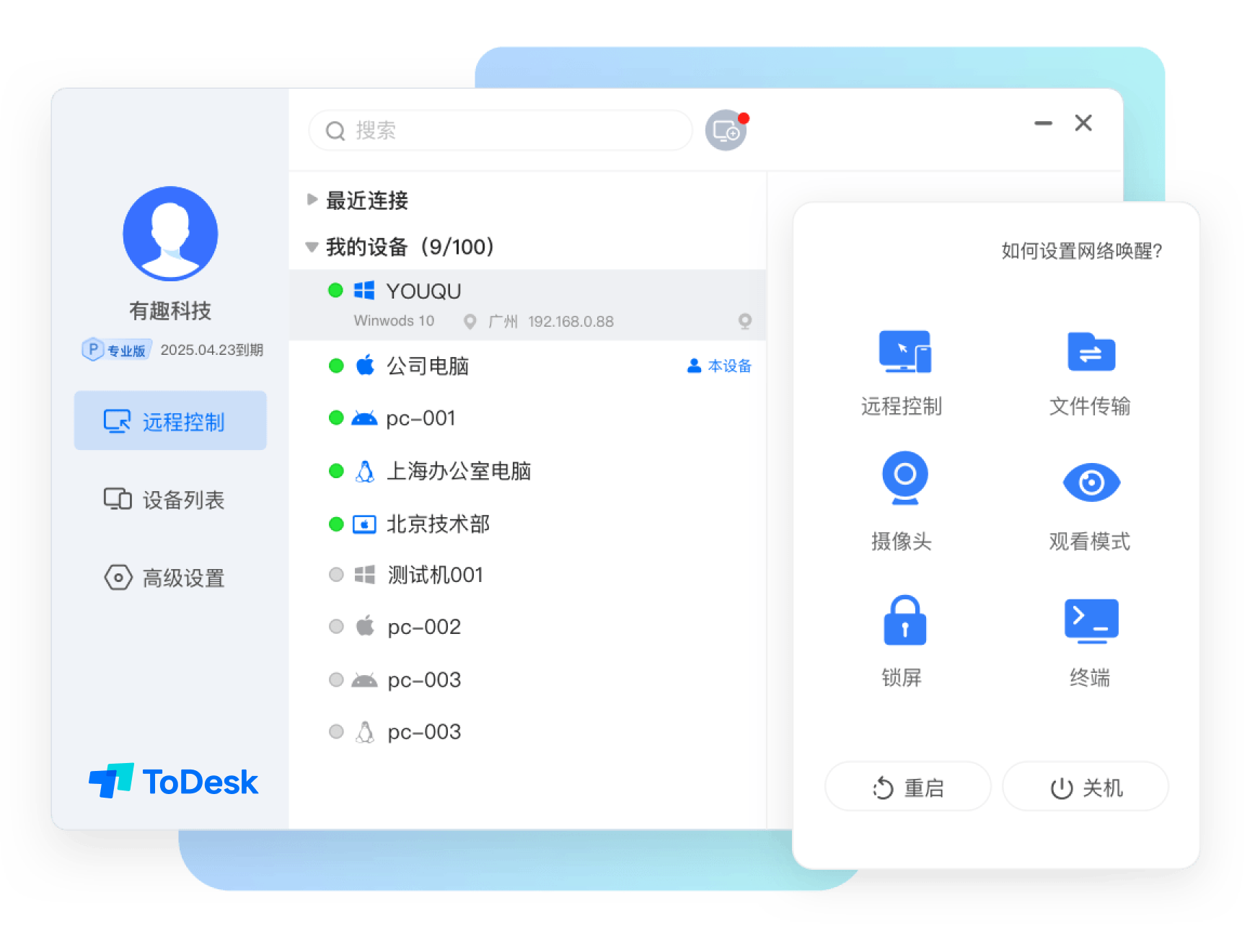
Software function
Multi-screen collaboration and virtual screens
Multi-screen to multi-screen: Map multiple desktops on the controlled side to different monitors on the main control side to improve multi-tasking efficiency.
Virtual extended screen: When the controlled terminal only has a single screen, the master terminal can expand the work space through the virtual screen to support efficient split-screen operation.
Peripheral compatibility and mapping
Tablet/handle mapping: Accurately senses stylus pressure and angle, supports low-latency operation of game handles, and reproduces the studio environment.
Bluetooth keyboard and mouse adaptation: Seamless connection with local peripherals during remote control, improving operational convenience.
Remote working enhancements
Remote power on and off: Remote wake-up of the device is achieved through WOL technology, combined with automatic management of scheduled tasks.
Remote printing: After installing the driver, you can use the controlled printer and support cross-device document output.
Privacy screen: Lock the screen of the controlled device when remote, display safety instructions pictures, and protect private information.
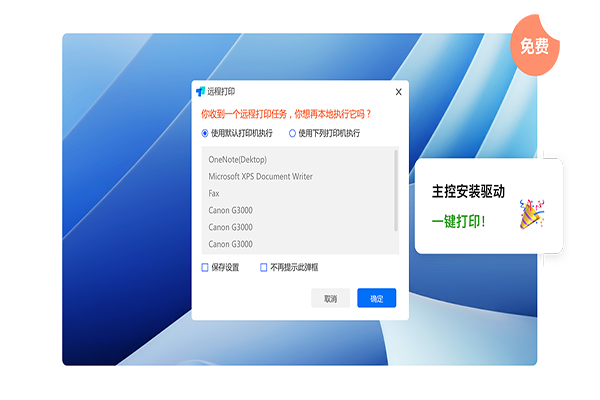
Software features
End-to-end encryption and permission management
SSL/TLS + ChaCha20-Poly1305 encryption: The connection password is only stored on the user's device to prevent data leakage.
Role permission control: Restrict remote control functions according to employee scenarios (such as disabling file transfer, copy and paste).
Device permission management: Support dedicated aircraft and dedicated personnel to access, bind devices and accounts, and improve security.
Security auditing and logging
Operation screen recording: Remote processes are recorded synchronously in the cloud without compression and uploading, and traceability is supported afterwards.
Watermark function: Embed watermark in the operation interface to prevent screenshots from leaking sensitive information.
Full log record: the five core elements of account, device, time, connection method, and operation details are fully retained and can be flexibly queried.
Compliance certification and Xinchuang adaptation
It has passed ISO27001 and information system security level protection level 3 certification, and has been endorsed by authoritative endorsements such as Kirin Software NeoCertify and Tongxin Certification.
Support domestic operating systems (such as Unicom UOS, Kirin OS) and chips (such as Haiguang, Zhaoxin, Feiteng) to meet the needs of the information and innovation industry.
FAQ
Stuttering occurs remotely: Choose a network with better network signal to ensure network stability and sufficient bandwidth. Close unnecessary programs on local and remote devices to free up system resources.
The remote picture is not clear: Check whether the network connection is stable. An unstable network may cause a decrease in picture quality. Adjust parameters such as picture resolution and frame rate in ToDesk settings to obtain a clearer picture.
ToDesk update log:
1. Fixed BUG, the new version has a better experience
2. Some pages have been changed
Huajun editor recommends:
Say goodbye to junk software, ToDesk is a green and safe software, the editor has personally tested it! Our Huajun Software Park serves everyone wholeheartedly. This site also has Jin Goal, Hanwang Attendance Management System, and Cloud Machine Manager for you to download!
Version: 4.8.3.3 | Update time: 2025-12-04
Similar recommendations






Latest updates





ToDesk online remote use www.todesk.com _ToDesk web version login portal
How to install ToDesk-ToDesk installation steps
How to uninstall todesk-How to uninstall todesk
How to force disconnection of todesk? -todesk forced disconnect tutorial
How to transfer files in todesk-How to transfer files in todesk
How to copy files in todesk-How to copy files in todesk
How to change nickname in ToDesk? -ToDesk tutorial guide for changing nickname
How to change nickname in ToDesk? -ToDesk tutorial guide for changing nickname
How to set up remote boot in todesk-How to set up remote boot in todesk
How to set up a privacy screen in todesk - How to set up a privacy screen in todesk
ToDesk Reviews
Recommended products









- Diablo game tool collection
- Group purchasing software collection area
- p2p seed search artifact download-P2P seed search artifact special topic
- adobe software encyclopedia - adobe full range of software downloads - adobe software downloads
- Safe Internet Encyclopedia
- Browser PC version download-browser download collection
- Diablo 3 game collection
- Anxin Quote Software
- Which Key Wizard software is better? Key Wizard software collection




