
-
Knead
- Size: 46.08M
- Language: Simplified Chinese
- Category: leisure and entertainment
- System: win7 and above






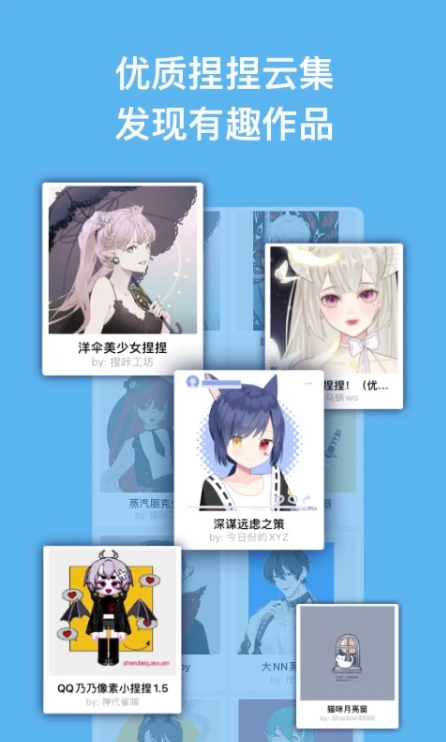
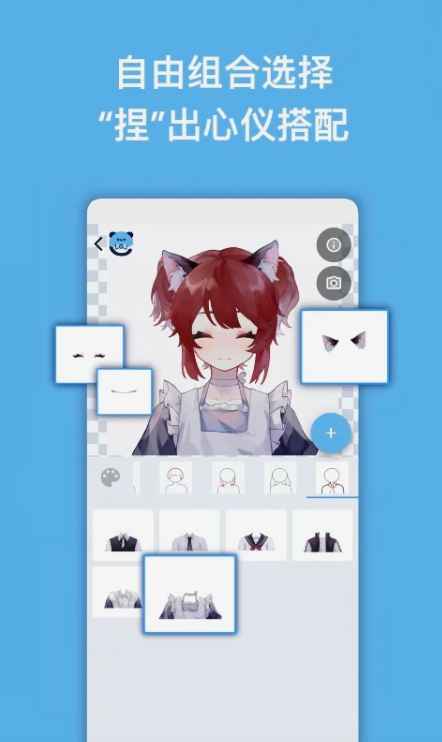
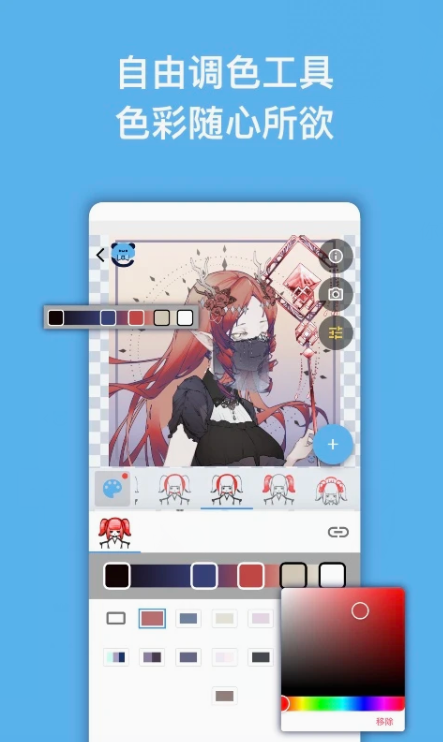
The official version of the app is a community where everyone can pinch faces according to their own preferences. You can use a variety of materials at will, allowing you to create a unique avatar, and supports free original painting export. The software is very powerful, and it is very popular now. You can download one to play with, and replace it with an avatar made by yourself. Huajun Software Park provides you with Naka download, come and experience it!
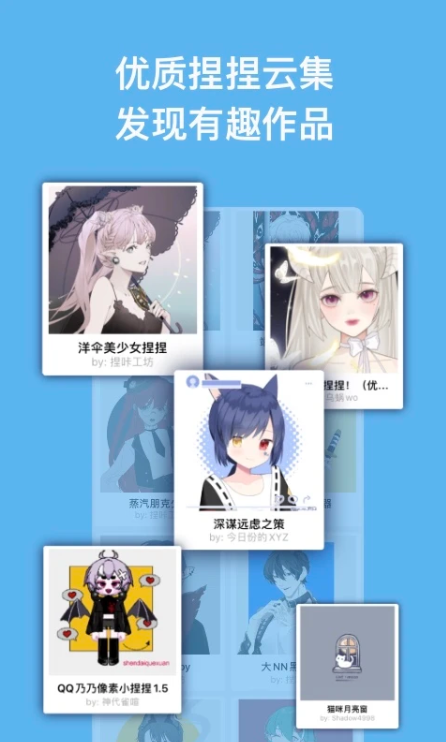
Kaka software creation and sharing
A very interesting avatar design assistant that provides a variety of styles of materials to choose from. You can create your favorite cartoon images online at any time. It has a unique and interesting game experience. You can design avatar works as wallpapers and experience more creations of different styles. It can be quickly generated with one click, and the face squeezing experience is very strong. It supports sharing on major social platforms.
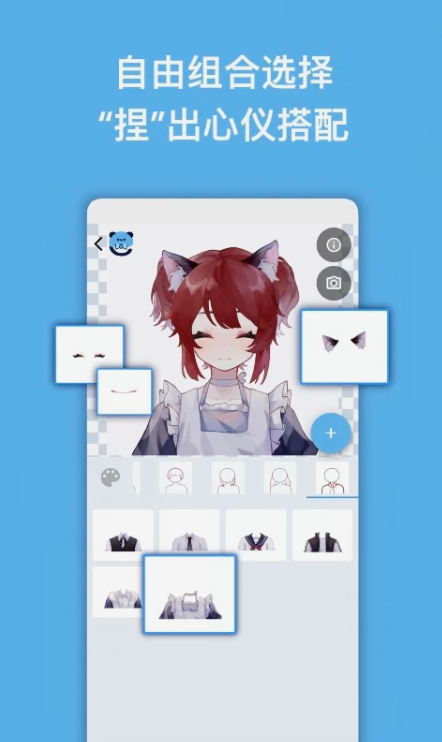
Introduction to Kaka software
pinchPlease review the work carefully beforehand to understand what permissions the author has given.
The works on this site are all non-promotional works, and any image depiction/character behavior is prohibited.
If you are a painter, you can draw by splitting.
out out of 10 clicks to edit materials, debug and create upload templates.
Features of Kika software
Provides a variety of categories, Q version, realistic, couples, wedding dresses, comics, and trendy styles to choose from.
It covers all avatar styles. Various types of styles on the Internet can be found here, and it has a powerful resource library.
A photo can be "transformed" as you wish. There are many DIY avatars designed by many 2265 painters, there is always one that suits you.
It is also very simple to use, the entire use is free, and various wallpapers can be set online.
Get a large amount of materials online, and the materials of various textures and frames collide to create different sparks.
小情侣周年庆,定制设计婚礼头像,制造小惊喜,分享朋友的甜蜜,交流。
FAQ
How to remove watermark?
Kika itself does not support the watermark removal function. Watermarks are added by the author to protect copyright.
If the author provides a watermark-free version, you can use it directly; otherwise, you need to use tools such as PS to remove the watermark (note the copyright risks).
How to use pixel art mode?
When editing and pinching people, turn on the "Pixel Painting Mode" in the work information bar, and the work will be displayed using an algorithm that adapts to pixels to avoid becoming blurry after magnification.
Tips for uploading materials on iPad
After using software such as Procreate to draw the material, export it as a PNG file and save it to the "File" application (to avoid format changes caused by exporting to the photo library).
Materials can be directly uploaded from the painting software to the Kiaka editor through the drag and drop function (the software must support dragging out layers).
Installation steps
Special note: The installation package provided by Huajun Software Park contains Android emulator and softwareAPK file, the computer version needs to install the emulator first, and then install the APK file.
1. First download the installation package from Huajun Software Park. The software package contains an emulator exe installation program and an APK file and unzip them. First click on the exe program to install the emulator.

2. Double-click the "Tencent Mobile Game Assistant.exe" file to enter the installation interface. Users can click "Install" to select the system's default installation address for installation, or click "Custom Installation" to select the installation path. Custom installation is recommended here.

3. Wait for the Tencent Mobile Game Assistant emulator to be installed, and then click "Start Now" to open the emulator.

4. Enter the main interface of the simulator, click the icon in the upper right corner and select the "Local APK Installation" button.

5. In the pop-up window, click the decompressed APK file, and then click Open.

6. Afterwards, the software will enter the installation process. You need to wait for a moment. After the software installation is completed, it will appear in my software list. Click the icon and double-click to open it.

Kika update log
1. Fixed BUG, the new version has a better experience
2. Some pages have been changed
Huajun editor recommends:
Kieka is very simple to use. The optimized operation interface allows you to easily find the functions you want. Come and download it. The editor has also carefully prepared Shen Comics, Shen Comics, and Cloud Machine Manager for you.
Version: v1.1.17 | Update time: 2025-11-04
Similar recommendations






Latest updates




How to check the privacy policy of Movie Paradise? -How to view the privacy policy of Movie Paradise
How to give feedback on Movie Paradise? -How to give feedback to Movie Paradise
How to give feedback on Movie Paradise? -How to give feedback to Movie Paradise
How to check the user agreement of Movie Paradise? -How to view the user agreement in Movie Paradise
How to clear cache of Kuai Technology? -Quatech’s method of clearing cache
How to check the list style in Kuai Technology? -Quick Technology’s method of viewing list styles
Nieka comments
-
1st floor Huajun netizen 2023-05-29 09:08:31After searching for Nieka for a long time, I finally found it here!
-
2nd floor Huajun netizen 2023-05-20 17:08:57Kika is very easy to use, and now you can run Android apps on your computer, which is really convenient.
-
3rd floor Huajun netizen 2023-05-09 21:02:18I haven’t found Kieka anywhere else, but luckily I can find it here.
Recommended products






- Diablo game tool collection
- Group purchasing software collection area
- p2p seed search artifact download-P2P seed search artifact special topic
- adobe software encyclopedia - adobe full range of software downloads - adobe software downloads
- Safe Internet Encyclopedia
- Browser PC version download-browser download collection
- Diablo 3 game collection
- Anxin Quote Software
- Which Key Wizard software is better? Key Wizard software collection




