
-
National Digital Library
- Size: 101.6M
- Language: Simplified Chinese
- Category: Education and teaching
- System: win7 and above







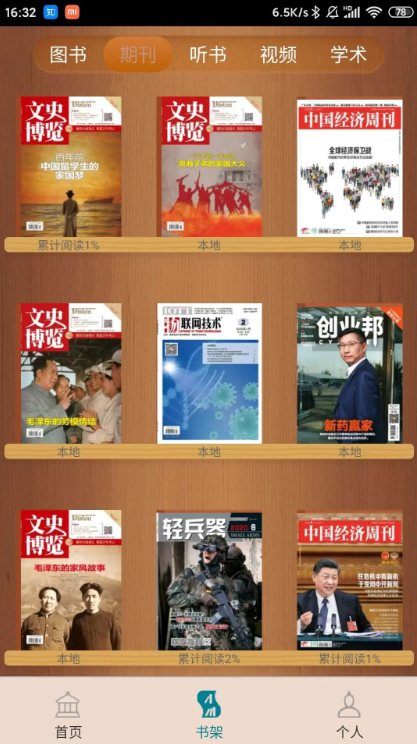
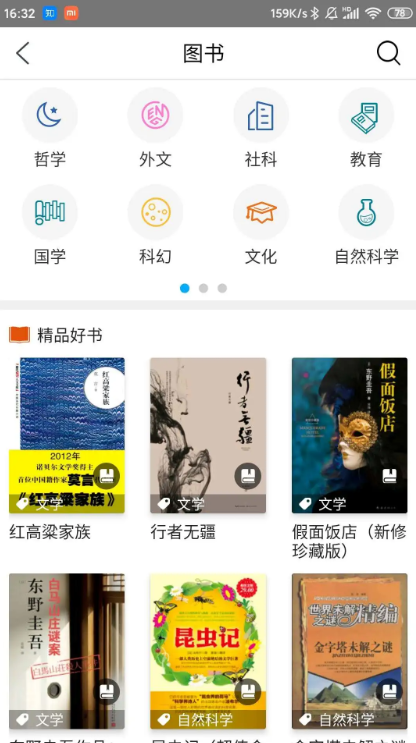
The mobile version of the National Digital Library App is an online reading software created for the National Library for all users. You can search various book information in the National Library online, read corresponding books online, and you can also check newspapers, magazines, journals, etc. Massive database information is waiting for you to search. The National Digital Library allows you to comprehensively improve yourself through reading. Huajun Software Park provides you with the National Digital Library download, come and experience it!
National Digital Library Software Highlights
1. Includes functions such as reader reservation information inquiry, borrowing information inquiry, loan permission inquiry, late payment fee inquiry, etc.
2. Organize offline exhibitions into special topics to facilitate readers to watch various large-scale exhibitions organized by the National Library online.
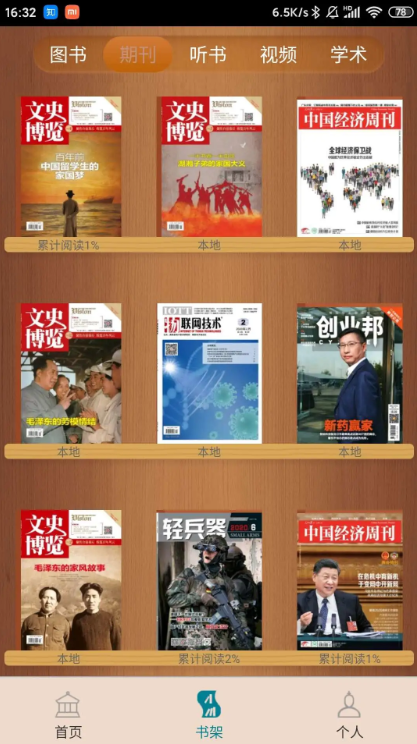
3. After downloading the electronic resources of journals, audiobooks, and academic journals, they can be managed uniformly in the bookshelf and support offline reading.
National Digital Library software functions
1. Publish National Library news, announcements, and lecture previews; lecture previews provide appointment reminder functions. At 9 o'clock every day, a famous poem from a Wenjin classic will be pushed.
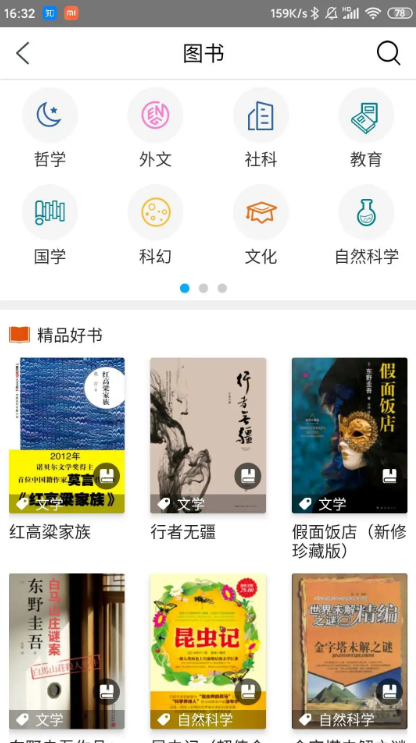
2. The National Digital Library application provides e-books, e-journals, audio books, academic journals, comic books and other resources, providing readers with a rich variety of online electronic resources.
3. The collection information of the National Library can be retrieved, and it supports scan-code retrieval and reservation support; it can retrieve the collection information of dozens of libraries across the country; it can retrieve news, announcements and other information published in the APP.
National Digital Library Software Advantages
1. Appreciate the national map exhibition and watch the latest national map exhibition online.
2. Publish library-related lecture previews and news.
3. All applications published by the National Library can be downloaded online.
FAQ
Chapter content is blank or repeated
Problem: During reading, the next chapter is blank or the content is the same as the previous chapter.
Solution: Clear the APP cache (Settings→Storage→Clear Cache) and reload the content after restarting.
The resource cannot be played or downloaded
Problem manifestation: Audio books, videos and other resources cannot be played or downloaded normally.
Solution: Check the network connection and confirm that the device has sufficient storage space; if the problem persists, contact customer service to report the resource ID.
Installation steps
Special note: The installation package provided by Huajun Software Park contains Android emulator and softwareAPK file, the computer version needs to install the emulator first, and then install the APK file.
1. First download the installation package from Huajun Software Park. The software package contains an emulator exe installation program and an APK file and unzip them. First click on the exe program to install the emulator.

2. Double-click the "Tencent Mobile Game Assistant.exe" file to enter the installation interface. Users can click "Install" to select the system's default installation address for installation, or click "Custom Installation" to select the installation path. Custom installation is recommended here.

3. Wait for the Tencent Mobile Game Assistant emulator to be installed, and then click "Start Now" to open the emulator.

4. Enter the main interface of the simulator, click the icon in the upper right corner and select the "Local APK Installation" button.

5. In the pop-up window, click the decompressed APK file, and then click Open.

6. Afterwards, the software will enter the installation process. You need to wait for a moment. After the software installation is completed, it will appear in my software list. Click the icon and double-click to open it.

National Digital Library update log
1. Fixed several bugs;
2. Optimize details;
Huajun editor recommends:
This software of the National Digital Library is completely fool-proof and super simple to operate. In addition, the editor also recommends downloading and using related software such as Xiaman, Batch Butler, and Cloud Machine Manager.
Version: 7.0.5 | Update time: 2025-08-20
Similar recommendations





Latest updates




How to set the font for Toutiao today? -How to set font in Toutiao
How to register for Toutiao? -How to register for Toutiao
How does Toutiao publish news? -How to publish news in Toutiao today
How to find the cover of Toutiao today? -How to find the cover of Toutiao today
How to choose self-pickup in Xiaomi Mall? - Choose the self-pickup method in Xiaomi Mall
How to pay in installments at Xiaomi Mall? -How to pay in installments in Xiaomi Mall
How to check Xiaomi Mall User Agreement? -How to view the Xiaomi Mall User Agreement on Xiaomi Mall
National Digital Library Review
-
1st floor Huajun netizen 2023-05-18 07:56:57I have been looking for the National Digital Library for a long time and finally found it here!
-
2nd floor Huajun netizen 2023-05-01 15:10:35I can’t find the National Digital Library anywhere else, but fortunately it is here.
-
3rd floor Huajun netizen 2023-05-21 19:30:40The National Digital Library is the same as the one I installed and downloaded in the mobile mall!
Recommended products
-

Beijing Primary and Secondary School Students Plant Cultivation Competition Computer Version
-
Beijing Primary and Secondary School Students Plant Cultivation Competition Computer Version
-

Computer version of Confidential View
-
Computer version of Confidential View
-
Computer version of Confidential View
-

Computer version of Confidential View
-
Computer version of Confidential View
-
Computer version of Confidential View
-

Zhixue.com Teacher Terminal
-
Zhixue.com Teacher Terminal
- Diablo game tool collection
- Group purchasing software collection area
- p2p seed search artifact download-P2P seed search artifact special topic
- adobe software encyclopedia - adobe full range of software downloads - adobe software downloads
- Safe Internet Encyclopedia
- Browser PC version download-browser download collection
- Diablo 3 game collection
- Anxin Quote Software
- Which Key Wizard software is better? Key Wizard software collection




