
-
Cloud class
- Size: 151.4M
- Language: Simplified Chinese
- Category: study education
- System: Android
- Manufacturer:Beijing Zhiqi Lanmo Information Technology Co., Ltd.
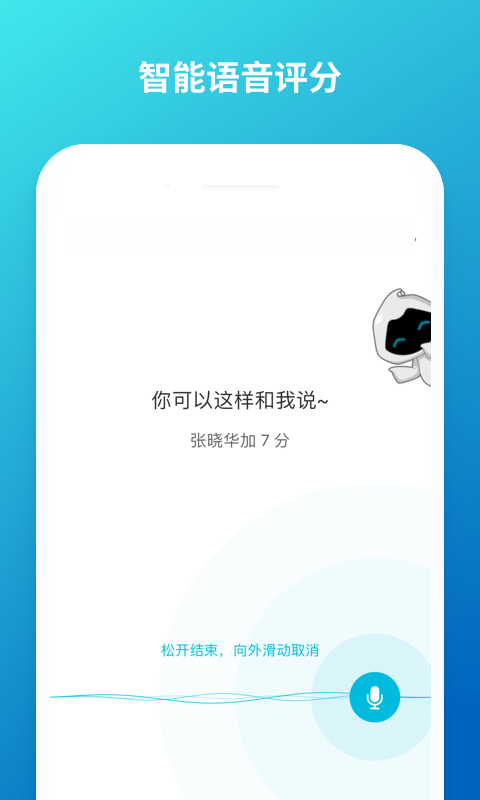
Cloud class is a free interactive classroom teaching app based on the mobile Internet environment, launched by Beijing Zhiqi Lanmo Information Technology Co., Ltd. With artificial intelligence technology as its core, it is committed to building a "student-centered" intelligent teaching scenario. Through functions such as real-time interaction, resource push, and process evaluation, it achieves seamless connection inside and outside the classroom, improving teaching efficiency and learning experience.
Cloud class app software functions
Real-time interaction and classroom management
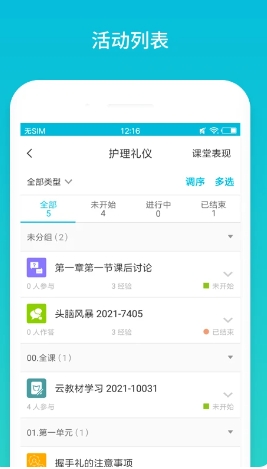
Diversified interactive tools: Support gesture sign-in, shake the phone to select people, voting questionnaires, brainstorming, group tasks, etc. to activate the classroom atmosphere. For example, teachers can initiate open-ended questions through the "brainstorming" function, and students can participate in the form of text or pictures. The system will automatically classify the answers, and teachers can give them likes to add points.
Flexible management of classes: Teachers can manage students, send notifications, assign homework, and organize discussions on mobile phones or web pages. The web page supports batch uploading of resources and export of class data, which facilitates pre-class preparation and post-class analysis.
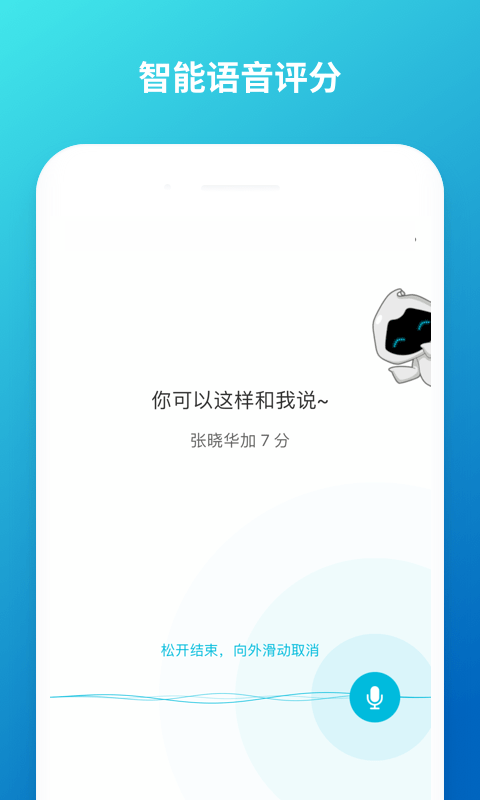
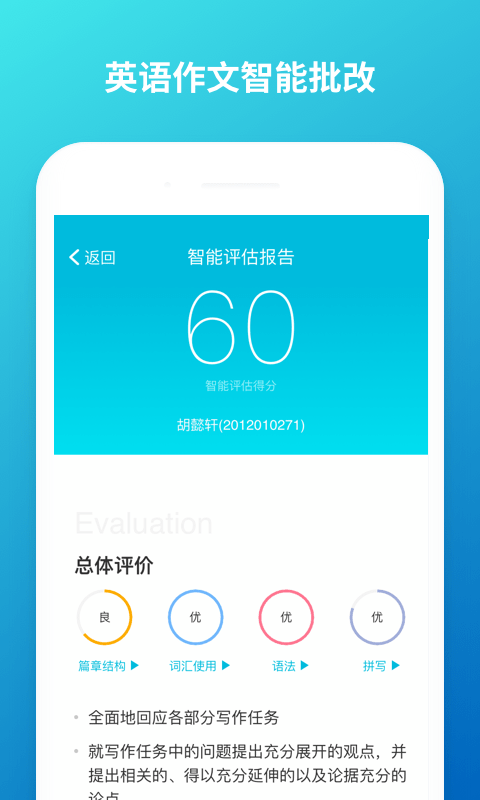
Real-time feedback and evaluation: Students can gain experience points by participating in activities. Teachers provide real-time feedback through functions such as smart tags, smart corrections, and smart voice bonus points. The system automatically generates teaching reports and learning reports, and supports one-click export of daily results.
Resource push and mobile learning
Multi-format resource support: Teachers can upload resources in Word, PPT, Excel, PDF, MP4, MP3 and other formats, or arrange content independently through the "image and text page", and the resources are intelligently pushed to student devices at regular intervals.
In-depth integration of cloud teaching materials: Equipped with blue ink intelligent three-dimensional teaching materials, it can track and evaluate students' learning progress and effectiveness, and generate a digital teaching material learning evaluation report at the end of the semester.
Mobile Learning Experience: Students can access course resources anytime and anywhere, and mobile devices transform from social tools to learning tools.
Artificial intelligence and personalized teaching
Intelligent teaching assistant/teaching assistant: Based on big data analysis, it provides personalized learning path recommendations and teaching strategy optimization suggestions. For example, students’ weak points in knowledge can be identified through academic data and targeted exercises can be provided.
Procedural incentive system: The incentive system of student experience value and teacher charm value, combined with functions such as six-dimensional growth medals and failure prediction, stimulates learning motivation.
New teaching model support
Blended teaching: Integrate JITT (just-in-time teaching), flipped classroom, BOPPPS, PBL (project-based learning) and other models to support full-process management of pre-class preview, in-class interaction, and post-class consolidation.
Data-driven decision-making: The system records student check-in, homework, tests, class performance and other data to provide teachers with a basis for adjusting teaching priorities.
Cloud class appSoftware Highlights
It provides Apple mobile version (adapted to iPad), Android mobile version (adapted to Android tablet) and web version. For web version, you need to use 360, Sogou, QQ Browser (speed mode) or Google Chrome.
Note: There is no independent computer version. The web version is the only PC version.
Permanently free and open ecosystem
It is free for users of contracted institutions and users of cloud teaching materials, and network traffic costs are borne by the users themselves.
Supports deep integration with Blue Moyun textbooks and third-party tools (such as Questionnaire Star).
Cloud class app software features
Classroom Teaching
In ordinary classrooms or extracurricular settings, teachers can instantly carry out activities such as voting, testing, group tasks, etc. Students can participate through mobile phones, and the system can provide immediate feedback on the results.
Distance Teaching
Compatible with various mobile devices and browsers, it supports teachers and students to transcend time and space constraints and use their spare time to complete preview, review and collaboration.
Teaching and Research
Provide teachers with big data for academic analysis, assisting in the optimization of teaching strategies and the output of research results.
FAQ
About registration and login for cloud classes
How to register a cloud class account?
Users can register a cloud class account through their mobile phone number. After the installation is completed on your mobile phone, open the Yunbanke App, enter your mobile phone number, obtain the verification code and set a password (8-16 digits, including numbers, letters and special characters) to register successfully. At the same time, you can also register through the web version, and the process is similar.
Login issues
If you forget your password, you can retrieve it through the mobile phone number you used when registering, or use the SMS verification code to log in. If the mobile phone number has been changed, you can change the new mobile phone number in "My" > "Settings" > "Account Security" > "Associated Mobile Phone" > "Change Associated Mobile Phone" after logging in with the old mobile phone number.
About the use of cloud classes
System requirements
Apple phones require iOS 9.0 or later; Android phones require Android 4.4 and above. When using the web version on a computer, it is recommended to use 360 Browser, Sogou Browser, QQ Browser (needs to be set to speed mode) or Google Chrome.
Function usage
Cloud classes do not distinguish between the teacher side and the student side, they use the same application. Teachers can create, publish and manage online courses through cloud classes, and students can join course learning, participate in discussions, etc. through cloud classes.
Intelligent correction and recording
The cloud class has an intelligent manual correction function. For tests, if the number of tests is not limited, the highest score will be automatically recorded. However, it should be noted that currently it mainly supports multiple-choice questions, and other question types may be gradually implemented in subsequent versions.
Cloud class app software update log
1. Added “Class Notes”
2. Added “Automatically end class”
3. Resource preview page, add "group" name display
4. Fix known issues and optimize user experience
Huajun editor recommends:
The Yunban class app is a very good software that can solve a lot of troubles. This site also provides homework help live classes, homework help online photo taking and problem solving, voting experts, etc. for you to download.
Version: 5.4.46 | Update time: 2025-11-26
Similar recommendations





Latest updates





How to contact customer service of Cloud Class? -How to contact customer service in Cloud Class
How to retrieve the password for Cloud Class? -How to retrieve password in cloud class
How do I switch to a mobile phone for cloud classes? -How to change the mobile phone in cloud class
How to check the results of cloud classes? -How to check results in cloud classes
How to invite others to join cloud classes? -How to invite others to join the cloud class
How to sign in in the cloud class? Simple operation to sign in in the cloud class
How to exit the course in the Yunban class app? How to exit the class in the Yun class class
Cloud Class Reviews
Recommended products




- Diablo game tool collection
- Group purchasing software collection area
- p2p seed search artifact download-P2P seed search artifact special topic
- adobe software encyclopedia - adobe full range of software downloads - adobe software downloads
- Safe Internet Encyclopedia
- Browser PC version download-browser download collection
- Diablo 3 game collection
- Anxin Quote Software
- Which Key Wizard software is better? Key Wizard software collection




