
-
Tongdaxin Financial Terminal
- Size: 150.85M
- Language: Simplified Chinese
- Category: Stock trading software
- System: win7 and above







Tongdaxin Financial TerminalThe free version is a stock trading market analysis software. The free version of Tongdaxin Financial Terminal provides users with the latest stock market consultation, allowing investors to master first-hand stock trading information. The free version of Tongdaxin Financial Terminal is a must-have software for stock traders.

Tongdaxin Financial TerminalSoftware introduction
Tongdaxin is a very influential online trading manufacturer. The most important securities companies in the southern region, Guosen, China Merchants, GF, CIC, Essence, etc., all use Tongdaxin’s online trading market system. At present, Tongdaxin has a coverage rate of more than 80% in the online trading market of securities companies.
There are two versions of Tongdaxin Financial Terminal, one without transactions, and the other with a fee and with transaction functions. This time we bring a free version. Tongdaxin Financial Terminal (without transactions) supports both paid users and free users to log in.

In order to take care of the public, Tongdaxin high-speed market trading system is designed with low-configuration computers in mind and can run on lower-end computers to adapt to the current situation of low-profile computers in the securities industry. It is more convenient for plug-in users and supports both paid users and free users to log in.
Tongdaxin Financial TerminalSoftware function
1. The analysis module is diversified, allowing users to know the latest detailed stock information;
2. Big data analysis, use the data analysis function to analyze for you in the first time;
3. Review the trading process at any time, allowing users to have a more comprehensive understanding of the stock market trend;
4. Timely warning, timely notification of rising and falling limits, and seize every business opportunity.
Tongdaxin Financial Terminal Installation Steps
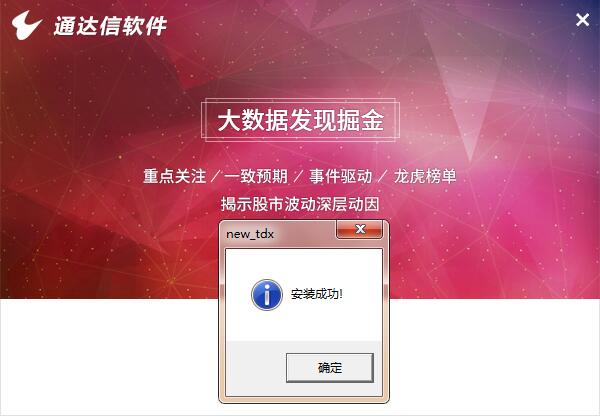
1. Double-click the Tongdaxin High-Speed Quotation Trading System installation program, click to start the installation, check "I agree to the statement" and click Next

2. Click "Browse" to select the installation location, complete the settings and continue to the next step.

3. After the installation is completed, start the computer version of Tongdaxin High-speed Quotation Trading System, enter your account number and password to experience the functions of viewing stock quotes, placing lightning orders, etc.
Tongdaxin Financial Terminal Installation Summary
1. After downloading the Tongdaxin high-speed market trading system, install it and declare your agreement;
2. Select the installation location and wait for the installation to complete;
3. After the installation is completed, it can be used.
Frequently Asked Questions about Tongdaxin Financial Terminal
Unable to log in
Network problem: Check whether the network connection is normal, try to switch the network environment or restart the network device.
Server problem: It may be that the Tongdaxin server is faulty or under maintenance. You can wait for a while before trying to log in again, or check the official announcement of Tongdaxin to learn about the server status.
Incorrect account and password: Confirm whether the entered account number and password are correct, and pay attention to case distinction.
Software version problem: Check whether the Tongdaxin software is the latest version. If not, try updating the software; you can also try uninstalling and reinstalling the software.
File fingerprint prompt
This is usually caused by incompatible software versions or corrupted files. You can try to update the software to the latest version, or uninstall and reinstall the software. If the problem persists, you can contact Tongdaxin customer service for help.
Tongdaxin Financial Terminal Update Log
1: Brand new interface, refreshing, simple and efficient
2: Performance is getting better and better
Huajun editor recommends:
Tongdaxin Financial Terminal is very simple to use. The optimized operation interface allows you to easily find the functions you want. Come and download it. The editor has also carefully prepared Pay Bar, .NET, and Cloud Machine Manager for you.
Version: 7.66 | Update time: 2025-06-26
Similar recommendations






Latest updates





Tongdaxin Financial Terminal Review
-
1st floor Huajun netizen 2022-11-10 09:22:03Tongdaxin financial terminal software is very easy to use, the download speed is very fast, and it is very convenient!
-
2nd floor Huajun netizen 2022-11-15 02:05:50The overall feeling of Tongdaxin Financial Terminal is good and I am quite satisfied with it. The installation and operation are very smooth! It went very smoothly following the installation step-by-step guide!
-
3rd floor Huajun netizen 2022-10-31 14:36:27Tongdaxin Financial Terminal is not bad, the download is very fast, I give you a good review!
Recommended products
-

Xiangcai Securities Jinhe Financial Analysis Terminal
-

Luzheng Futures Boyi Master
-

Guojin Securities Xeon Edition
-

PhD of Haitong Securities Shenzhen Fuhua 3rd Road Securities Sales Department
-

Tongdaxin Financial Terminal
-

Wenhua Finance
-

China Galaxy Securities Neptune Edition
-

Boyi Master
-

Everbright Securities Golden Sunshine Excellent Edition
-

Shenwan Hongyuan Securities
- Diablo game tool collection
- Group purchasing software collection area
- p2p seed search artifact download-P2P seed search artifact special topic
- adobe software encyclopedia - adobe full range of software downloads - adobe software downloads
- Safe Internet Encyclopedia
- Browser PC version download-browser download collection
- Diablo 3 game collection
- Anxin Quote Software
- Which Key Wizard software is better? Key Wizard software collection




