How to create a space in Evernote_A list of how to create a space in Evernote
Time: 2024-09-06Source:Author:
1. Open Evernote and find the [Space] column on the left side of the software’s main interface;
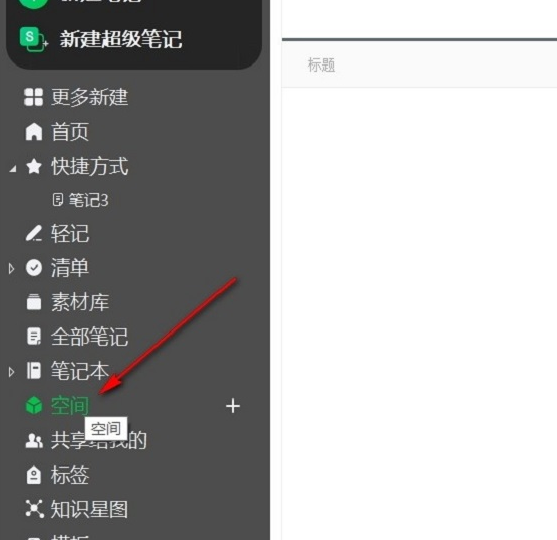
2. Then, in the interface on the right, click [Create Space]. In the space, we can organize notes in a more structured manner, share notes and notebooks with multiple people, and update online in real time. We can create a space for each project;

3. Then, edit a space name in the pop-up window and click OK;

4. Finally, select [Create Note] or [Create Notebook] to start editing.

The above is all the content brought by the editor this time, I hope it can help everyone.
Popular recommendations
-
-
Personal knowledge management platform
Version: 1.1.1 official versionSize: 154MB
Personal knowledge management and simple wrong question book tool: This software is a practical tool that integrates personal knowledge management and simple wrong question book functions, aiming to efficiently manage...
-
Hongda Procurement Management System
Version: 3.0Size: 3.46 MB
The procurement management system is a set of basic information about goods, suppliers and purchasing managers, contract registration and query management, procurement registration and query management, returns...
-
Evernote
Version: 7.3.32.9231Size: 235MB
Evernote is an excellent electronic note management software. The interface is similar to Microsoft's OneNote, with powerful content capture, real-time search, tag classification, support...
-
Evernote
Version: 7.3.32.9231Size: 97.6 MB
Evernote (Evernote) features powerful content capture, real-time search, tag classification, support for large databases, recognition of text in images and handwriting...