How to adjust the resource manager back to the classic style in win11 - How to adjust the resource manager back to the classic style
Time: 2021-07-09Source: Huajun Software TutorialAuthor: Rocket
In win11, the style of the resource manager has changed. If you want to use the classic style of the win10 resource manager, how should you set it up? The following editor will bring you a method to restore the classic style of the win11 resource manager. I hope it can help you.
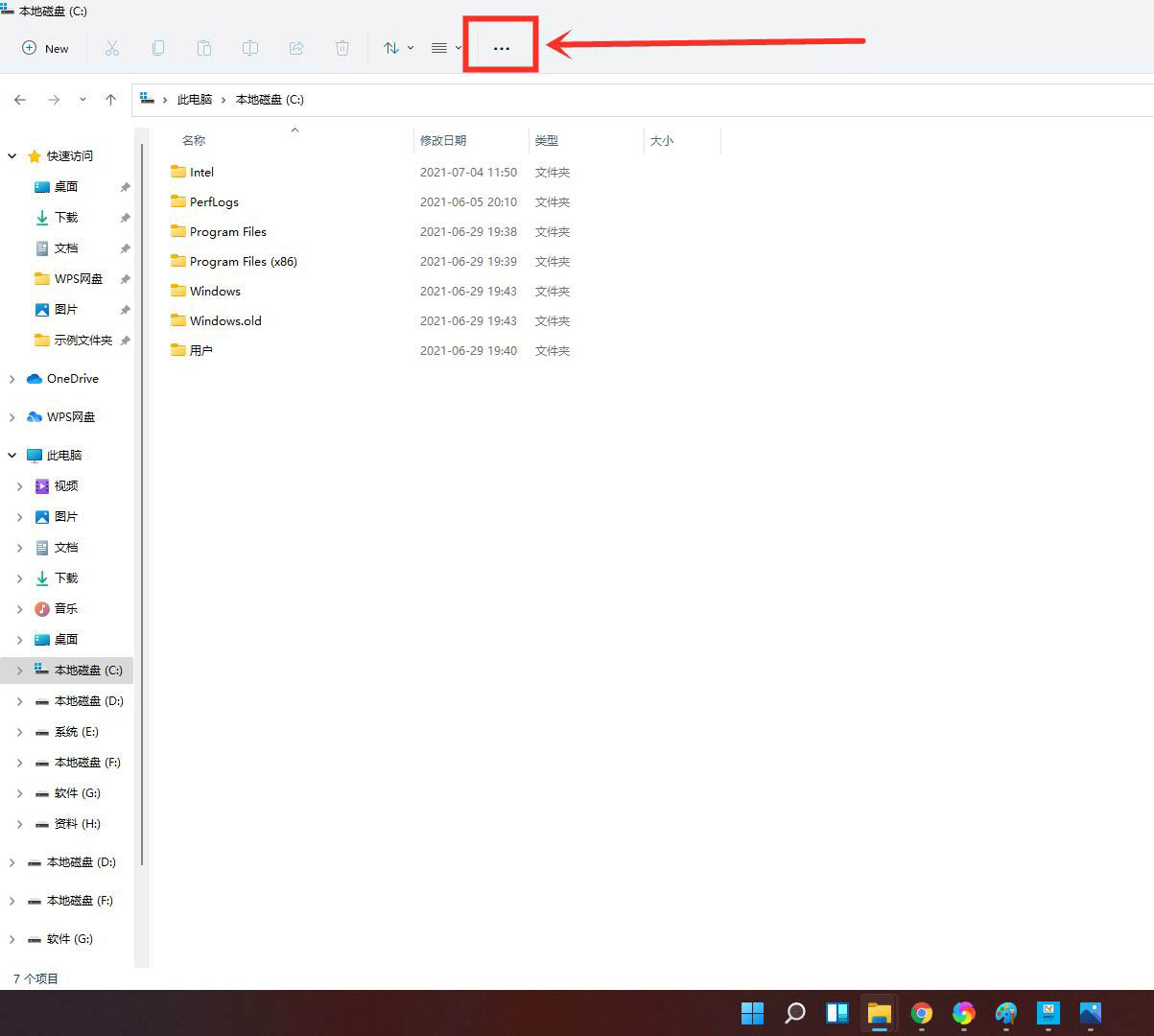
Open any disk or folder and click [•••] on the toolbar.
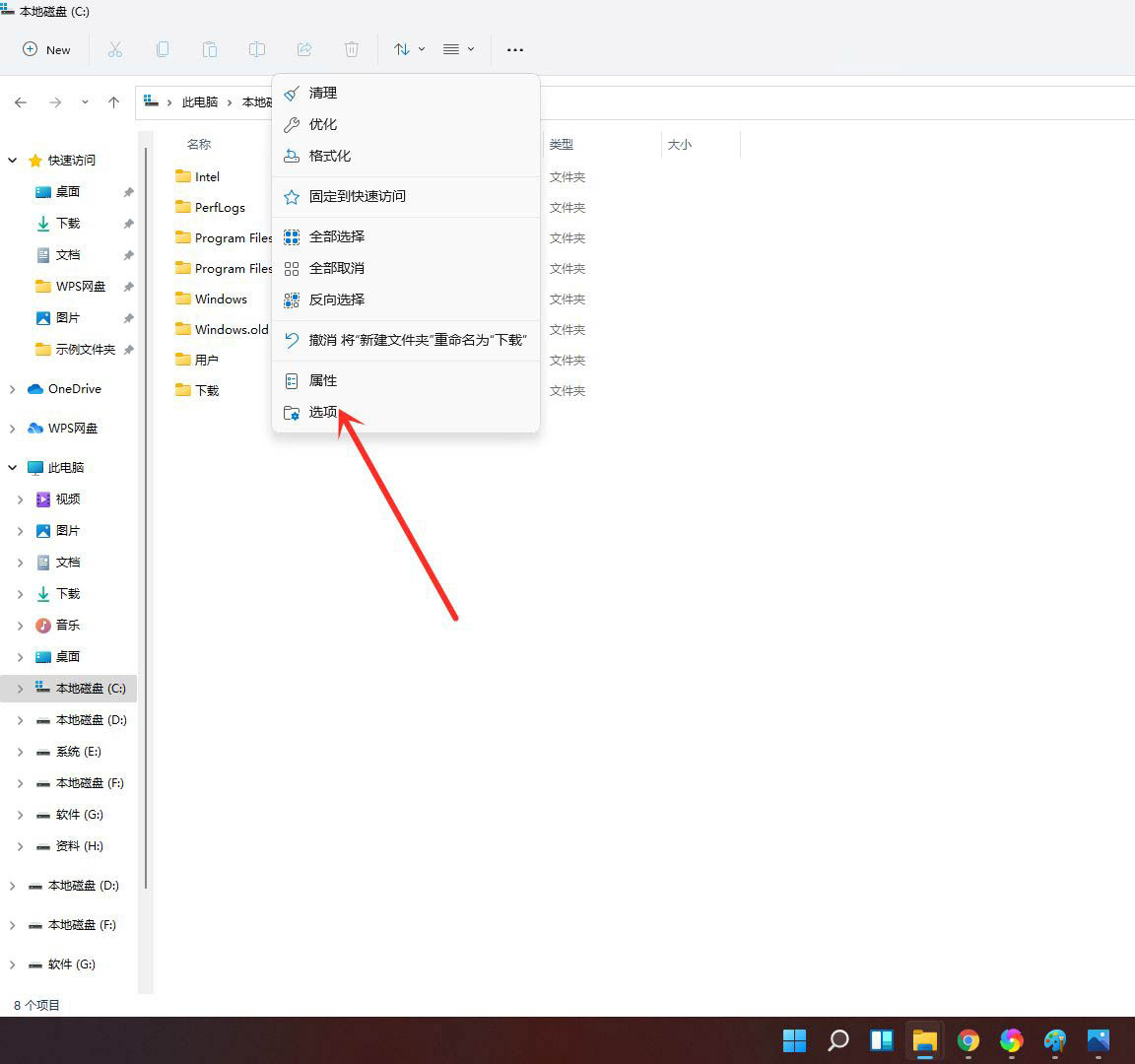
Click [Options] in the pop-up menu to open folder options.
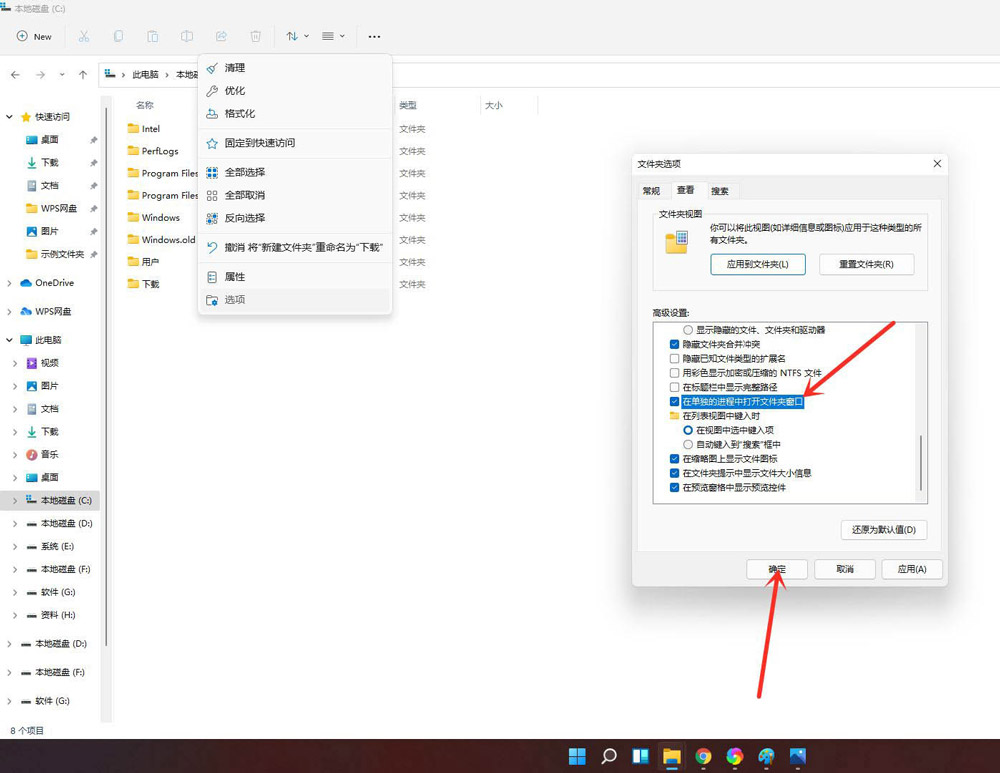
Enter the viewing interface, check [Open folder window in a separate process], and click [OK].
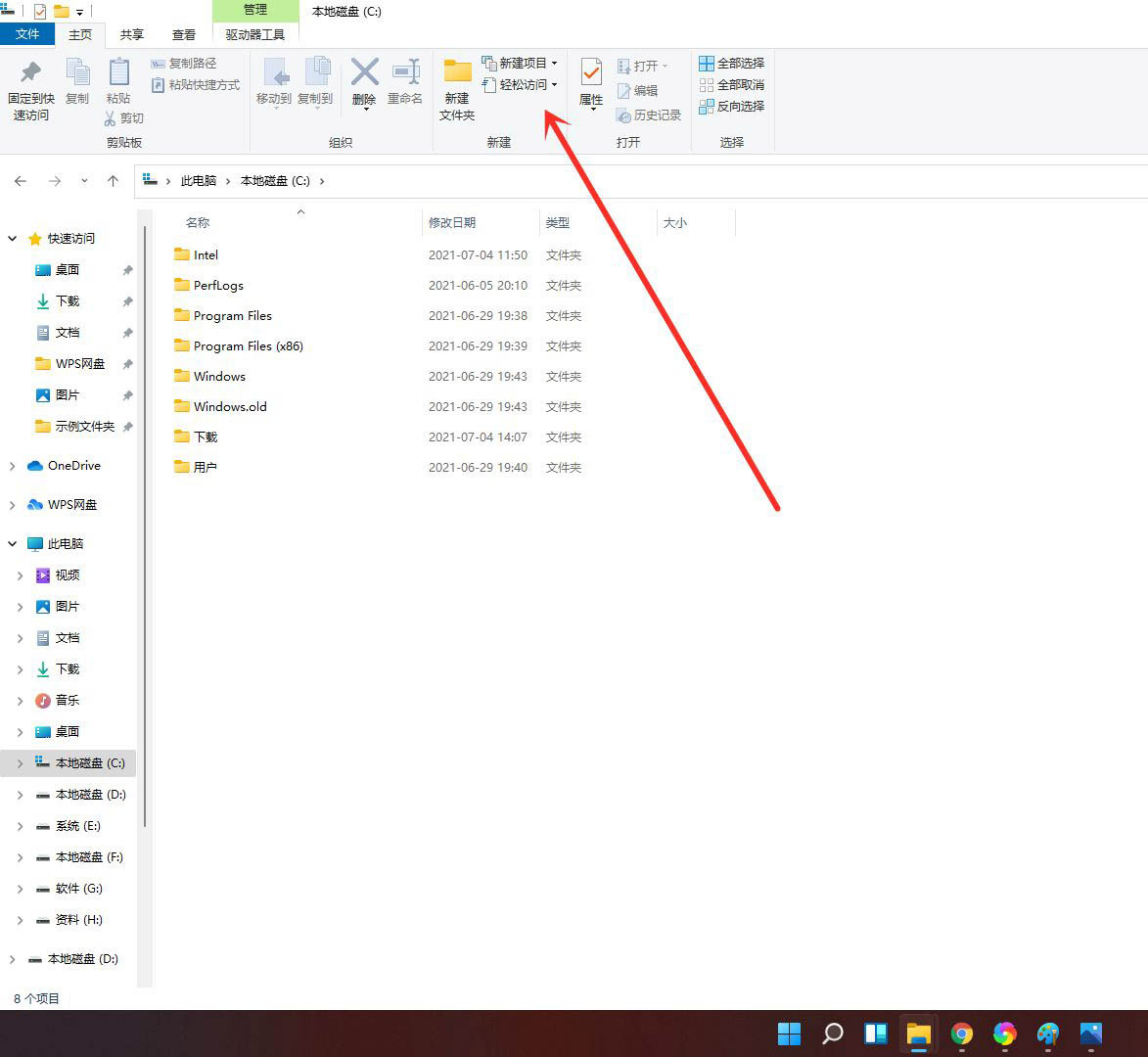
Re-enter the resource manager and you will find that the window has been switched to win10 style.
The above is the method brought by the editor to adjust the Win11 resource manager back to the classic style. Friends in need should not miss this article.
Popular recommendations
-
Xiaozhi desktop calendar
Version: 3.3.6.2Size: 78.9MB
Xiaozhi ToDo is a software suitable for Windows, iOS, and Android. It integrates schedule list (ToDo-List), calendar, custom reminder, custom repeat...
-
-
vcredist_x64.exe
Version: 2008 official versionSize: 2.27MB
vcredist_x64.exe is the runtime library of Microsoft's Visual C++ and contains some Visual C++ library functions. Generally developed with Visual C++...
-
vcredist_x86
Version: Free versionSize: 2.58MB
vcredist_x86.exe is VC
++A necessary function runtime library file. Generally, programs developed using VC need this runtime library to run normally. If...
-
Sogou Wubi input method
Version: 5.5Size: 40.96MB
It is a very easy-to-use free Wubi with a simple interface and simple operation. Sogou Wubi input method can not only use pure Wubi input, but also Pinyin input or Wubi...