Some friends encountered the situation where the microphone sound was suddenly louder and softer when using Tencent QQ Voice. So how should they be adjusted? Next, please see the steps for adjusting the microphone sound when using Tencent QQ Voice.
Turn off QQ’s automatic adjustment of microphone volume:
1. First log in to QQ and open "Settings" on the QQ main interface panel.
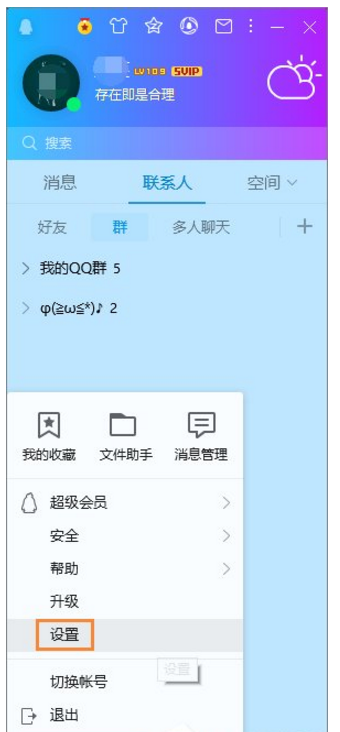
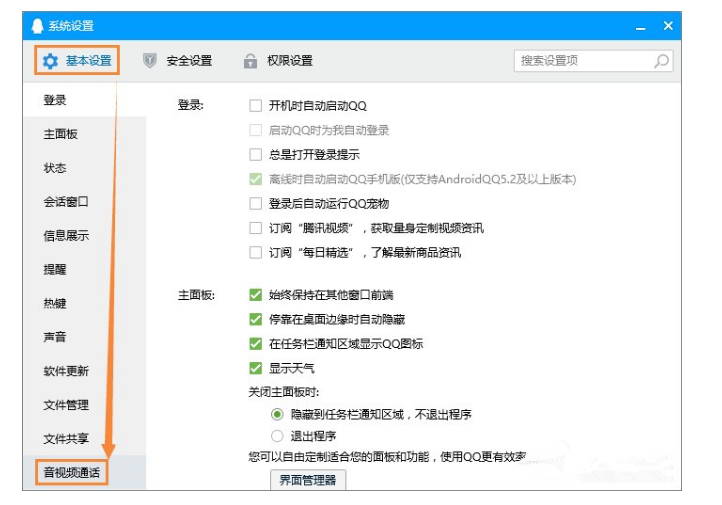
2. Select the "Audio and Video Call" tab under "Basic Settings" in the system settings window.
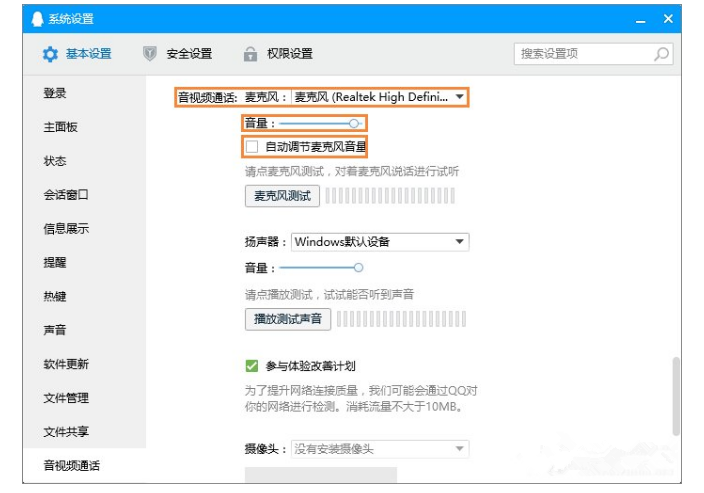
3. Then select the local microphone device in "Audio and Video Call: Microphone" on the right, such as the author's "Microphone (Realtek High Definition Audio)". Then set the "Volume" to 98 (anti-crackling, not higher than 100), and uncheck the "Automatically adjust microphone volume" option.
Turn off the microphone to enhance:
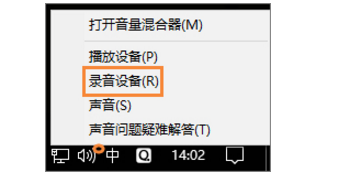
1. Right-click the small speaker icon on the taskbar and click "Recording Device" to enter the property settings.
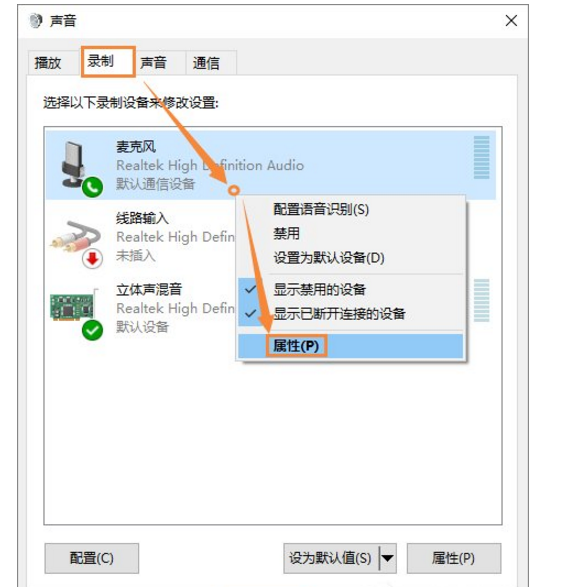
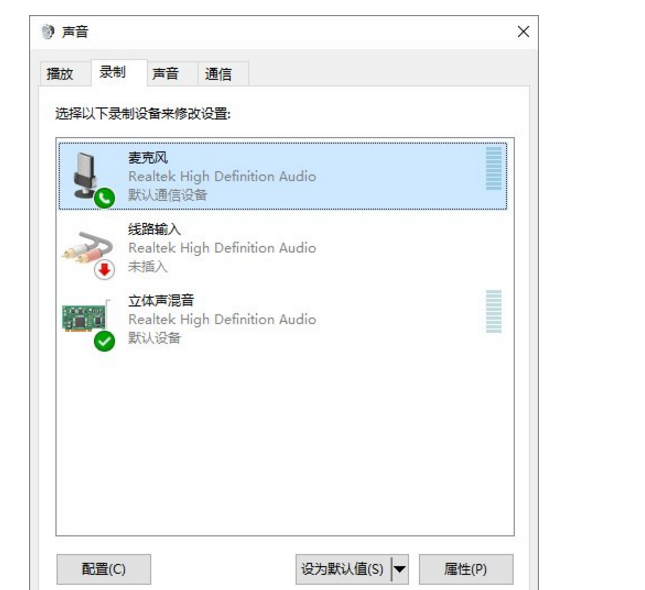
2. In the "Recording" tab, right-click "Microphone" → "Properties".
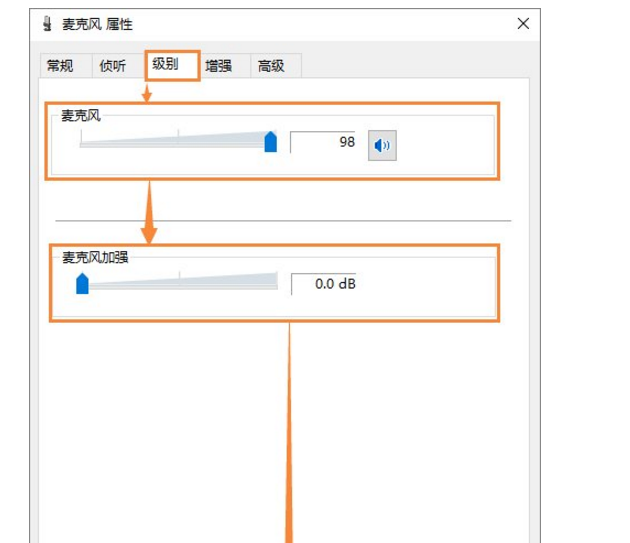
3. In the "Level" tab, set "Microphone" to 98 (anti-crackling, not higher than 100), set "Microphone Enhancement" to the lowest 0.0dB, and confirm.
The above explains the steps for adjusting the microphone sound when using QQ voice. I hope friends in need can learn from it.