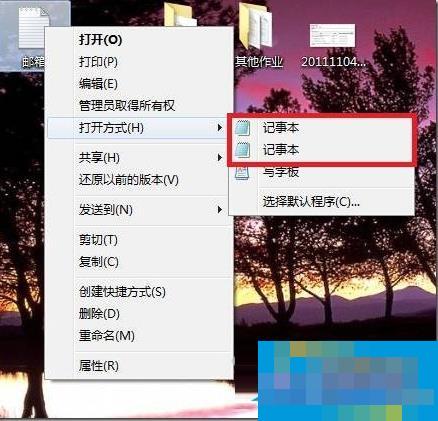
Reason analysis:
Because there is a notepad.exe program under our system windows folder (C: Windows) and system32 folder (C: WindowsSystem32), the system uses them respectively when registering the application and file association opening methods, but the opening method needs to read these two places, so there are two notepads.
Solution:
1. First create a batch process to handle this problem. Copy and paste the code inside into a text file, save it as a file with the suffix .bat, and execute it.
@echo off
if exist “%systemroot%notepad.exe” set Npath="%systemroot%notepad.exe %"1
if not exist “%systemroot%notepad.exe” set Npath="%systemroot%system32notepad.exe %"1
reg add “HKCRtxtfileshellopencommand” /ve /d %Npath% /t REG_SZ /f
reg add “HKCRApplicationsnotepad.exeshellopencommand” /ve /d %Npath% /t REG_SZ /f
reg add “HKCRSystemFileAssociationstextshellopencommand” /ve /d %Npath% /t REG_SZ /f
2. Then you can solve the problem of two Notepad options appearing in the right-click and select Open With.
A brief introduction to the command:
if exist “%systemroot%notepad.exe” set Npath="%systemroot%notepad.exe %"1