
Hot search terms: 360 Security Guard Office365 360 browser WPS Office iQiyi Huawei Cloud Market Tencent Cloud Store
Hot search terms: 360 Security Guard Office365 360 browser WPS Office iQiyi Huawei Cloud Market Tencent Cloud Store

social chat Storage size: 369.0 MB Time: 2013-05-25
Software introduction: QQ Android version is a product of Tencent and an indispensable communication tool in our lives. Mobile QQ supports online chat and instant video transmission...
Many people don’t know where to view mobile QQ transaction records? The article brought to you today is about how to view mobile QQ transaction records. If you still don’t know, let’s learn it with the editor.
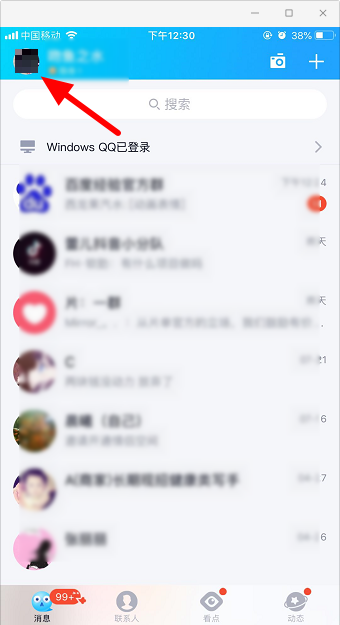
Step 1: Open QQ on your mobile phone and click "Avatar".
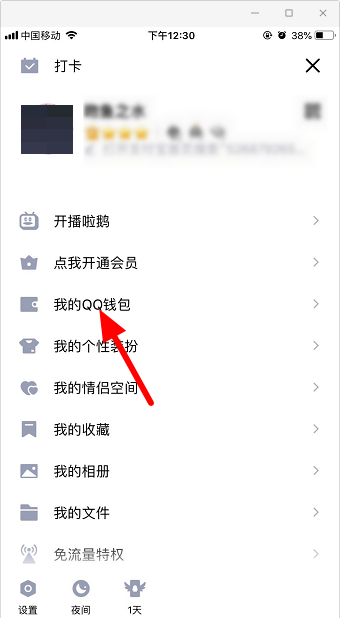
Step 2: Enter "My QQ Wallet".
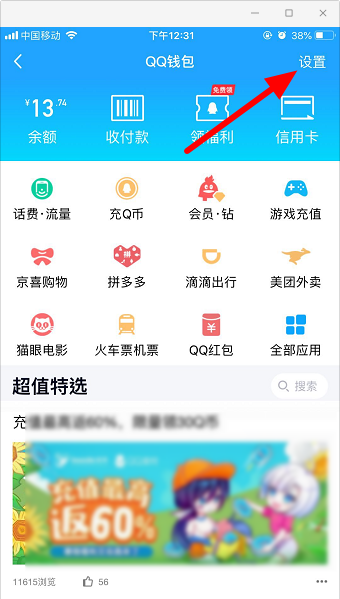
Step 3: Enter "Settings".
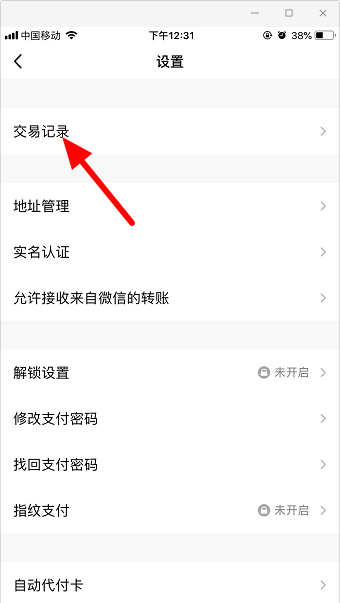
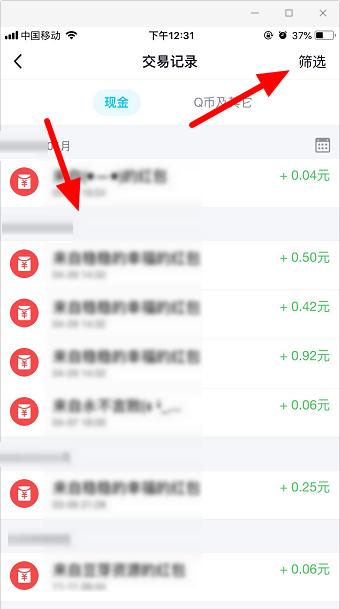
Step 4: Click "Transaction Record".
Step 5: You can see the transaction records here, and you can also click "Filter".
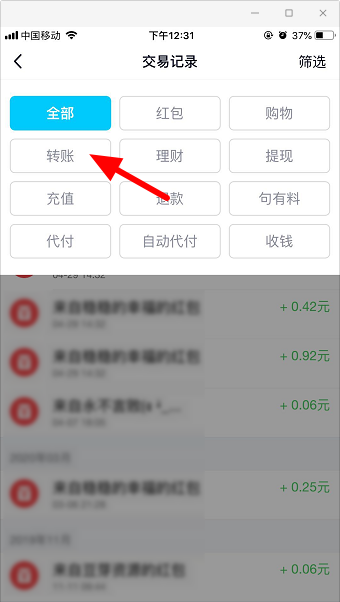
Step 6: You can choose red envelopes, shopping, transfers, etc.
The above is all the content that the editor brought to you on where to view mobile QQ transaction records. I hope it can help you.

 How to find an agent in Anjuke Mobile Agent? -How to find a broker through Anjuke Mobile Broker
 How to report an Anjuke mobile agent? -How to report an agent on Anjuke Mobile Broker
 Double speed classroom computer version
 KuGou Music
 little red book
 Seven Cats Free Novel
 learning pass
 tomato free novel
 Tencent App Store
 QQ HD
QQ HD
 and family relatives
 How to use Fliggy’s student discount? List of student certification methods on Fliggy
 How to find the help center for Panzhi Sales - How to find the help center for Panzhi Sales
 How to change ID card with taptap-How to change ID card with taptap
 How to add friends on steam mobile version - How to add friends on steam mobile version
 How to Chineseize ourplay with one click - How to Chineseize ourplay with one click


