
Hot search terms: 360 Security Guard Office365 360 browser WPS Office iQiyi Huawei Cloud Market Tencent Cloud Store
Hot search terms: 360 Security Guard Office365 360 browser WPS Office iQiyi Huawei Cloud Market Tencent Cloud Store

Compression and decompression Storage size: 1.56 MB Time: 2009-02-04
Software introduction: 7z decompression software) compression software encryption 7-zip (7z decompression software) features Open source and free Completely free and open source (based on...
7zip decompression software is a very professional and practical decompression software, so how to decompress 7zip? How to decompress 7zip? Let the editor give you the answer below!

How to decompress 7zip?
Method 1: Quickly decompress through the right-click menu
Find the compressed file you need to decompress (such as .zip, .7z, .rar, etc. formats)
Right click on the compressed file
In the pop-up right-click menu, select the "7-Zip" submenu
Choose the decompression method according to your needs:
"Extract to current folder": extract directly to the folder where the current file is located
"Extract to "folder name"": Automatically create a folder with the same name as the compressed file and extract the contents into the folder
"Extract to specified folder": You can manually select the destination location for decompression
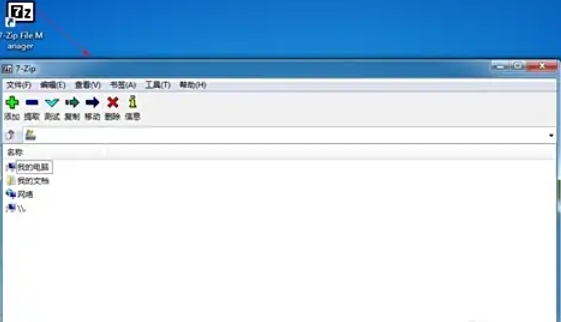
Method 2: Unzip through 7-Zip software interface
Open 7-Zip software
Find the location of the compressed file in the left navigation bar
Select the compressed file to be decompressed
Click the "Extract" button on the toolbar at the top of the software (or press the F9 key)
In the pop-up window, select the decompression target path
You can set decompression options (such as password, overwriting method, etc.) as needed
Click "OK" to start decompression
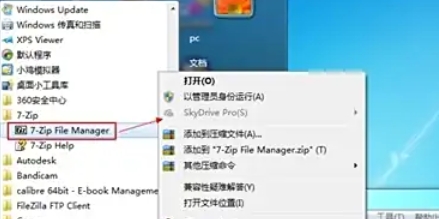
The above is how to decompress 7zip compiled by Huajun editor for you? Here is how to decompress 7zip, I hope it can help you.

 How to draw a lottery in 360 Software Butler - How to draw a lottery in 360 Software Butler
 How to collect software in 360 Software Manager - How to collect software in 360 Software Manager
 Microsoft Edge browser
 Steam
Steam
 Tencent Video
 WPS Office
 iQiyi
iQiyi
 Sohu video player
 Lightning simulator
 MuMu emulator
 Eggman Party
 What to do if there is no sound after reinstalling the computer system - Driver Wizard Tutorial
 How to switch accounts in WPS Office 2019-How to switch accounts in WPS Office 2019
 How to clear the cache of Google Chrome - How to clear the cache of Google Chrome
 How to fire bullets in scratch-How to fire bullets in scratch


