
-
360 antivirus software
- Size: 56.92M
- Language: Simplified Chinese
- Category: Antivirus software
- System: Win7 and above






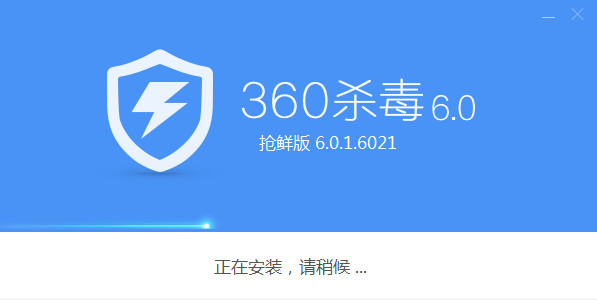
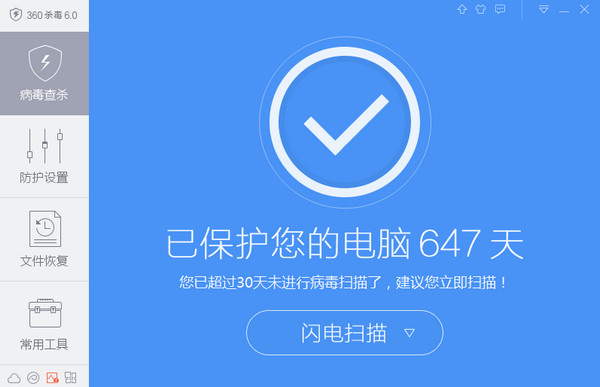
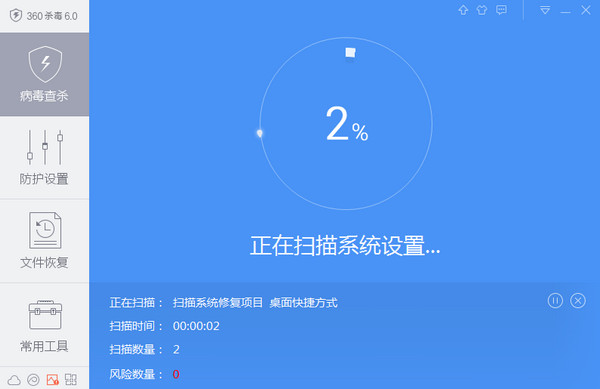
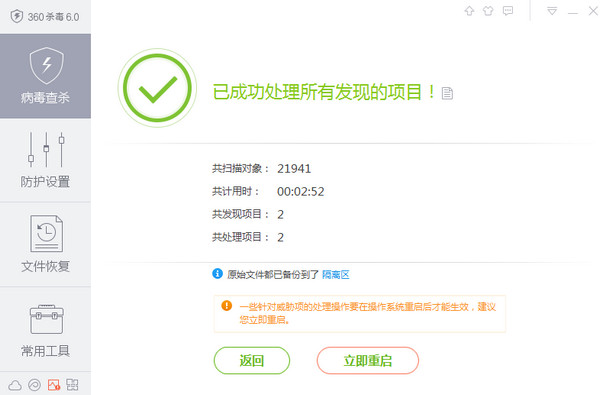
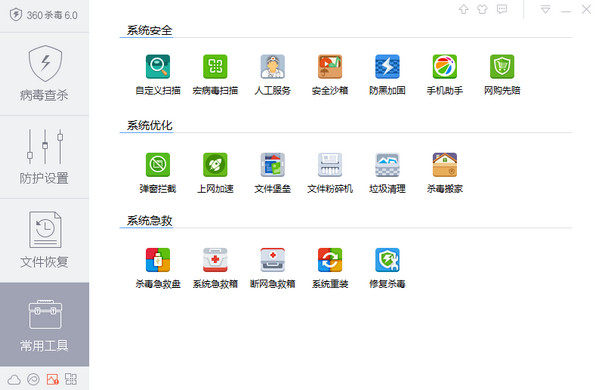
360 anti-virus software is a computer anti-virus software that can perform security detection, vulnerability repair, disk physical examination, garbage cleaning, etc. on the computer. In addition to security testing, anti-virus and cleaning of computers, 360 Security Guard can also perform cloud backup of computer data, so you are not afraid of losing computer data.
Function introduction
1. All-in-one scanning
In this version, we have integrated Internet acceleration, insufficient disk space, recommended banned startup items, black DNS and other extended scanning functions in quick scan and full scan, and will continue to add more items. In this way, when your computer has an abnormality, you only need to perform a quick or full scan to quickly find the abnormal items (which may be caused by viruses, Trojans, or other reasons) and repair them conveniently.
2. Brand new monitoring engine
We've refactored the file system monitoring engine again. The new engine monitors various malicious files more closely, discovers them more promptly, and processes them more quickly and accurately. At the same time, it takes up less system performance. As long as we are here, you are only responsible for using your computer, and we take care of your safety.
3. The new "Cloud Top" interface, let's look up to the sky together for our ideals!
1) Using the "Above the Snow Line" default skin, you feel as if you are on the top of the Alps, with white snow meeting the blue sky in the distance.
2) Use the "Function List" button to replace the previous "Customized Scan" button, allowing you to find various functions more conveniently. The number of shortcut tools in the lower right corner has been increased to 4, allowing you to define shortcut functions more freely.
"Function Collection" integrates all selected functions of 360 Antivirus. After clicking "Function List", the recommended functions will be displayed on the entire interface, allowing you to find the functions you need more conveniently and quickly, and adjust the shortcut toolbar.
3) Click the pull cord on the main interface to expand the protection center interface. The status of all protection components is clear at a glance, and you can also view real-time protection data.
360 anti-virus software FAQ
How to scan?
Open the 360 anti-virus software: After the installation is completed, double-click to open the 360 anti-virus software and enter the main interface.
Select the scanning method: In the main interface, you can choose different scanning methods, including quick scan and full scan. Select the appropriate scanning method according to your needs.
Start scanning: After selecting the scanning method, click the Start Scan button to let the software conduct a comprehensive virus detection on the computer.
Process the scan results: After the scan is completed, the software will display the scan results. If a virus is found,the software will prompt you to clean or delete the virus-infected files. Follow the software’s prompts to remove the virus4.
Complete the scan: If no viruses are found,you can click the Finish button to exit the scanning process. If a virus is found and processed, make sure the processing is complete, or you can exit the scan.
360 anti-virus software update log:
1. Optimize content
2. The details are more outstanding and bugs are gone.
Huajun editor recommends:
The editor of 360 Anti-Virus Software personally identified it, and it is clear that it is fair to use! This site also has similar software Kabbah 365 Online Rescue, Kabbah 365 Online Rescue, and Batch Butler. Welcome to click to download and experience it!
Version: 7.0.0.1060B | Update time: 2025-03-24
Similar recommendations







Latest updates





Description of the usage and operation of 360 anti-virus software
360 anti-virus software version 6.0 installation steps
Where to set the whitelist of 360 anti-virus software?
How to draw a lottery in 360 Software Butler - How to draw a lottery in 360 Software Butler
How to collect software in 360 Software Manager - How to collect software in 360 Software Manager
How does 360 Software Manager evaluate software - How does 360 Software Manager evaluate software?
360 antivirus software review
-
1st floor Huajun netizen 2021-04-25 03:45:43The interface design of 360 anti-virus software is easy to use and has rich functions. I highly recommend it!
-
2nd floor Huajun netizen 2022-03-23 20:49:04360 antivirus software is great! 100 million likes! ! !
-
3rd floor Huajun netizen 2021-09-06 02:28:33360 anti-virus software hopes to get better and better, come on!
Recommended products





- Diablo game tool collection
- Group purchasing software collection area
- p2p seed search artifact download-P2P seed search artifact special topic
- adobe software encyclopedia - adobe full range of software downloads - adobe software downloads
- Safe Internet Encyclopedia
- Browser PC version download-browser download collection
- Diablo 3 game collection
- Anxin Quote Software
- Which Key Wizard software is better? Key Wizard software collection




