
-
Accent Excel Password Recovery
- Size: 7.44M
- Language: English
- Category: Encryption and decryption
- System: Winxp/vista/win7/2000/2003







Accent Office Password Recovery is a very professional Excel password unlocking tool that can decrypt any Office document from version 95 to 2016. It has built-in multiple unlocking methods such as brute force and dictionary. Users can freely choose a suitable method to unlock passwords of varying complexity, greatly increasing the success rate of password recovery.

Accent Excel Password Recovery Software Introduction
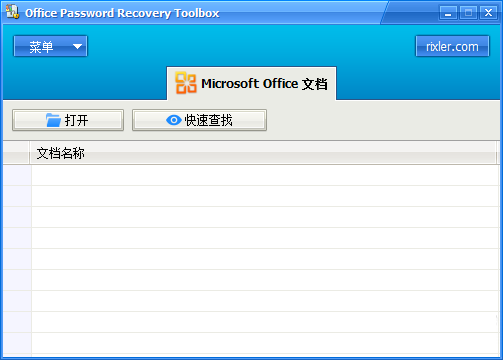
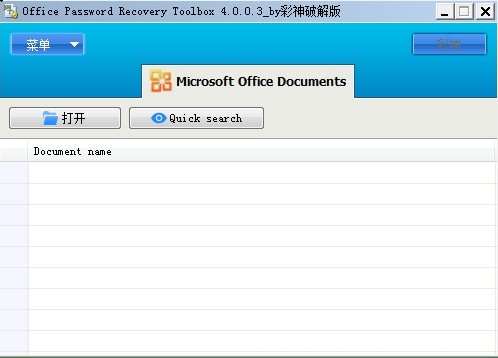
Advanced Office Password Recovery is a professional Excel password unlocking tool. It supports the recovery of office series document passwords. It has two built-in recovery modes: brute force and dictionary. If the computer hardware is powerful and a good dictionary is configured, the success rate of password recovery can be greatly improved. The supported versions are from 2.0 to 2013. Recoverable documents include word/excel/outlook/access/mail/backup/money, etc.
Accent Excel Password RecoverySoftware features
Office document unlocking expert
AOPR can unlock any Office documents password-protected from version 2.0 to 2016, including Word, Excel, Access, Outlook and other document formats.
Advanced decryption technology
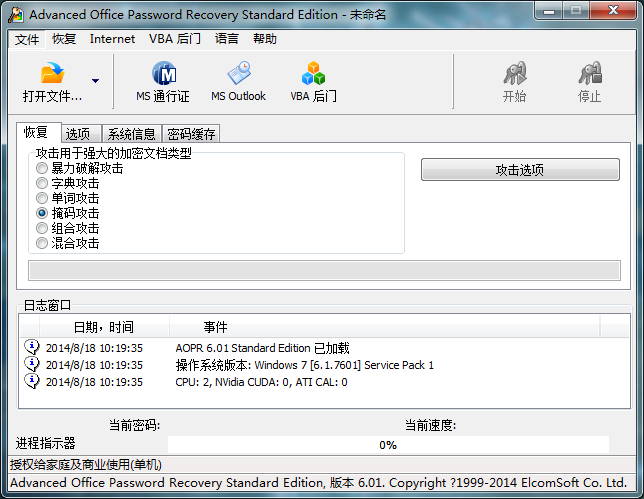
Six powerful and advanced different decryption methods, including brute force unlocking, dictionary attack, word attack, mask unlocking, combination unlocking, and hybrid unlocking, can help you decrypt documents to the greatest extent.
Faster acquisition speed
To further improve password recovery speed, multiple CPU/GPU processor cores can be operated simultaneously, and some or all of the CPU/GPU cores can be assigned to complete password recovery tasks.
Files supported by Accent Excel Password Recovery
Microsoft Word document
Microsoft Excel document
Microsoft Access database
Microsoft Outlook personal storage files
Microsoft Outlook VBA macro file
Microsoft Money database
Microsoft Schedule+ files
Microsoft Backup file
Microsoft Mail file
viso file
Microsoft PowerPoint presentation
Microsoft Project files
Microsoft Pocket Excel file
Microsoft OneNote files
Accent Excel Password Recovery tutorial
Step 1. Start AOPR. Double-click the icon shortcut key on the desktop or click "Start" - All Programs - Advanced Office Password Recovery to open the AOPR software main interface.
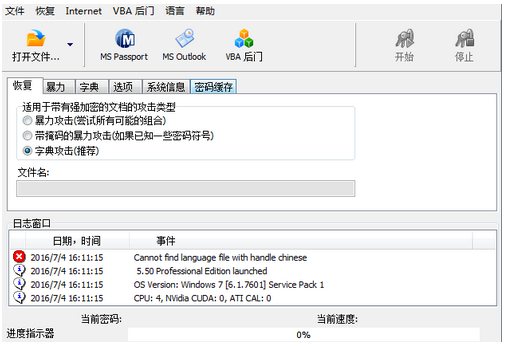
Step 2. Click the "Open File" button in the upper left corner, find the Excel document for which the password needs to be recovered, and click "Open". The password unlocking will automatically begin. After a while, the "Excel Password Recovered" dialog box will appear (as shown in the figure below), and the password of the worksheet has been successfully recovered.
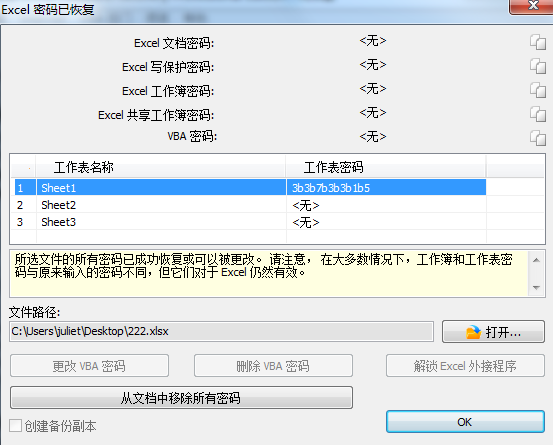
Note: The dialog box says "Please note that in most cases, workbook and sheet passwords are different from the passwords originally entered, but they are still valid for Excel." Although the recovered password is different from the password we set before, it can also be recovered with this password.
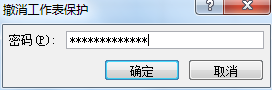
Step 3. Click the "Open" button in the above dialog box to open the Excel document whose password you want to recover, click the "Review" option above, click "Unprotect Worksheet" under its menu, paste the password recovered by AOPR into the input box in the pop-up dialog box, and click OK to cancel the protection of the worksheet and you can edit it.
Accent Excel Password Recovery update log:
1. The pace of optimization never stops!
2. More little surprises are waiting for you to discover~
Huajun editor recommends:
Accent Excel Password Recovery is a software that is completely fool-proof and super simple to operate. In addition, the editor also recommends downloading and using related software such as Black Beetle File Encryption Lock, Rising Antivirus Software, Symantec Antivirus, etc.
Version: 22.01 | Update time: 2024-12-31
Similar recommendations





Latest updates





Accent Excel Password Recovery Review
-
1st floor Huajun netizen 2022-03-19 05:35:31Accent Excel Password Recovery is very useful, thank you! !
-
2nd floor Huajun netizen 2022-03-24 12:20:07The overall feeling of Accent Excel Password Recovery is good, I am quite satisfied, the installation and operation are very smooth! It went very smoothly following the installation step-by-step guide!
-
3rd floor Huajun netizen 2022-03-21 16:51:24Accent Excel Password Recovery is convenient, practical and powerful. The software is very easy to use!
Recommended products





- Diablo game tool collection
- Group purchasing software collection area
- p2p seed search artifact download-P2P seed search artifact special topic
- adobe software encyclopedia - adobe full range of software downloads - adobe software downloads
- Safe Internet Encyclopedia
- Browser PC version download-browser download collection
- Diablo 3 game collection
- Anxin Quote Software
- Which Key Wizard software is better? Key Wizard software collection




