o(╥﹏╥)oSad

WeChat cannot downloadFoxit PDF Reader, but just click on the upper right corner and select open in browser or Safari!
Foxit PDF Reader

Foxit PDF Reader

Recommended for you: Foxit PDF Reader Foxit Software

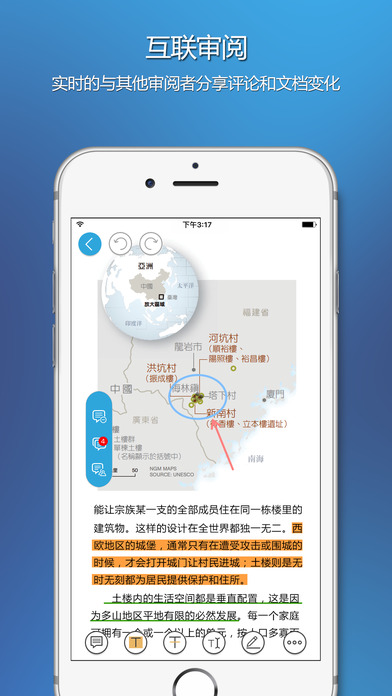
Are you still looking for a free PDF reader? Why not try Foxit PDF Reader! Foxit PDF Reader is a simple and easy-to-use PDF reader for iOS devices that supports viewing, annotating and protecting PDF files anytime and anywhere. Unlike other PDF readers, Foxit PDF Reader provides a unique interconnected PDF feature in the industry. Through the free and powerful interconnected PDF function, you can share and track PDF documents anytime and anywhere, and gain a new experience in real-time document description, document collaboration and document processing efficiency.

Note: Connected PDF is an extension of the ISO PDF standard. A series of metadata are interconnected through the Connected ID in Foxit Cloud service to support real-time tracking and management of PDF documents.

Foxit PDF Reader Features:

Stable: fully compatible with your current PDF ecosystem
Lightweight: small size, does not occupy device resources
Fast: PDF files can be opened quickly without waiting for a long time
Security: Provides powerful file protection functions to protect sensitive information and prevent illegal reading by unauthorized users.
Collaboration: Connect you and your PDF files to provide full control over your document content
Multi-language support: supports 5 languages to meet the needs of users around the world

Foxit PDF Reader provides the following features:

View, manage and edit PDF files
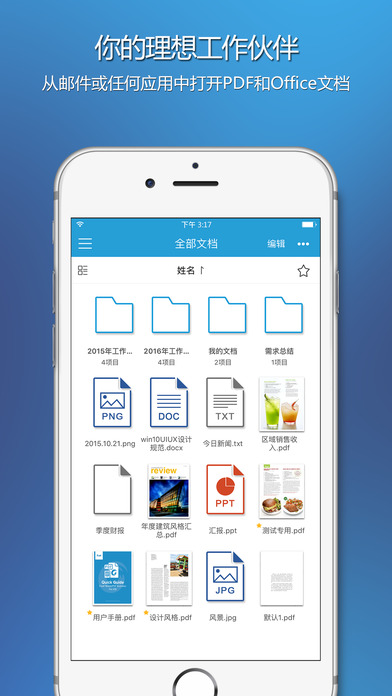
•Open PDF files from iTunes, email, Safari and applications that support "Open with"
•Supports previewing Microsoft Word, Excel, PowerPoint, TXT and image files
• Use text reflow to make PDF files easier to read
•Supports tabbed document interface (iPad only)
•Supports reading PDF files aloud
•Rename, move, copy or delete PDF files
•Compress and decompress files
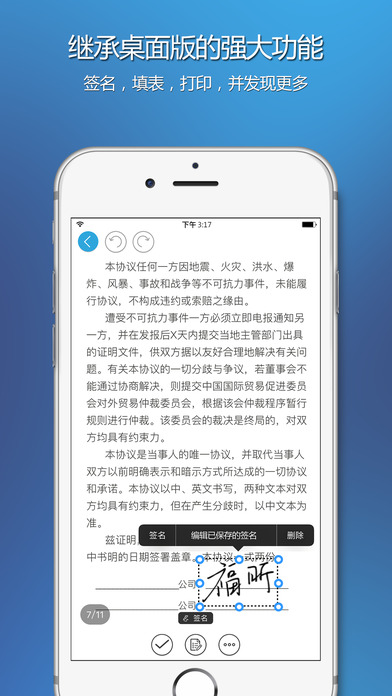
•Add comments, stamps and signatures to documents
•Supports view splitting and slide reading
•Take a photo or select an existing image to convert to PDF file

Process PDF forms
• Fill out and save PDF forms
•Import and export form data
•Submit PDF forms via HTTP, FTP or email
•Supports generating QR codes in PDF forms integrating Ultraforms technology

Share, save and sync PDF files
• Share PDF files and screenshots within the program
•Share files between computers and iOS devices via Wi-Fi
• Save, sync and access PDF files from popular cloud services such as Dropbox, OneDrive, Google Drive, Box and Foxit Cloud

Subscription service
•Protect PDF files with Microsoft Rights Management Services (RMS)
• Manage applications and protect corporate data with Microsoft Intune
•Participate in shared reviews and email reviews
• Open, modify, check out, and check in files in Microsoft SharePoint
•PDF documents support digital signatures
• Save, sync and access files in OneDrive Enterprise

Welcome to follow Foxit Weibo: http://e.weibo.com/535478944

Version: 5.3.2 | Update time: 2025-07-04

Similar recommendations

Latest updates

Foxit PDF Reader Review

  • 1st floor Huajun netizen 2018-03-18 16:23:50
    Foxit PDF Reader has been installed and is indeed the latest version.
  • 2nd floor Huajun netizen 2017-06-23 19:07:55
    After downloading Foxit PDF Reader, you can also use it on Android tablets, which is very good!
  • 3rd floor Huajun netizen 2018-03-24 08:08:16
    Recently, many people have recommended Foxit PDF Reader, and it’s pretty good after I tried it.

Recommended products

This application has not passed real-name authentication. You can download it through the mobile assistant.

CancelOK