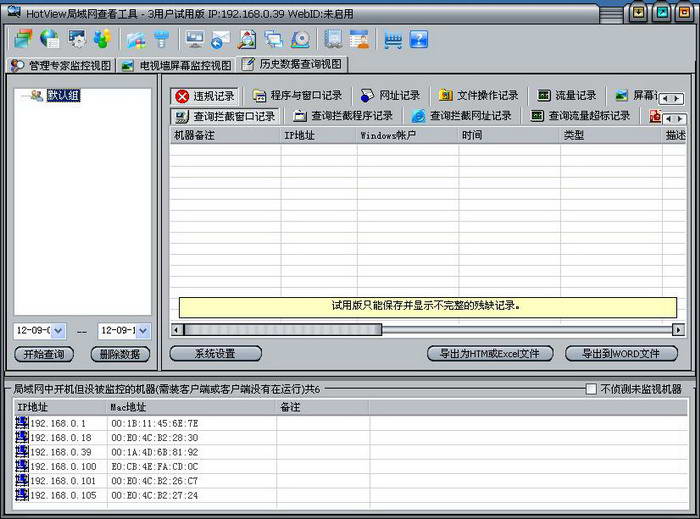
HotView LAN Viewing Tool is a tool developed by Nanjing Wangya Computer Co., Ltd. to view the Internet access behavior of employees' computers in the LAN. Administrators can view all employee computers in the LAN through a management machine. They can view the open windows of each employee computer in the LAN, view the running programs and their usage time, USB disk insertion and removal time, and file copy, paste, and deletion records. They can view the screens and software processes of employees in the LAN, and view the chat records and outgoing mail records of all employees. In addition to the function of viewing the LAN, HotView can also manage the LAN. It can prohibit QQ, prohibit downloads, restrict Internet access, restrict software running, limit traffic, etc.
The HotView viewing tool allows managers to view the working status of all employees in the LAN through a management machine, which can greatly improve enterprise production efficiency and reduce unnecessary waste of resources.
The detailed functions of HotView LAN viewing tool are as follows:
1. You can view the open windows, running programs, and every URL visited on all employee computers in the LAN, and count the usage time of each software on all employee computers in the form of a pie chart;
2. Check the file operations of all employee computers in the LAN, the U disk insertion and removal time, copy, paste, and deleted files;
3. The upload and download traffic of each employee computer in the LAN can be viewed in real time, and the traffic data can be queried at any time in the future;
4. Check the employee's screen. On the server, you can view the current screen of all employee computers in the LAN at any time and recall the historical screen, and you can view it in the form of animation;
5. You can check on the server what software is installed on all employee computers in the LAN, as well as computer hardware information, hard disk and memory usage;
6. You can view the daily system logs of each employee computer in the LAN. Including: boot monitored records, shutdown monitored records, unmonitored machine capture records, and unmonitored machine shutdown records;
7. You can view QQ chat records, MSN chat records, etc. of all employee machines in the LAN;
8. You can view outgoing emails from all employee computers in the LAN, and you can view the contents of the emails in real time, including the contents of attachments;
9. In addition to the viewing function, HotView also has LAN management functions. It can prohibit QQ, prohibit the running of chat tools, prohibit downloads, prohibit software installation, prohibit games, prohibit USB, set up to run only work-related software, control Internet access, only access designated websites or block certain websites, limit traffic and remote assistance functions.