
-
Yida member timing management system software
- Size: 19.54M
- Language: Simplified Chinese
- Category: financial management
- System: Win All






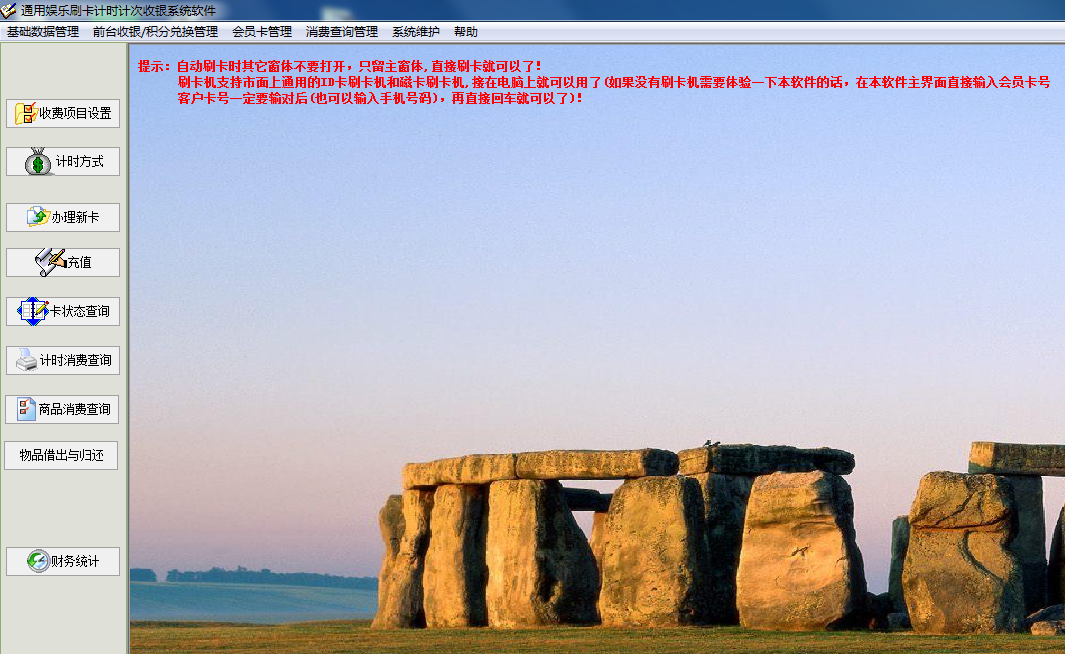
The online version of Yida member timing management system software is an excellent member management tool. The official version of the Yida Member Timing and Counting Management System Software is suitable for time counting and cashier locations. It supports multiple computers to be connected to the Internet and used at the same time. It supports membership card management, such as badminton timing charging and swimming pool timing charging management. The software of Yida member timing management system is highly versatile and compatible with ID card swiping machines and magnetic card swiping machines on the market.
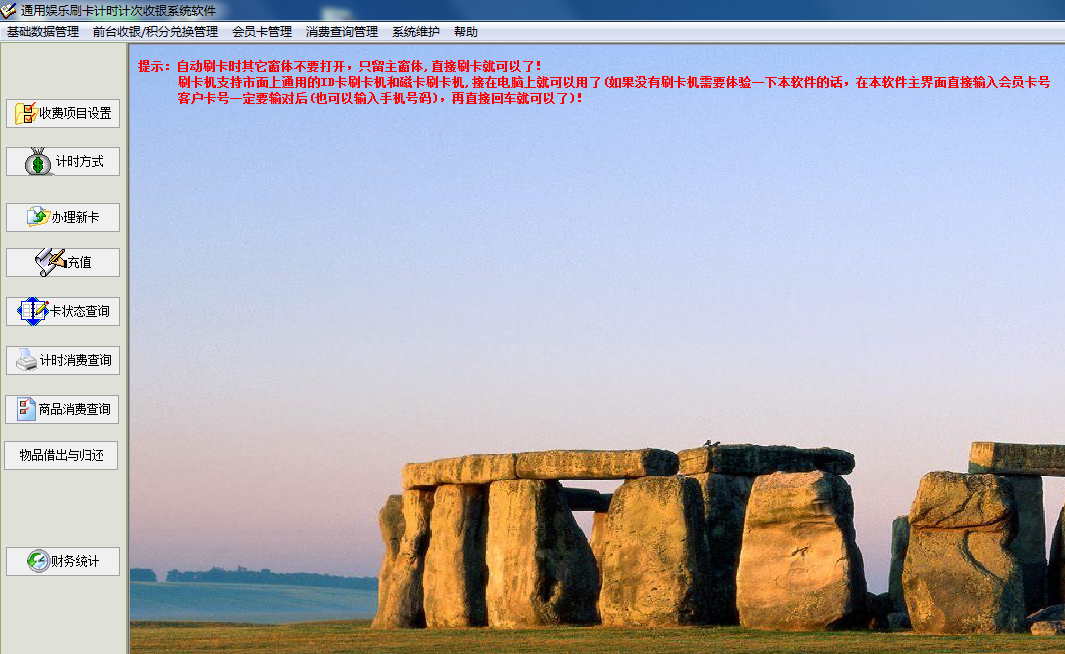
Introduction to Yida member timing management system software
适用于计时计次收银场所,支持多台电脑连网同时使用,支持会员卡管理,比如羽毛球计时收费,游泳馆计时收费管理,儿童娱娱乐场所,琴房培训计时,垂钓乐园计时管理,教育培训计时管理,滑雪场计时收费管理等一切需要计时收费的地方。
The online version of Yida member timing management system software supports product consumption management functions and product information setting functions. Super powerful membership card management function.
Yida member timing management system software software functions
1. Set the card type. If it is not a stored value card, set it as a temporary card, and if it is a stored value card, set it as a membership card. You can also set others by yourself. The system defaults to three types: temporary card, membership card and frequency card.
2. Set up charging items;
3. Setting of time charging method;
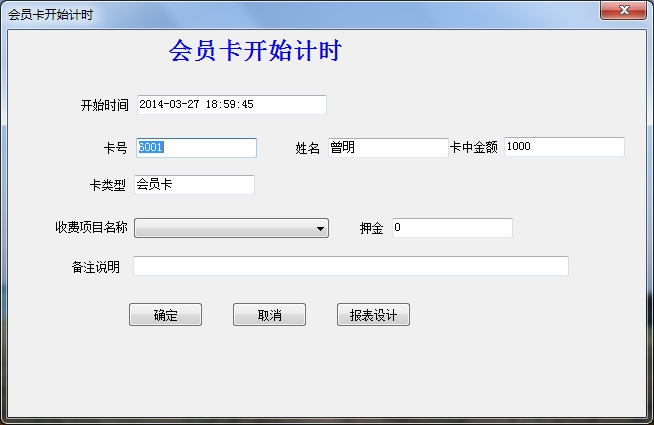
4. Swipe your card directly to start timing, swipe your card again to end timing, and print the cashier receipt.
5. Strong versatility, compatible with ID card swiping machines and magnetic card swiping machines on the market. You can also directly enter the customer card number manually. The membership card supports ID cards, key cards, button ID cards and magnetic cards, etc.
Easy-to-use member timing management system software installation steps
1. Download the compressed package of the Yida Member Timing and Counting Management System software from Huajun Software Park. After unzipping, double-click the exe file to enter the installation interface and click Next
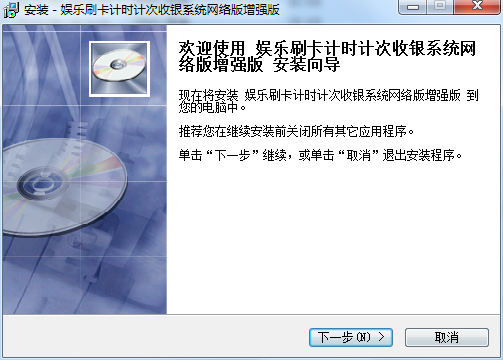
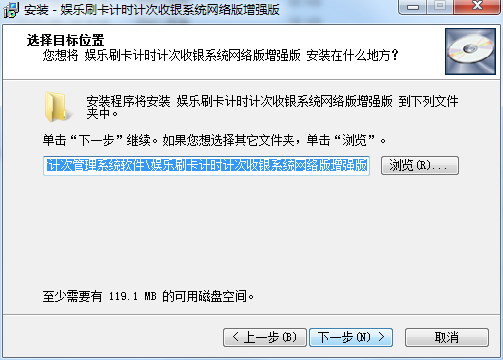
2. Set the software installation location. Click Browse to set it freely. It is recommended that you choose to install it on the D drive, and then click Next
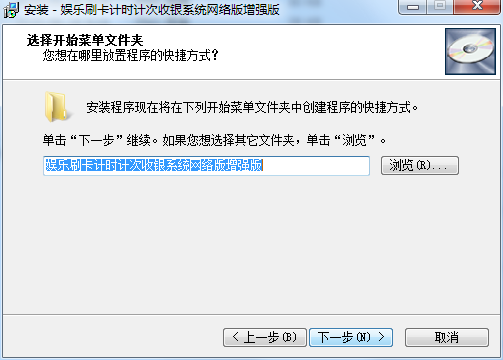
3. Select the Start menu folder, the default is enough, click Next
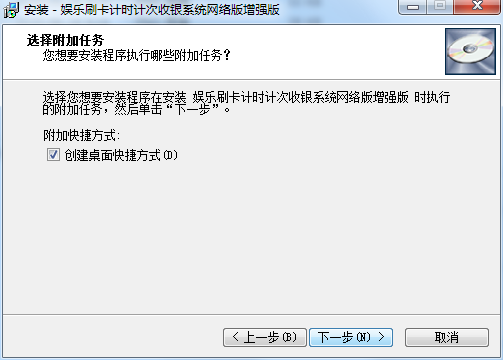
4. Select additional tasks, the default is enough, click Next
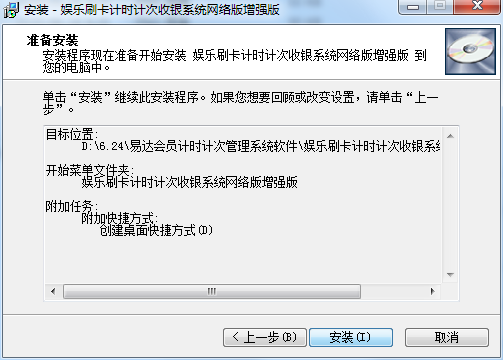
5. When the software installation is ready, click Install
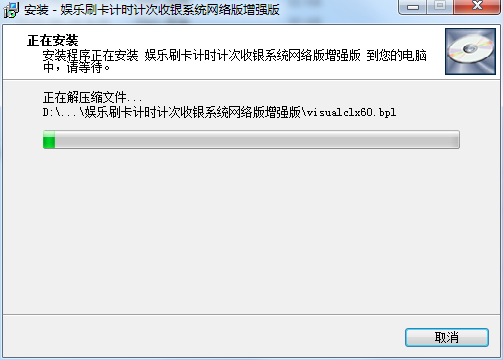
6. The Yida member timing management system software is being installed, we are waiting patiently
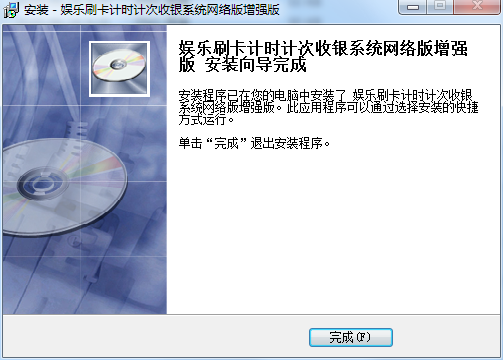
7. The software is installed successfully, click Finish
How to use the Yida member timing management system software
On this interface, after confirming that the card swiping machine is connected, just swipe the card directly. If there is no card swiping machine, directly enter the card number or mobile phone number on this main interface, and then press Enter directly.
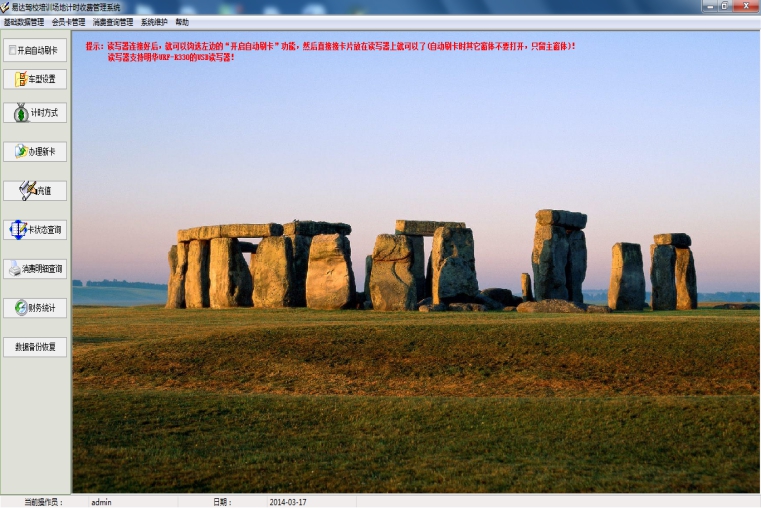
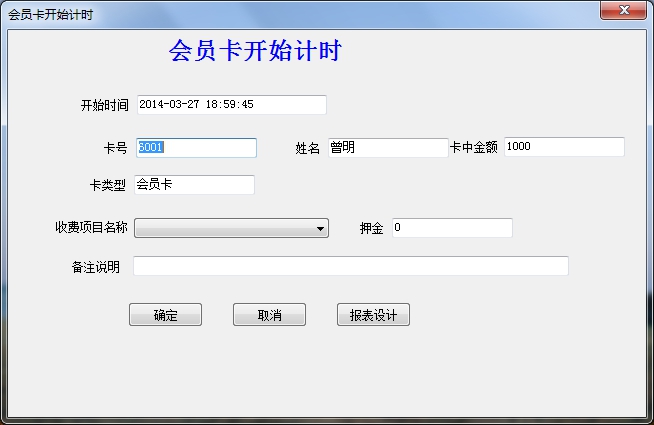
The interface for members to start swiping their cards is as follows. After swiping their cards directly, the software will pop up the following interface to start timing:
Swipe the card again and the following pops up to end the timing interface:
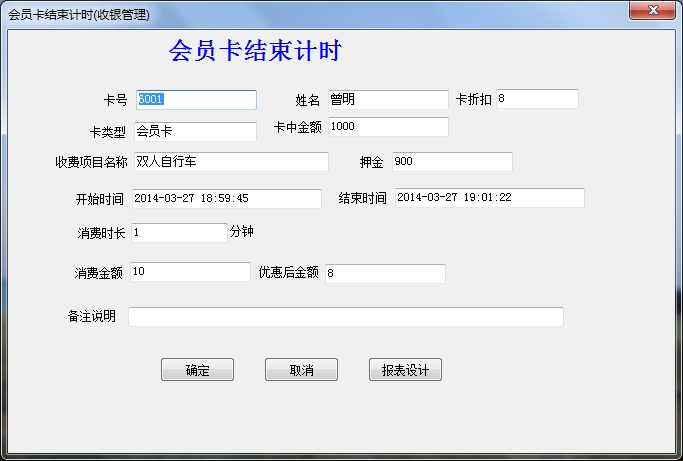
After clicking the OK button, print the receipt.
The receipt format is as follows:
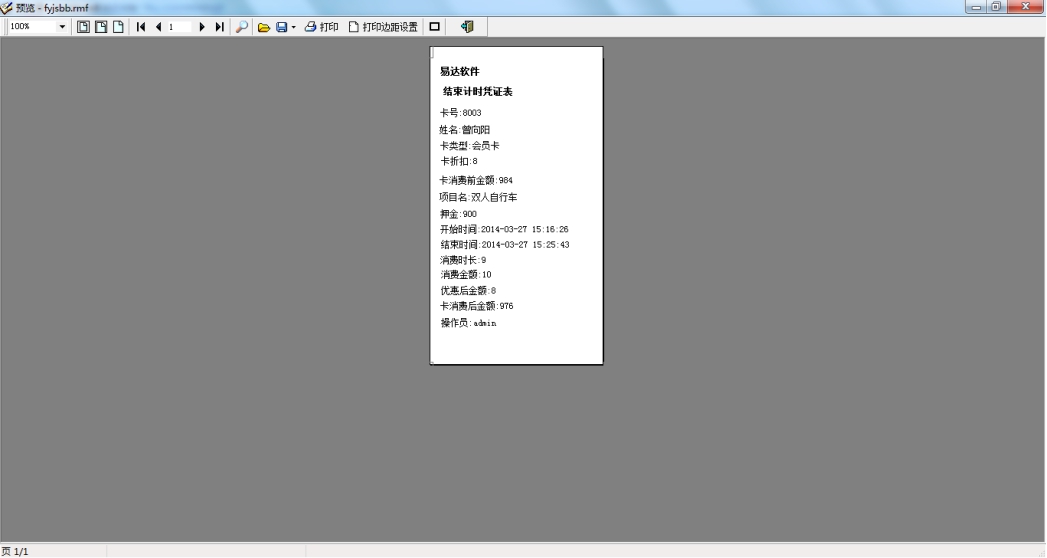
The above is the card swiping timing cashier management. Let’s introduce the commodity consumption management function:
Click Basic Data Management to find the product information setting function
Click the new button to add product information
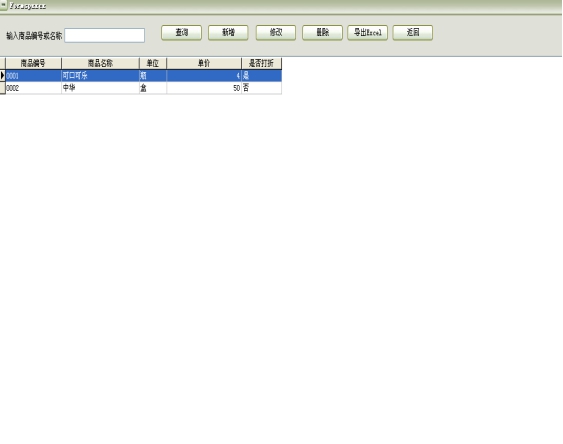
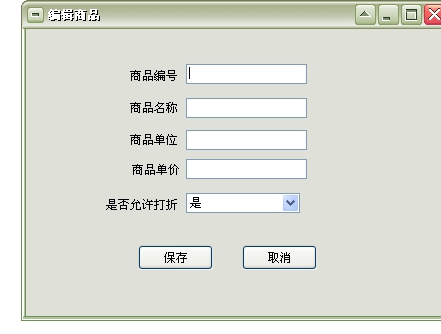
The new product information form is as follows:
After entering the product information, click the save button
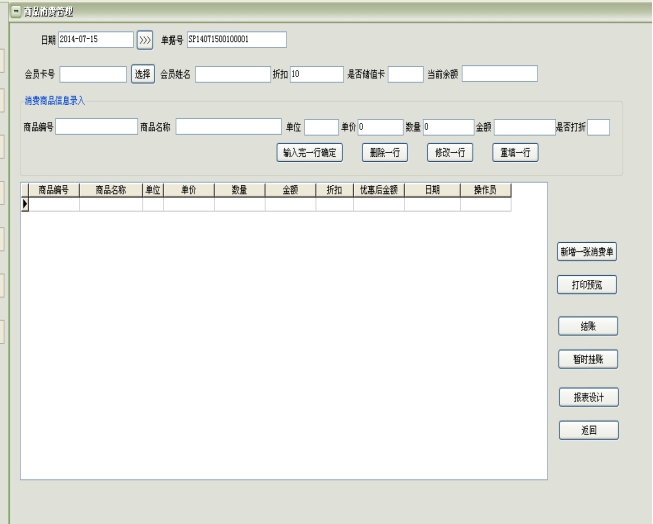
After selecting the membership card, enter the consumed products in the consumer product information below.
Commodity consumption management:
After entering or selecting a row of product-related data, click the "Confirm after entering a row" button. In this way, the entry of a row of commodity consumption records is completed. If you want to enter another row, select the product, enter the quantity, and then click the "Confirm after entering a row" button. The entry of all consumer goods is completed. If the customer wants to check out at that time, click the "Checkout" button to check out directly. If the customer wants to wait until the end and check out immediately, click the "Pending Account" button. When the credit card swiping time ends for the items listed on the account, the software will automatically combine them for checkout.
Frequently Asked Questions about Yida Member Timing and Counting Management System Software
How to set the card type?
First click the Add button, then after entering the data in the list box, click the Save button
How to set the name of consumption item?
First click the Add button, then after entering the data in the list box, click the Save button
How to set the timing method?
First click Add, then the system will pop up a form to enter the timely amount, after entering the data, click Save
Comparison of similar software
Randian membership management systemIt is a beauty industry membership management system developed by Shanxi Qining Information Technology Co., Ltd. This system is an essential tool for stores to carry out membership management, membership card management, member points management, member consumption management, member marketing, and settlement and cashiering. The basic functions are permanently free to use.
Yiyou nail membership management softwareIt is a nail salon member management tool. Its Yiyou Nail Member Management Software has functions such as statistical inquiry, member management, and point redemption for products. Yiyou Nail Member Management Software mainly manages members’ basic information, recharge status, event reminders, member requests for leave, and personal training management.
Yida member timing management system software update log
The developer of GG said that there are really no bugs this time~
Huajun editor recommends:
The online version of the Yida member timing management system software is very simple to install, powerful, and has no installation garbage. It is specially recommended to everyone, and everyone is welcome to download it! This site also hasEnhanced version of Yida contactless IC card membership management system, available for you to download!
Version: 37.0.7 Network version | Update time: 2024-12-31
Similar recommendations




Latest updates





Review of Yida Member Timing and Counting Management System Software
-
1st floor Huajun netizen 2020-09-06 00:12:58The software interface design of Yida Member Timing and Counting Management System is very easy to use and has rich functions. I highly recommend it!
-
2nd floor Huajun netizen 2020-08-02 09:45:12The overall feeling of Yida Member Timing and Counting Management System software is good. I am quite satisfied with it. The installation and operation are very smooth! It went very smoothly following the installation step-by-step guide!
-
3rd floor Huajun netizen 2022-01-19 10:46:52I hope the Yida member timing management system software can get better and better, come on!
Recommended products
-

007 cashier software management system
-

Max(TM) financial purchase, sale and inventory management system
-

Max(TM) financial purchase, sale and inventory management system Unicode
-

Kingdee Financial Software KIS Standard Edition
-

RMB amount case converter
-

Excel accounting book
-

E-tree enterprise management system (ERP software)
-

T6 enterprise management software (financial software)
-

Kingdee KIS
-
Yida member timing management system software
- Diablo game tool collection
- Group purchasing software collection area
- p2p seed search artifact download-P2P seed search artifact special topic
- adobe software encyclopedia - adobe full range of software downloads - adobe software downloads
- Safe Internet Encyclopedia
- Browser PC version download-browser download collection
- Diablo 3 game collection
- Anxin Quote Software
- Which Key Wizard software is better? Key Wizard software collection




