
-
Xigua audio and video player
- Size: 12.76M
- Language: Simplified Chinese
- Category: Mobile audio and video
- System: Android
- Manufacturer:Shenzhen Xiangliyun Network Technology Co., Ltd.
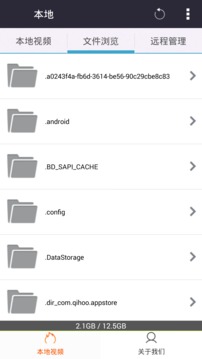
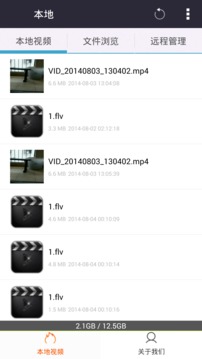

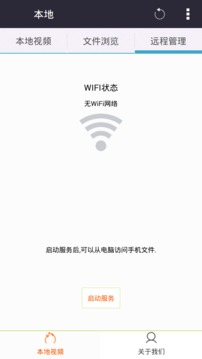
Xigua Video Player is a cross-platform audio and video playback software developed by Shenzhen Xiangliyun Network Technology Co., Ltd. The software adopts UDP protocol transmission technology and combined with P2P acceleration module, it can smoothly play more than 400 video formats (such as Rmvb, MP4, AVI, etc.), and supports cloud loading of HTTP/FTP/BT/magnetic link and other protocol resources, enabling downloading and playing at the same time.

Software features
Full format compatibility and HD playback
It supports more than 400 video formats such as MP4, AVI, RMVB, MKV, etc., is compatible with Blu-ray protocol file playback, and has a built-in automatic subtitle matching function to meet users' needs for high-definition image quality.
Provides multiple definition options such as 720P, 1080P, 4K, etc. to adapt to different network environments and ensure a smooth playback experience.
Intelligent search and resource integration
It has a powerful built-in search engine that supports keywords to quickly locate videos, and integrates the resources of multiple mainstream video websites to achieve on-demand viewing of the entire online video library.
Provides an intelligent recommendation function to push similar or popular content based on users’ viewing history and preferences, improving the efficiency of discovering high-quality videos.
Offline downloading and multi-screen interaction
Supports offline downloading of videos. Users can save videos locally and watch them without an Internet connection.
Provides multi-screen interactive functions, which can project videos on mobile phones and tablets to large-screen devices (such as TVs) to achieve cross-terminal sharing.
Simple interface and personalized operation
The interface design is simple and intuitive. The main page is divided into home page recommendations, hot topics, search box and category navigation bar, so users can quickly find what they need.
It supports gesture control (such as sliding to adjust volume/brightness), screen lock function (to avoid accidental touches), and is equipped with a WIFI wireless transmission module to achieve cross-device file sharing.
Software function
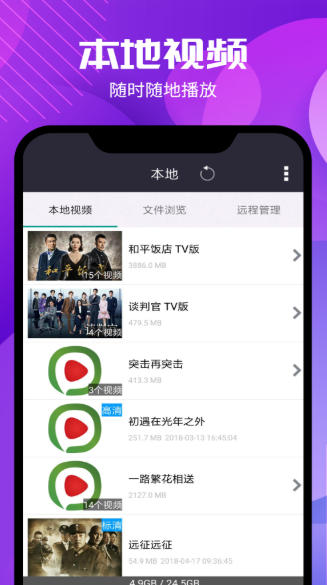
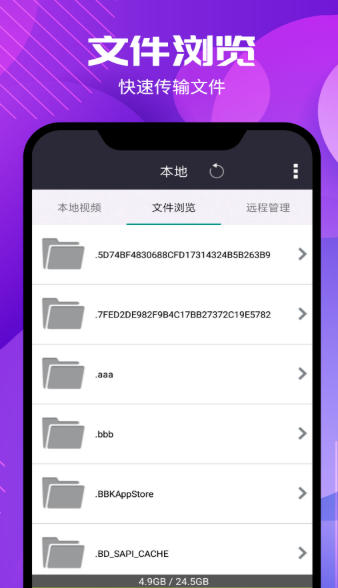
Local playback and management
Quickly scan mobile phone video files, support favorites classification and playback history review, making it convenient for users to manage local resources.
Compatible with DVD folder playback, no need to convert formats, copy directly to SD card for playback, and supports DVD menu navigation.
Network on demand and protocol support
It supports cloud loading of protocol resources such as HTTP/FTP/BT/magnetic links, and adopts playback while downloading technology. The average buffering time of 720P videos is less than 2 seconds.
Integrate the Thunder resource library search function, add video sharing components and homepage intelligent recommendation modules to improve resource acquisition efficiency.
Subtitles and audio track management
Supports embedded subtitles in MKV, MP4, MOV and other formats, as well as external subtitle files such as SRT, ASS, SUB, etc. Users can freely switch subtitle languages.
Provides multi-track selection function to meet users' needs for different languages or sound effects.
Playlists and continuous playback
Supports the creation of playlists, which can play multiple files continuously and automatically remember the last playback position, making it convenient for users to resume watching after a break.
Software common problems and solutions
Video won't play or loads slowly
Reason: The network connection is unstable, the video source is invalid, and the software version is out of date.
Solution:
Check the network status and make sure the device is connected to stable Wi-Fi, or switch to a wired network.
Refresh the page or change the video link to confirm whether the video source is valid.
Update the software to the latest version, fix known bugs and optimize performance.
Format is incompatible or cannot be decoded
Reason: The video encoding is special or the device lacks a decoder.
Solution:
Use format conversion tools (such as Format Factory) to convert videos to mainstream formats such as MP4 and MKV.
Install K-Lite Codec Pack on Windows devices to enhance format support.
Xigua Video Player update log:
1. Fixed BUG, the new version has a better experience
2. Some pages have been changed
Huajun editor recommends:
Xigua audio and video player has the same complete functions as the official product, the interface is more beautiful and elegant, and the design is more complete. It continuously meets the needs of users. Welcome to download. If you are interested, you can also download 360 Movies, Y2002 Music, and .NET
Version: 1.1.1 | Update time: 2025-11-03
Similar recommendations






Latest updates




Operation of setting options of Xigua Video Player
The solution to the problem that Xigua Video Player cannot watch movies
How to uninstall Xigua Video Player? A comprehensive introduction to uninstallation methods
How to cancel the account in Kuai Technology? -How to cancel your account in Kuai Technology
How to submit feedback on Kuai Technology? -How to submit feedback on Kuai Technology
How to send a private message to Toutiao today? -How to send private messages to Toutiao today
How to change Toutiao password? -How to change password in Toutiao
How to set the font for Toutiao today? -How to set font in Toutiao
Xigua Video Player Review
Recommended products








- Diablo game tool collection
- Group purchasing software collection area
- p2p seed search artifact download-P2P seed search artifact special topic
- adobe software encyclopedia - adobe full range of software downloads - adobe software downloads
- Safe Internet Encyclopedia
- Browser PC version download-browser download collection
- Diablo 3 game collection
- Anxin Quote Software
- Which Key Wizard software is better? Key Wizard software collection




