
-
Xiaomi line brush tool
- Size: 26.03M
- Language: Simplified Chinese
- Category: Android Others
- System: WinAll






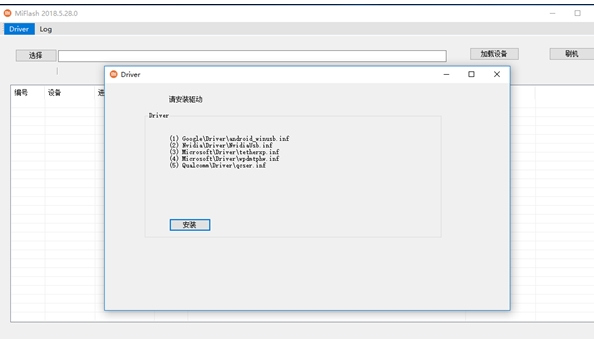
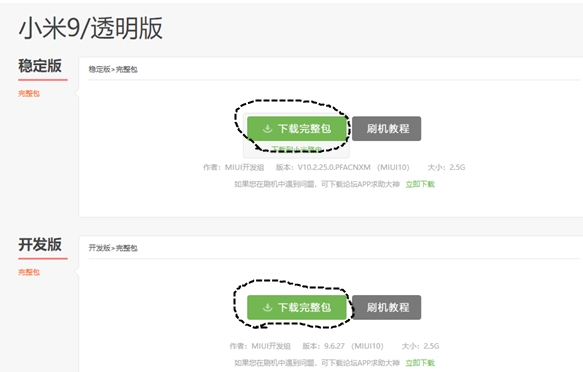
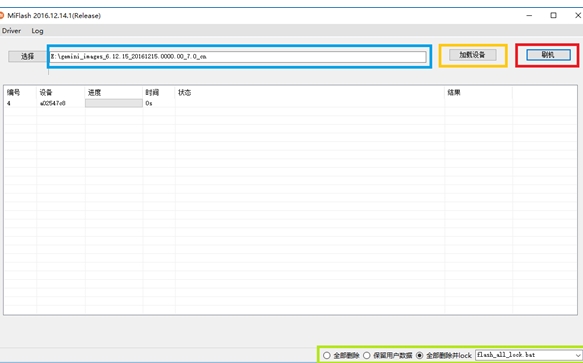
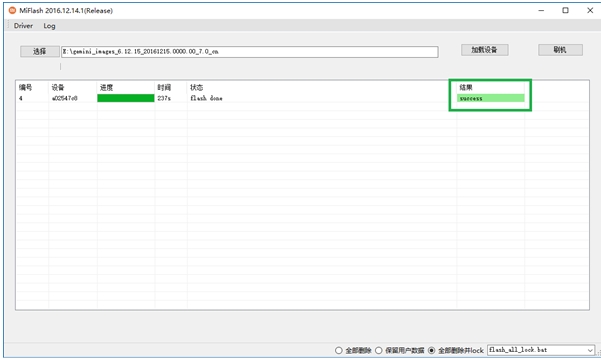
Xiaomi Flash Tool is a professional flash tool officially launched by Xiaomi. It is mainly designed for Xiaomi mobile phones and related devices. It can help users flash Xiaomi devices under specific circumstances, such as solving system faults, upgrading to new versions of the system, and experiencing customized ROMs. Through Miflash, users can flash official firmware or other adapted firmware into the device to restore the device to normal working condition or obtain new features. Friends who like Xiaomi wire brushing tool, please come to Huajun Software Park to download and experience it!
Highlights of Xiaomi Line Brush Tool
System repair
When Xiaomi devices experience system failures, such as frequent crashes, lags, and inability to boot normally, you can use Miflash to flash the official firmware to fix these problems. For example, if your Xiaomi phone suddenly loses power during the system upgrade process, causing the system to fail to start normally, you can re-flash the complete system firmware through Miflash to restore the normal use of the device.
System upgrade
Although Xiaomi mobile phones can usually be upgraded via OTA (Over-the-Air), in some cases, such as when the OTA upgrade fails or when users want to quickly experience a new version of the system, Miflash can be used to perform manual upgrades. Users can download the latest officially released firmware package and flash it into the device through Miflash to achieve rapid system upgrade.
Experience custom ROM
Some flashing enthusiasts like to experience customized ROMs, which usually have more personalized features and optimizations. Miflash can help users flash these customized ROMs into Xiaomi devices to meet their personalized needs for device functionality and appearance. However, it should be noted that there are certain risks in flashing custom ROM, such as it may lead to equipment warranty invalidation, system instability and other issues.
Features of Xiaomi Wire Brush Tool
Official authority
Directly developed by Xiaomi, it supports 32/64-bit systems from Windows XP to Windows 10, ensuring deep compatibility with Xiaomi devices.
It is specially used to flash Xiaomi official ROM firmware (such as MIUI, HyperOS), covering global version, national version, Russian version, European version (EEA), etc. It is not compatible with third-party ROM or OTA upgrade packages.
Key Features
Wire Flash Mode: Flash the complete firmware package through the Fastboot interface, supporting system upgrade, downgrade or brick rescue (such as restoring the system when the device becomes bricked).
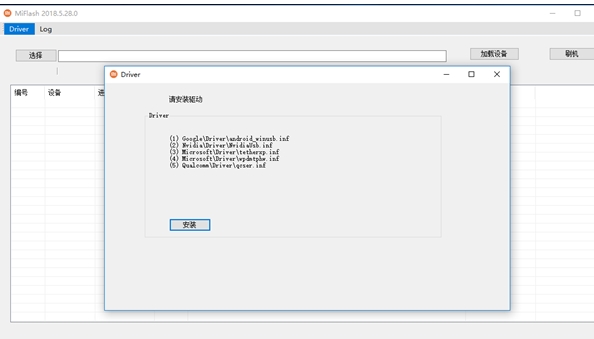
Driver integration: Built-in MTP, ADB, RNDIS and Qualcomm USB drivers, the device can be identified without manual installation.
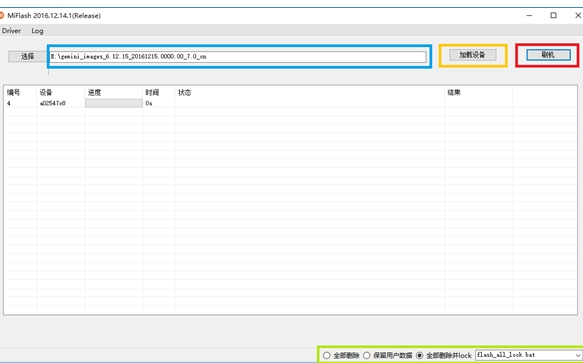
Data protection options: Provides three modes: "Delete all", "Keep user data" and "Delete all and lock". Users can choose whether to retain data or reset the bootloader lock state according to their needs.
Xiaomi Wire Brush Tool Functions
System flash
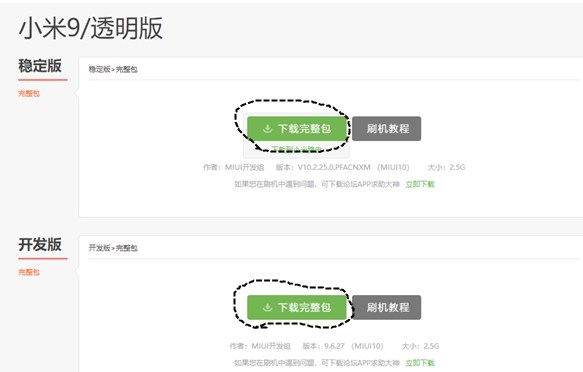
This is the most basic and important function of Miflash. It supports flashing Xiaomi’s official firmware package (.fastboot format) into devices in Fastboot mode. For example, when your Xiaomi phone cannot boot normally due to a system crash, you can use Miflash to re-flash the official firmware and bring the phone back to life.
The flashing process is relatively simple. Users only need to connect the device to the computer, enter Fastboot mode (usually by holding down the volume down key and the power key at the same time to turn on the device), then select the corresponding firmware package and device in Miflash, and click the "Flash" button to start flashing.
Firmware management
Miflash can manage downloaded firmware packages, and users can view detailed information about the firmware package, such as firmware version, applicable device models, etc. This facilitates users to quickly find the appropriate firmware package when they need to flash their phones, and avoids device problems caused by using the wrong firmware.
Official certification
As an official tool launched by Xiaomi, Miflash is very compatible with Xiaomi devices. It has been rigorously tested and optimized by Xiaomi officials to ensure the stability and safety of the flashing process, greatly reducing the risk of the device becoming bricked due to failed flashing.
Easy to operate
The interface design of the tool is simple and intuitive, so even users without flashing experience can get started quickly. The steps to flash your phone are relatively simple. You only need to follow the software prompts to complete the flashing process.
Frequently Asked Questions about Xiaomi Wire Brush Tool
How to confirm that the downloaded flash package is suitable for my Xiaomi device?
method
Check the device model: In the Xiaomi device settings, find the "About Phone" option to check the specific model of the device, such as "Xiaomi 12", "Redmi K50", etc.
Check the flash package information: When downloading a flash package from Xiaomi’s official website or a reliable third-party resource, the download page will usually clearly indicate the device model for which the flash package is applicable. Be sure to check carefully to ensure that the downloaded flash package exactly matches the device model. For example, you cannot use the wired flash package for the Xiaomi Mi 12 with the Redmi K50 device.
Xiaomi wire brushing tool update log:
Developer GG said there are really no bugs this time~
Huajun editor recommends:
As an Android software that is continuously updated and iterated, Xiaomi Wire Brush Tool has been transformed in version updates again and again, more in line with user needs and bringing users a very high experience. The editor of Huajun Software Park recommends everyone to download and use it. There are also related software such as the world-famous baby naming software, Jingke Name Doctor-Professional Edition, and Batch Butler, which are also pretty good and can be downloaded and used.
Version: 8.25.0 | Update time: 2025-06-06
Similar recommendations





Latest updates





Xiaomi Wire Brush Tool Review
Recommended products
-

Chacha Assistant Root-free activation tool PC version
-

Powerful one-click ROOT software
-

Smart Switch pc emergency repair version
-
TV file remote management TV version
-

Huawei Mobile Assistant (HiSuite)
-

thrush call
-

BlueStacks BlueStacks Android Emulator Classic Edition
-
HiMarket For Android
-

Switch Assistant PC version
-

TV desktop (TV version)
- Diablo game tool collection
- Group purchasing software collection area
- p2p seed search artifact download-P2P seed search artifact special topic
- adobe software encyclopedia - adobe full range of software downloads - adobe software downloads
- Safe Internet Encyclopedia
- Browser PC version download-browser download collection
- Diablo 3 game collection
- Anxin Quote Software
- Which Key Wizard software is better? Key Wizard software collection




