
-
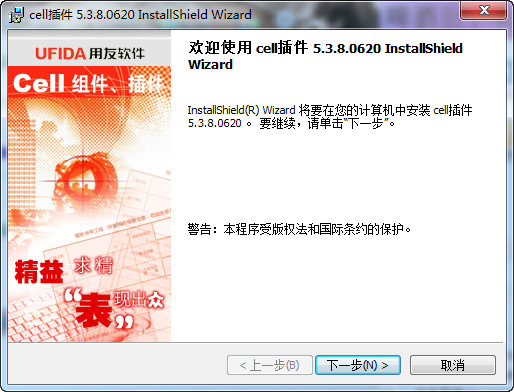
UFIDA Huabiao CELL plug-in
- Size: 17M
- Language: Simplified Chinese
- Category: Source code download
- System: PHP source code






UFIDA Huabiao's CELL plug-in is a third-party control based on ActiveX technology that solves the problem of Chinese-style report display and printing. Like other third-party ActiveX controls, UF Huabiao CELL plug-in can only be run on the client. It can only use JAVASCRIPT and VBSCRIPT client language to manipulate the control to directly process client data, and the customer's data is stored on the server. This will inevitably require the client's ActiveX control to interact with the server.
UF Huabiao Cell plug-in is a plug-in (ActiveX control), which is a powerful and technologically mature report secondary development tool launched by Beijing Uf Huabiao Company based on long-term development practice. It has more than 700 programming interfaces to realize report customization, report display, print preview, printing, charts, formulas, custom functions, resource localization and other powerful functions. It can fully read and write Excel files and is the best solution for software developers to develop excellent report software.
UFIDA Huabiao Cell plug-in software features:
Powerful printing and print preview
Cell's support for printing is very rich. You can set headers, footers, page margins, infinite zoom in print preview, and multi-page display. Using Cell components will make your software stand out from the crowd in printing and completely forget about the troubles caused by printing.
Unique selection interface
The first impression of Cell is that it is different from other forms, and that is its gray selection area. Excel will invert the selected area to the original color, so the contrast is very strong, while Cell uses a unique color algorithm to allow you to clearly distinguish the selected area while minimizing eye irritation.
Rich unit formats and designs
Through the Cell component, you can transform data into highly interactive content. Cell cells are diverse. You can choose buttons, drop-down boxes, radio buttons, check boxes, scroll buttons, and hyperlinks from dozens of formats to enhance the impact of the report.
Powerful charting capabilities
There is nothing easier than drawing with Cell. Just specify the position of the chart data on the table, and an exquisite chart is completed. Such a fool-like operation does not hinder your various needs. In addition, you can specify the chart data source and control every data of the chart.
Relative unit formula
The unit formula in Cell is a relative unit formula. When the user performs insertion and deletion operations in table rows and columns, the previously entered unit formula will not be affected. Users can immediately obtain the result of the formula when editing the formula. If there is a circular reference in the formula, Cell will list the formulas that generate the circular reference.
Functions and custom functions
Cell provides some commonly used functions, but Cell pays more attention to custom function functions. Custom functions can be compiled using C, VB, VBScript and other languages. Custom functions can be nested an unlimited number of times. In addition to the two data types of numeric and string, Cell also defines cell data types and area data types, which greatly enhances the ease of use of the function.
Copy and paste compatible with Excel, Word tables, Lotus1-2-3 table data
Cell supports cut, copy and paste, and its basic format is the same as Excel, Word tables and Lotus1-2-3; users can use this function to exchange data in Excel, Word tables and Lotus1-2-3.
Cell naming
Cell includes four types of cell naming (numbers, strings, formulas, and range naming). The name of the cell can be used instead of the cell in the formula.
Resource localization
The Cell component/plug-in can be set to different language versions as needed.
Supports multiple format output, CSV format
In addition to supporting the output of HTML, EXCEL, TEXT and other file formats, Cell also supports the output of PDF and CSV file formats, which greatly improves the sharing ability of component data.
UFIDA Huabiao CELL plug-in realizes the steps of client-server data interaction:
1. Upload the data in the client CELL plug-in to the server-side database.
Method: The client obtains the data and saves it in XML through the Cell programming interface SaveToBuffer, and uses XMLHTTP technology to transfer the data to the server and save it in the server database.
2. Display the data in the server-side database in the client's CELL plug-in.
Method: Connect to the server database to obtain data, transfer the data to the client through the Response object, and then use the Cell programming interface ReadFromBuffer to display it on the client.
The Cell plug-in is used to develop B/S structure programs. It is developed using Asp, Asp.net, Jsp, VbScript, JavaScript and other languages. Reports can be printed directly in the browser (not IE printing), with international digital signatures, making it more convenient and safer for users to use.
•Has all the special functions of the Cell component and provides report display and printing in the browser
•The network report interface is beautiful, which greatly improves the output effect of reports in the browser
•With international digital signature, users can use it safer and more assured
•The report file can be saved as a Huabiao file or Excel file for further processing
•Supports ASP, ASP.Net, JSP, VBScript, JavaScript and other language development
Introduce the Cell plug-in into the project in the development tool, and then drag the Cell plug-in to the page to start report design.

Version: 5.3.9.15 | Update time: 2024-12-23
Similar recommendations






Latest updates



UFIDA Huabiao CELL plug-in review
-
1st floor Huajun netizen 2021-02-19 01:38:53UFIDA Huabiao CELL plug-in is awesome! 100 million likes! ! !
-
2nd floor Huajun netizen 2018-11-06 23:56:33UFIDA Huabiao CELL plug-in is convenient, practical and powerful. The software is very easy to use!
-
3rd floor Huajun netizen 2020-04-01 02:35:31UFIDA Huabiao CELL plug-in has comprehensive functions and is very convenient to use.
Recommended products
-

Jian Daoyun
-

barcode generator
-
PHPExcel
-
Universal website backend management system (php version)
-
UFIDA Huabiao CELL plug-in
-

Yunbo search magnetic search
-

Picture thief of Piao Piao Art Museum
-

IK Analyzer open source Chinese word segmentation
-

CKEditor (FCKeditor) rich text editor
-
Card alliance whole site program source code php version
- Diablo game tool collection
- Group purchasing software collection area
- p2p seed search artifact download-P2P seed search artifact special topic
- adobe software encyclopedia - adobe full range of software downloads - adobe software downloads
- Safe Internet Encyclopedia
- Browser PC version download-browser download collection
- Diablo 3 game collection
- Anxin Quote Software
- Which Key Wizard software is better? Key Wizard software collection




