-
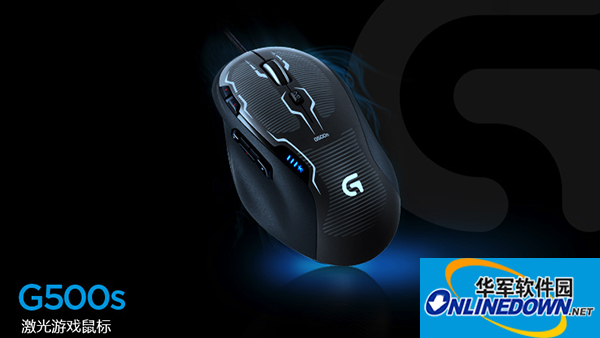
Logitech G500s Gaming Mouse Driver for Mac
- Size: 93.5M
- Language: Simplified Chinese
- Category: Peripheral driver
- System: WinAll






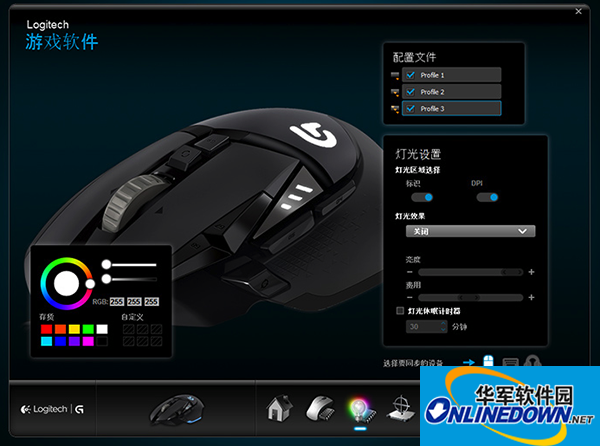
Logitech G500s driver Mac versionIt is a driver for the G500s gaming mouse Mac platform produced by the well-known peripheral manufacturer Logitech that can be used on the Apple computer MAC OS platform. The Logitech G500s driver Mac version can customize the buttons and shortcut keys of the mouse as well as custom macros by configuring different game "scenario modes" and switch operating modes between games. You only need to change the corresponding game configuration file in the software to switch to customized game keys. The configuration file can be exported and shared, which is very convenient. Friends who need this tool can download it and use it.
How to use
1. Download the complete Logitech G500s driver Mac version compressed file. After the download is completed, double-click to open the zip package, find the "LogiGamingSetup.mpkg" installation package, and click to start the installation program.
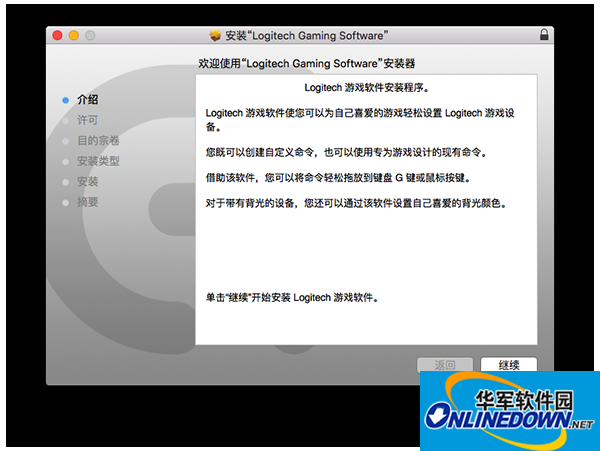
2. After starting the installation program, follow the installation prompts that pop up from the installation program to install the mouse driver step by step until the installation is completed.
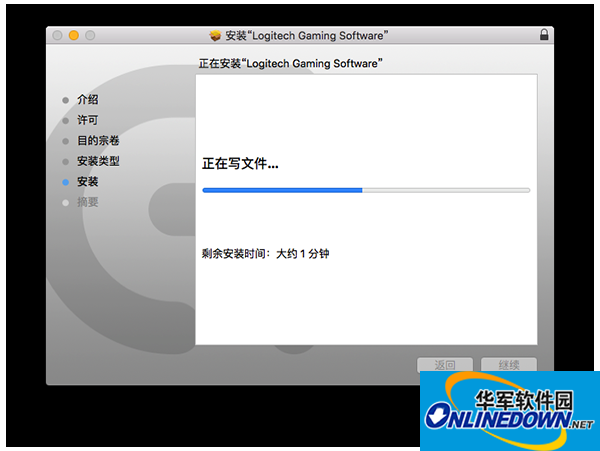
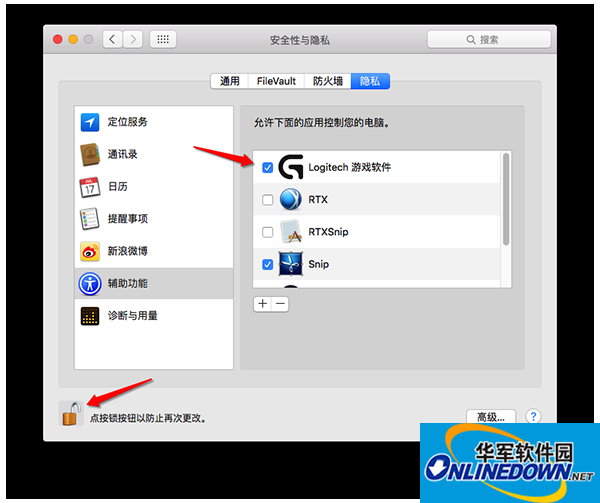
3. After the driver installation is completed, in order to ensure that the Logitech G500s driver can run and open normally under the user's Mac system, the installation program will prompt the user to set "Allow the Logitech Gaming Software application to control your computer" (System Preferences - Security and Privacy - Privacy). After clicking the "Lock Button" on the interface below to unlock it, check the "Logitech Gaming Software" option.
4. Click the launchpad in the dock bar below the system to find the Logitech G500s driver App, open it, plug in the mouse, and set the driver according to your needs in the opened application interface.
Change log
bug fixes
1. The problem of failure when creating a new configuration file on OS X 10.11 El Capitan has been solved
2. The issue where users were unable to assign the number 3 to the G key on OS X 10.11 El Capitan has been resolved
3. The problem that LGS cannot correctly recognize the numbers 4 and 6 on the ISO layout keyboard has been solved
4. The problem that the buttons assigned to the "Back" and "Forward" functions did not work in the Swedish environment has been solved
Version: V8.60.313 | Update time: 2024-12-30
Similar recommendations



Latest updates




Logitech G500s Gaming Mouse Driver for Mac Review
-
1st floor Huajun netizen 2021-02-26 22:24:07Logitech G500s gaming mouse driver for Mac is very useful, thank you! !
-
2nd floor Huajun netizen 2019-06-10 22:37:35The Logitech G500s Gaming Mouse Driver for Mac has an easy-to-use interface design and rich functions. I highly recommend it!
-
3rd floor Huajun netizen 2021-06-17 01:56:59Logitech G500s gaming mouse driver for Mac is awesome! 100 million likes! ! !
Recommended products
-

Canon LBP2900 laser printer driver
-
Canon LBP2900 laser printer driver
-
Canon LBP2900 laser printer driver
-
Canon LBP2900 laser printer driver
-

Universal Bluetooth headset driver
-

HP LaserJet 1020 Plus Printer
-
HP LaserJet 1020 Plus Printer
-
HP LaserJet 1020 Plus Printer
-

HP LaserJet 1020 Plus Printer
-
HP LaserJet 1020 Plus Printer
- Diablo game tool collection
- Group purchasing software collection area
- p2p seed search artifact download-P2P seed search artifact special topic
- adobe software encyclopedia - adobe full range of software downloads - adobe software downloads
- Safe Internet Encyclopedia
- Browser PC version download-browser download collection
- Diablo 3 game collection
- Anxin Quote Software
- Which Key Wizard software is better? Key Wizard software collection




