How to hide the player in the PC version of Recommended Movies? -How to hide the player in the PC version of recommended movies
Time: 2025-09-01Source:Author: Qingchen
The PC version of Recommended Movies is a classic and easy-to-use free software for watching dramas. So how do you hide the player in the PC version of Recommended Movies? How to hide the player in the PC version of recommended movies? Let the editor give you the answer below!

How to hide the player in the PC version of Recommended Movies?
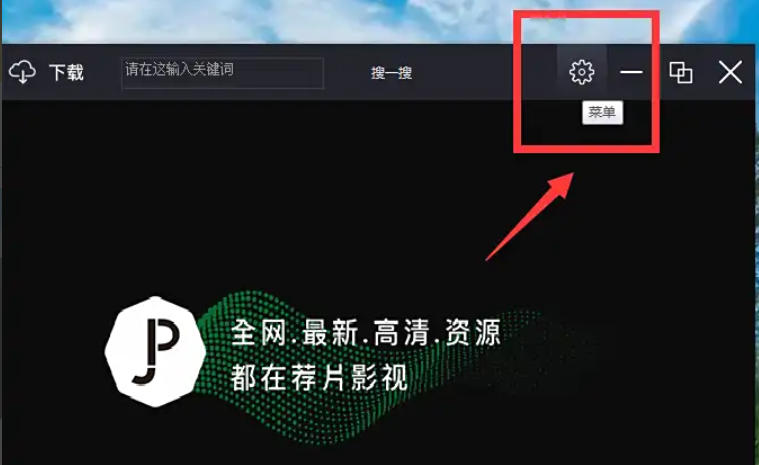
1. Open the recommended movie player and click the "Menu" icon in the upper right corner of the main interface.
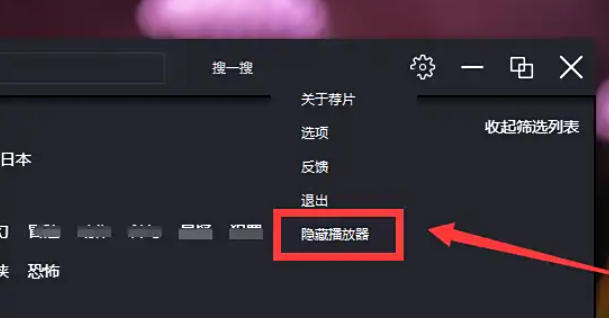
2. In the pop-up menu, find and click the "Hide Player" option to hide the player. At this time, the player icon on the taskbar will also be automatically hidden.
The above are the recommended movies compiled by Huajun editor for you. How to hide the player in the PC version? I recommend a method to hide the player in the computer version of the movie. I hope it can help you.
Popular recommendations
-
Tiantuyun
Version: 2.7.9Size: 51.23MB
Tiantuyun PC version is an audio and video player software. The latest version of Tiantu Cloud is a knowledge education platform mainly designed for mobile online learning. In this APP, you can...
-
Taijie video
Version: PC version v5.1.2.10Size: 18.74MB
Taijie Video PC version is a video playback software. The latest version of Taijie Video is rich in functions, has massive video resources, timely updates, live TV DI...
-
Yingke Live
Version: 9.7.75Size: 107.68 MB
The computer version of Inke Live is a very good real-time live broadcast media known as China's first new media form. The computer version of Inke Live uses real-time video...
-
Xiaoetong
Version: 5.19.0Size: 178.7 MB
The computer version of Xiaoetong Live Assistant is a compact and practical live broadcast software specially designed for online teaching. The computer version of Xiaoetong Live Assistant also has a wealth of...
-
Hurry up and cast your screen
Version: 3.2.4.4Size: 14.22MB
Quick Screen Mirroring PC version is a simple and fast screen mirroring software. The latest version of Quick Screen Cast supports casting videos from your mobile phone to your smart TV, allowing you to enjoy the big screen...